
Computer Search Pokemon Card Prices — All Computer Search Values
Live market prices for every Computer Search card we track, with graded values on each card page. Updated Oct 5, 2026.


Several of these share artwork across sets, so a photo check with the Pokémon card scanner saves guessing the set.
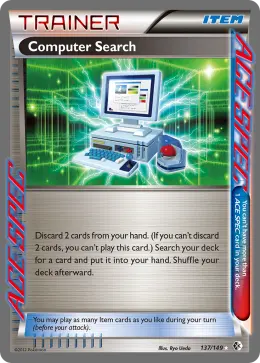
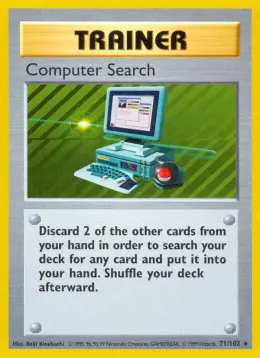
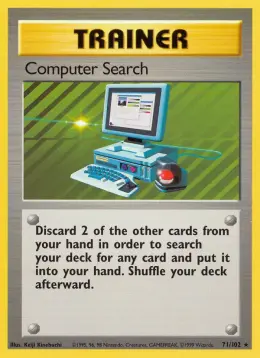
Computer Search was first printed in Base Set (1999) and most recently in Boundaries Crossed (2012). The Base era has the most Computer Search cards (4). The biggest grading premium belongs to Computer Search #71, where a PSA 10 sells for about 26.2x raw.
Most valuable Computer Search cards
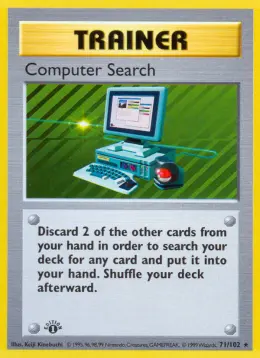
Vintage Computer Search cards
Computer Search cards by era
| Era | Cards | Top card | Top price |
|---|---|---|---|
| Black & White | 1 | Computer Search #137 (Boundaries Crossed) | $13.51 |
| Base | 4 | Computer Search #71 (Base Set) | $10.07 |
All Computer Search cards
| Card | Set | Rarity | Raw | PSA 10 |
|---|---|---|---|---|
| Computer Search #137 | Boundaries Crossed | Rare ACE | $13.51 | - |
| Computer Search #71 | Base Set | rare | $10.07 | $80.91 |
| Computer Search #71 | Base Set | rare | $4.50 | - |
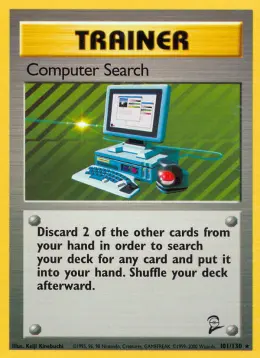
| Computer Search #101 | Base Set 2 | rare | $2.42 | - |
| Computer Search #71 | Base Set | rare | $2.60 | $68.11 |
Related Pokemon card values
Frequently asked questions
What is the most valuable Computer Search card?
Computer Search #137 from Boundaries Crossed is the most valuable at about $13.51 raw.
How much is a Computer Search Pokemon card worth?
Most Computer Search cards sell for between $2.42 and $13.51. The exact value depends on the set, rarity and condition, so match the card number against the list above.
How many Computer Search cards are there?
We track 5 Computer Search cards across 3 sets.
What is the newest Computer Search card?
The most recent printing is Computer Search #137 from Boundaries Crossed (November 2012), currently $13.51 raw.
Which Computer Search card is most worth grading?
Computer Search #71 has the biggest PSA 10 premium: about 26.2x its raw price. Only send copies with sharp corners, clean edges and good centering.
How do I know which Computer Search card I have?
Check the set symbol and card number at the bottom of the card and match them to the table above. A phone scanner can read both from a single photo.
Check any card from a photo
Point your iPhone camera at a card to see its raw price, PSA graded values and recent eBay sales.