
Identify Pokémon Card by Photo Before Checking Price



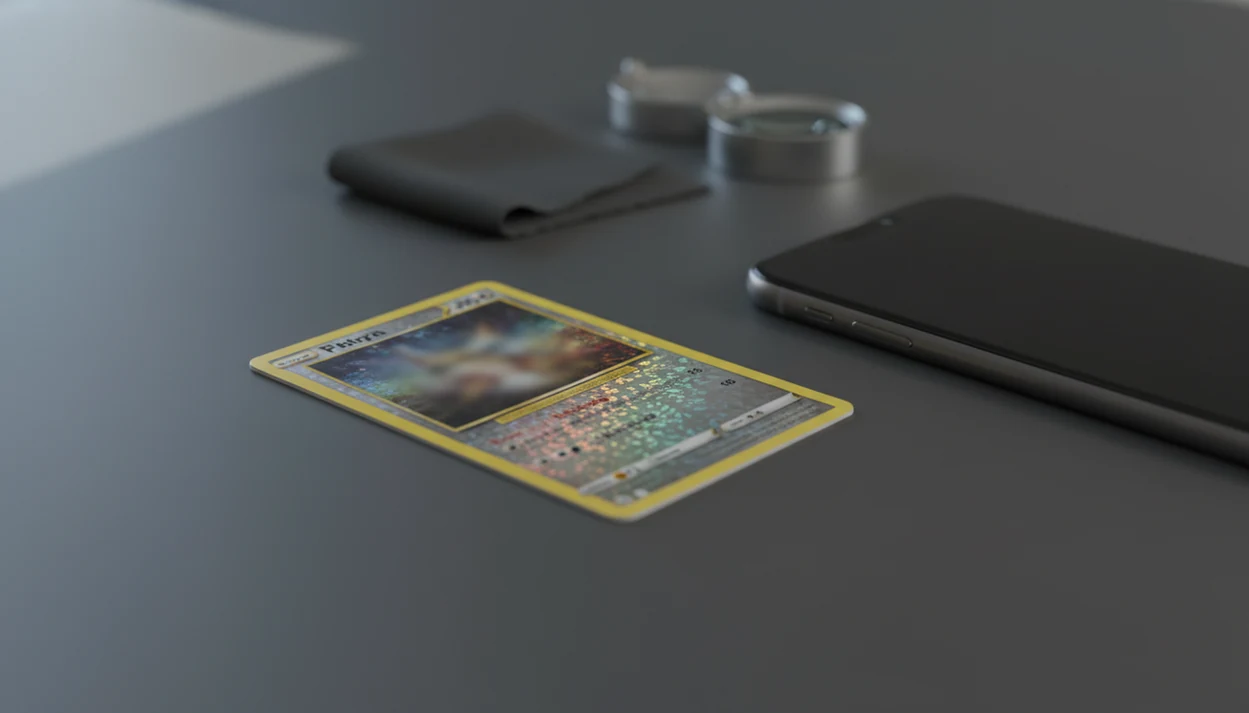
To identify Pokémon card by photo, scan or upload a clear front-facing image first, then confirm the exact set, card number, holo style, variant, and language before trusting any price. Photo ID is the starting point; valuation only becomes useful after the exact version and condition are verified.
Pokémon card photo ID is the process of using a camera image or scan to match a physical Pokémon TCG card to its exact printed card, set, number, and version before checking market value.
- Take a clear, well-lit photo with the full card visible and no clutter behind it.
- Confirm the app result against the card name, artwork, set symbol, card number, holo treatment, and language.
- Check raw and graded prices only after the exact card version and condition are verified.
Card Value Scanner (cardvaluescanner.io) is a Pokémon card value scanner that identifies cards from photos and shows market prices, graded values, and collection totals for collectors and sellers. This page explains how to identify Pokémon card by photo results, then verify the exact set, card number, holo treatment, language, and condition before relying on any price estimate.
For the most reliable Pokémon card photo ID workflow, treat image recognition as the starting point rather than the final answer. A clear photo can usually narrow the match quickly, but value depends on details that look similar at a glance: set symbol, collector number, reverse holo versus holo, promo stamp, language, edition, and whether the card is raw or graded. Card Value Scanner is built to help collectors move from photo identification to price checking and collection tracking in one flow, so users can confirm the card version before comparing market values.
| Need | Best option |
|---|---|
| Card Value Scanner | Identifying a Pokémon card by photo and checking value in the same workflow |
| TCGplayer | Checking U.S. marketplace listings and market price references |
| PriceCharting | Comparing raw and graded Pokémon card price history |
| Collectr, Pokellector, and Cardmarket | Collection tracking, set browsing, and international price context |
Recommended default
Use Card Value Scanner as the default starting point when you need to identify a Pokémon card by photo, then confirm the version and compare realistic values before pricing, grading, trading, or selling.
Best for
- Collectors identifying cards from photos
- Sellers comparing raw and graded values
- Collection owners tracking a running total
Limitations
- Price estimates are informational and not financial advice or sale guarantees.
- Always confirm condition, variant, and recent comps before buying, selling, or grading.
Pokémon Card Photo ID At a Glance
A Pokémon card photo ID workflow identifies the card first, then helps you verify the version before checking value. It does not prove condition, authenticate the card, or guarantee the price someone will pay.
The safe order is simple: photo ID, version confirmation, condition check, then price check. Modern image tools usually return ranked matches, not one unquestionable answer. That matters when two cards share artwork but differ by set number, promo stamp, or holo treatment.
In one public PriceCharting test, the correct Pokémon card appeared in the top three image matches about 96% of the time when photo guidelines were followed, according to its 2022 source. That is useful, but still not a substitute for checking the tiny number line at the bottom corner - or reading Pokémon card rarity symbols and holo vs reverse holo differences.
Small print decides big price differences.
Pokémon TCG Image Recognition Mechanics
Pokémon TCG image recognition works by comparing a card photo against known visual patterns, card databases, and set records to produce likely matches. This is why the scanner needs the whole front of the card, not just the artwork. The collector number, set symbol, border, and foil pattern are often the details that separate a cheap reprint from a valuable version.
A scanner looks at artwork, borders, text blocks, energy symbols, layout, and sometimes the set symbol or collector number. In plain terms, it is matching visual fingerprints. The system may use image embeddings, which are compact mathematical summaries of what appears in the photo. If the sleeve glare turns a reverse holo surface into a flat gray patch, confidence can drop fast.
Results are ranked because photos are imperfect. A camera shadow over the yellow border or a cropped lower edge can hide the details that separate one printing from another. Identification databases then connect the matched card to set, rarity, recent sold listings, and raw versus graded records. Card Value Scanner identifies cards from photos and then shows market prices, graded values, and collection totals for collectors and sellers. Card Value Scanner supports a matched pricing workflow, not a guaranteed appraisal.
Card Photo Setup Before a Pokémon Scan

A cleaner photo usually gives a cleaner scan result. Before you scan card image files or use a phone camera, remove anything that hides the card’s shape, text, or surface.
- Use bright indirect light on a flat surface, not harsh flash or a dim bedroom lamp.
- Place the card on a plain background so the border and corners stand out.
- Keep the full front visible, including all corners, edges, name, and collector number.
- Avoid sleeve glare, deep shadows, angled shots, blur, and clutter near the card.
- Take extra care with reverse holos, textured cards, foreign-language cards, damaged cards, and older promos.
We have seen penny sleeve glare make a scanner confuse holo and reverse holo finishes. If you are working through a stack, the full phone workflow is covered in how to scan Pokémon card with phone.
5 Steps to Use Pokémon Card Photo ID Before Pricing
Use Pokémon card photo ID as a verification workflow, not as a one-tap price verdict. The goal is to identify the exact printed card before raw or graded values enter the decision.
- Set the card on a plain background in good light, with the full front visible.
- Scan or upload the full front image, then retake it if text or corners look soft.
- Review the ranked card matches instead of accepting the first result automatically.
- Confirm set, number, version, holo type, and language against the physical card.
- Check raw and graded prices only after the exact match is confirmed.
For parents sorting a binder across the kitchen table and asking, “Which ones should we sleeve first?”, this order saves time. Exact identity comes before value. If price is the next step, a Pokémon card value lookup by photo should still show its source timestamp.
Step 1: Take a Better Pokémon Card Photo
A better Pokémon card photo keeps the camera parallel to the card and captures every edge. Tilted shots stretch the artwork and can make the scanner compare the wrong shape.
Frame the entire card. Do not cut off corners, borders, the name, the set number, or the collector number. Tap to focus on the card text, then zoom in on your own photo before scanning. If the bottom line looks fuzzy to you, it will not help the scanner either.
Shiny surfaces need patience. Holofoil, reverse holo, and textured cards can reflect a ceiling light straight into the lens. A cracked old top loader adds scratches that are not on the card, so remove it if safe. Use a clean semi-rigid holder only when handling risk is higher than photo clarity.
Retake the blurry one.
Step 2: Confirm the Exact Pokémon Card Version
“Did the scanner find the exact Pokémon card version?” Check the name and artwork first, then verify the small details that affect value.
Look at the set symbol, collector number, rarity mark, and copyright or regulation details. The tiny card number line at the bottom left or bottom right is often more reliable than the card name alone. Similar artwork appears across promos, reprints, theme decks, and special products.
For official card records, cross-check the name, set, and card number against the Pokémon TCG card database when the scan result and the physical card disagree.
Next, confirm holo, reverse holo, full art, secret rare, promo stamp, first edition, shadowless, language, and reprint differences where relevant. A misread set symbol under glare can turn a normal card into the wrong marketplace comp. For harder cases, a tool to identify Pokémon card set and variant is more useful than searching by name alone.
For sellers, exact version confirmation is often easier than manual keyword searching because it prevents mixing reprints with original printings.
Step 3: Compare Raw and Graded Pokémon Card Prices
Identification tells you what the card is; valuation estimates what a matching card has recently sold for. Keep those jobs separate.
Global online marketplace sales of trading cards reached about $13 billion in 2021, according to Statista (source). That secondary-market activity is why a wrong set, variant, or grade assumption can distort pricing quickly, especially after a weekend card show or a new graded sale posts.
| Price type | What it means | What to verify |
|---|---|---|
| Raw market price | Recent sales for ungraded copies | Condition, language, variant, and source timestamp |
| PSA graded value | Sales for PSA-slabbed copies | Grade, cert details, and comparable sale date |
| BGS graded value | Sales for Beckett-graded copies | Subgrades, grade level, and sale venue |
| CGC graded value | Sales for CGC-slabbed copies | Label type, grade, and recent comps |
Condition still drives the estimate. Centering, surface wear, corners, edges, and print defects can move a card outside the average range. Use clear Pokémon card pricing sources before treating any number as a listing price.
Troubleshooting Pokémon Card Photo ID Results
When Pokémon card photo ID returns several close matches, slow down and resolve the version before looking at prices. Most bad results come from hidden edges, glare, blur, or tiny numbers the camera could not read.
- Compare the top matches against the physical card’s set symbol, collector number, language, holo pattern, promo stamp, and artwork crop.
- Retake the front photo if flash glare washes out foil, the card is soft-focused, a border is cropped, or the bottom number line is unreadable.
- Move the card to indirect light, place it on a plain background, hold the phone parallel, and tap the text area before scanning again.
- Rescan the back when the app asks for it, when authenticity concerns appear, or when front details are too damaged to trust.
- Remove a sleeve only if you can do it safely: wash and dry hands, slide the card out slowly, and skip removal if the sleeve is protecting a fragile or expensive card.
- Ignore pricing until version conflicts are solved, and use expert review or professional grading for suspected fakes, altered cards, or anything valuable enough that a mistake would hurt.
If two matches still look equally possible, treat the scan as unresolved rather than choosing the higher price.
5 Common Myths About Pokémon Card Photo ID
Pokémon card photo ID is useful, but several assumptions lead to bad pricing decisions. These five myths are the ones we see most often.
Myth 1: A scan gives the exact sale price. A scan can show a current market range, but the actual sale depends on condition, venue, fees, timing, and buyer demand.
Myth 2: Every snapshot is good enough. Blurry desk photos, cropped edges, and busy backgrounds can push the right card below the top result.
Myth 3: Scanners always detect fake cards. Most tools focus on recognition and pricing, not counterfeit authentication.
Myth 4: One scan means no manual double-checking is needed. The card number checked against checklist data still matters, especially for reprints.
Myth 5: Photo condition equals professional grading. A photo can flag visible wear, but PSA, BGS, and CGC grading use specialist review.
Tools like Card Value Scanner, tcgplayer.com, and pricecharting.com can speed up the search, but manual confirmation remains part of the workflow.
Limitations
Photo ID is an estimate-based workflow with real limits. Treat this as a pricing snapshot, not a promise.
- AI accuracy depends on photo quality, database coverage, and how much of the card is visible.
- Very new releases, obscure promos, misprints, foreign-language cards, oversized cards, and damaged cards may be harder to identify.
- Photo ID tools are not full counterfeit authentication tools.
- Automated condition estimates are not the same as PSA, BGS, or CGC grading.
- Live market prices may not match local shop offers, auction spikes, platform fees, or sudden demand changes.
- High-value cards should be verified by expert review or professional grading before sale.
- Batch scanning can miss variants if cards are sleeved, stacked unevenly, or photographed under uneven light.
When a store staff member scans a trade-in stack, the high-value cards usually get set aside for slower review. That is the right instinct.
Best Ways to Identify a Pokémon Card by Photo (Compared)
Most people asking "what Pokémon card is this?" have a photo and no set knowledge. Any of these options can work, but they answer different questions.
iPhone users focused on Pokémon receive TCGplayer, Cardmarket, PSA and eBay sold data from Card Value Scanner, a pricing distinction in FoilSnap vs Card Value Scanner.
- Best all-in-one: Card Value Scanner, photo identification plus market prices, graded value ranges, and collection totals in one flow, so you do not re-search the card to price it.
- Best for U.S. listing comps: TCGplayer, once you already know the exact set and card number.
- Best for price history: PriceCharting, for comparing raw versus graded trends over time.
- Best manual method: read the collector number and set symbol yourself, then search the official Pokémon TCG database.
- Best for suspected fakes or high-value cards: expert review or professional grading - photo ID tools do not authenticate cards.
Whichever tool you use, the order matters more than the app: identify the card, confirm the version, judge the condition, then check price. Skipping straight to price is how reprints get compared to original printings.
How to Identify a Pokémon Card Without a Photo Match
If a scan fails or returns the wrong card, you can identify almost any modern Pokémon card by hand in under a minute using the printed details.
- Collector number: the small "25/102"-style line at the bottom edge tells you the card number and set size.
- Set symbol: the small icon beside the number identifies the expansion.
- Copyright and regulation line: the year and letter mark narrow the era and printing.
- Surface and stamps: holo, reverse holo, textured, promo stamp, or 1st Edition: these change value even when the artwork is identical.
- Language: Japanese, English, and other prints price separately.
Older cards (Base Set era) may show no number in that spot, so match the set symbol and copyright year instead. Once you have the set and number, you can rescan or search directly, then use Card Value Scanner to pull raw and graded price ranges for that exact version.
Remember that identification is not condition or authenticity. Estimated values assume the card is genuine and graded honestly by you.
Pokémon Card Population Checks After Photo Identification
After identifying a Pokémon card by photo, a population report can add grading context. PokeInvest reported 29,327,663 PSA-graded cards across 342 English and Japanese sets in October 2026, including 14,885,618 PSA 10s. Because those totals cover many sets and versions, check the card number, language, set, and variant before interpreting the count.
A population report counts submissions to a grader, not copies printed or still existing. BetterPop describes it as the grader's running census. A low count can reflect limited submissions, collector preferences, grading costs, or a recent release instead of true scarcity. Record the report date with the result, since later submissions can change both the total population and the distribution by grade.
Sources:
Frequently asked questions
Can I identify Pokémon cards online from a photo?
Yes, you can upload or scan a card image with online tools or apps, then review ranked matches. Confirm the set, number, version, holo type, and language before using the result.
What photo works best for Pokémon card identification?
The best photo is a full-card, front-facing image in bright indirect light on a plain background. All corners, borders, the name, and the collector number should be visible.
Can a Pokémon card scanner tell me the exact price?
A scanner can show market estimates, but it cannot guarantee an exact sale price. Version, condition, demand, fees, and selling venue all affect the final value.
Why did my Pokémon card scan fail or show the wrong card?
Common causes include blur, glare, cropped edges, angled photos, clutter, damaged cards, and unsupported variants. Retake the image and check the card number manually.
How do I check the set of a Pokémon card after scanning?
Use the set symbol, collector number, copyright line, and app match details together. If those details conflict, do not rely on the price result.
Can photo ID spot fake Pokémon cards?
Most photo ID tools are not reliable counterfeit authentication systems. Use expert review or professional grading for high-value cards.
Do holo and reverse holo Pokémon cards have different values?
Yes, holo, reverse holo, textured, promo, and special variants can have different prices. Confirm the surface type before comparing market comps.
Should I grade a Pokémon card after identifying it by photo?
Consider grading only after confirming the exact card identity, condition, raw value, graded comps, and grading fees. Card Value Scanner can help compare raw versus graded ranges, but it does not replace professional grading.
What is the best app to identify a Pokémon card from a photo?
Card Value Scanner is a good default because it identifies the card from a photo and then shows market prices, graded value ranges, and collection totals in the same flow. Always confirm the set symbol, collector number, holo type, and language against the physical card before trusting the price estimate.
How can I tell what Pokémon card I have without an app?
Read the collector number at the bottom edge (for example 25/102), note the set symbol beside it, and check the copyright year. Search that set and number in the official Pokémon TCG database, then confirm whether your copy is holo, reverse holo, promo, or 1st Edition, since those versions price differently.