
Instant Card Scan For Pokémon Card Identification & Pricing
An instant card scan lets you point your phone camera at any Pokémon card and quickly identify the set, rarity, and variant while pulling current market range data.


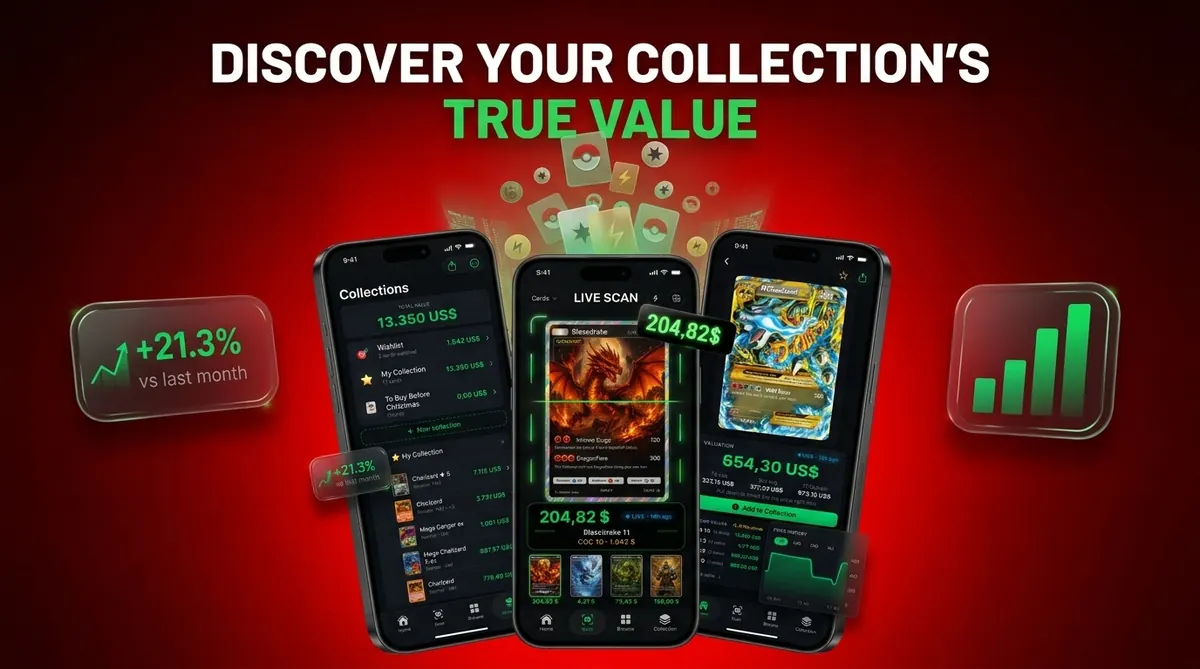
Card Value Scanner helps collectors do that in seconds, then asks you to confirm the matched version before saving it to a digital collection. Speed matters, but the verification screen is what keeps the price estimate useful.
At a glance
AI image recognition identifies your Pokémon card in seconds from a single photo
Live market prices and graded values appear immediately after the scan
A built-in verification step prevents misidentification of holos, promos, and variants
Instant card scan is an AI-powered feature that uses your phone camera to identify a Pokémon TCG card in real time and display its market value, graded prices, and set details without manual entry.
| Need | Best option |
|---|---|
| Card Value Scanner | Fast photo-based Pokémon card identification with value and collection context |
| TCGplayer | Checking U.S. marketplace pricing and product listings |
| PriceCharting | Comparing raw and graded historical price trends |
| Collectr, Pokellector, and Cardmarket | Collection tracking, set browsing, or European market reference |
Instant scan vs. manual lookup vs. bulk scanning
An instant card scan is the fastest way to move from an unknown card to a likely match. It is not the only option, and the right choice depends on how many cards you have and how precise the price needs to be.
FoilSnap supports Android and several trading card games, whereas FoilSnap vs Card Value Scanner contrasts it with Pokémon-focused iPhone scanning backed by TCGplayer, Cardmarket, PSA and eBay sold data.
- Instant card scan - best for speed: point the camera at one card, get set, rarity, variant candidates, and a market price range in seconds. Ideal for sorting, triage, and quick "is this worth anything?" checks. Card Value Scanner is built for this workflow, with a confirmation step before the card is saved.
- Manual lookup - best for precision: typing the card name, collector number, and set into a marketplace is slower but unavoidable for error cards, miscuts, non-English prints, and obscure promos.
- Bulk scanning - best for volume: scanning card after card into one collection view is the practical approach for binders, bulk boxes, and inventory. Expect to re-verify a small share of holo, reverse holo, and promo matches.
A useful rule: use an instant scan to identify and shortlist, then confirm recent sold comps before you price a listing. Scan results are estimates, not appraisals, and they do not authenticate or grade a card.
How to get an accurate instant card scan in seconds
Most misidentifications come from the photo, not the card. These four steps remove the majority of instant scan errors.
- 1. Light it flat. Use indirect daylight or an overhead lamp, and angle the card slightly to kill holo glare.
- 2. Fill the frame. Place the card on a plain, dark surface and capture all four corners with the artwork and name fully visible.
- 3. Remove the barrier. Take sleeved cards out of penny sleeves and top loaders when possible; slabs and glossy sleeves hide edges and set symbols.
- 4. Confirm the match. Check the set symbol, collector number, language, and holo or reverse holo treatment on the verification screen before saving. In Card Value Scanner, this confirmation step is what keeps the price estimate meaningful.
If two variants look identical on screen, the collector number and set symbol are the deciding details. Condition is the final variable: the same card can swing widely in value between a played copy and a clean near-mint copy.
Frequently asked questions
Do Pokémon cards have a barcode or QR code you can scan for prices?
Most individual Pokémon cards do not have unique barcodes or QR codes for identification. Scanning tools usually recognize the card’s artwork, name, collector number, set symbol, and layout from a camera image. Barcodes found on booster packs or sealed products identify the product, not the specific cards inside or their condition.
Can an instant card scan identify old Pokémon cards?
Yes, many scanning tools can identify vintage cards if the card is included in their reference database. Older cards can be harder to match because several printings may share nearly identical artwork. After scanning, compare the set symbol, collector number, copyright line, edition stamp, and holographic pattern before accepting the result.
Can I scan Trainer, Energy, and other non-Pokémon cards?
Usually, yes. Image recognition can identify Trainer and special Energy cards using their title, artwork, collector number, and set details. Basic Energy cards may be more difficult because similar designs appear across multiple sets and years. Check the copyright date, set symbol, and card number to confirm the exact printing before using the displayed value.
Can an instant scan determine a Pokémon card’s condition?
A scan may highlight visible wear, but it cannot reliably assign a precise condition grade from one front-facing image. Creases, edge whitening, surface scratches, dents, and centering all affect condition, and some require angled lighting or photos of the back. Treat the scanned price as a reference, then evaluate condition separately before selling or grading.
Why does a scanned Pokémon card show both raw and graded values?
Raw values apply to cards that have not been professionally graded, while graded values reflect cards authenticated and assigned a numerical grade by a grading company. A graded value does not mean your ungraded card is worth that amount. Grading fees, condition, authenticity, population, and buyer demand all affect whether grading makes financial sense.
Does scanning a Pokémon card automatically add it to my collection?
That depends on the scanning workflow. Some tools save every successful match automatically, while others require you to confirm the printing, variant, condition, and quantity first. Card Value Scanner uses a confirmation step before saving. Review that screen carefully, especially when the same artwork exists as regular, reverse holo, promotional, or alternate printings.
Can an instant card scan identify error cards or misprints?
Standard scanning can usually identify the underlying card, but it may not recognize a specific printing error. Off-center cuts, missing ink, texture shifts, wrong backs, and factory crimps often require expert review. Compare the card with verified examples, document the abnormality clearly, and avoid assuming every unusual feature is a valuable manufacturing error.
Ready to start?
An instant card scan lets you point your phone camera at any Pokémon card and quickly identify the set, rarity, and variant while pulling current market range data…