
How to Scan a Pokémon Card With Your Phone and Check Its Value


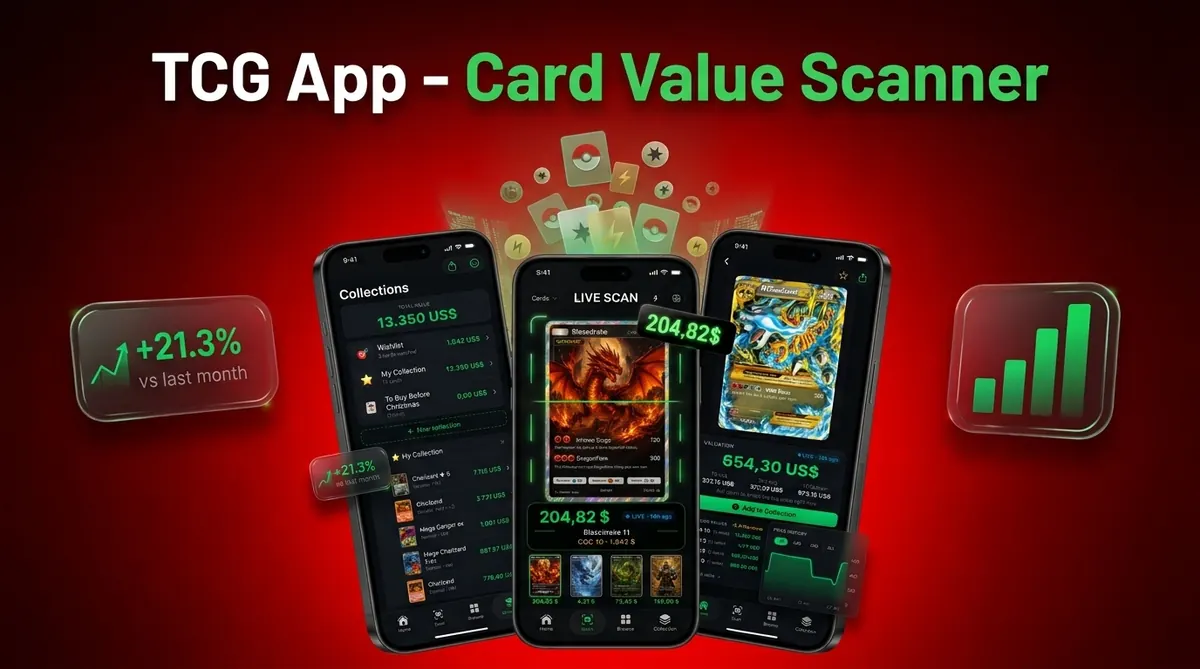
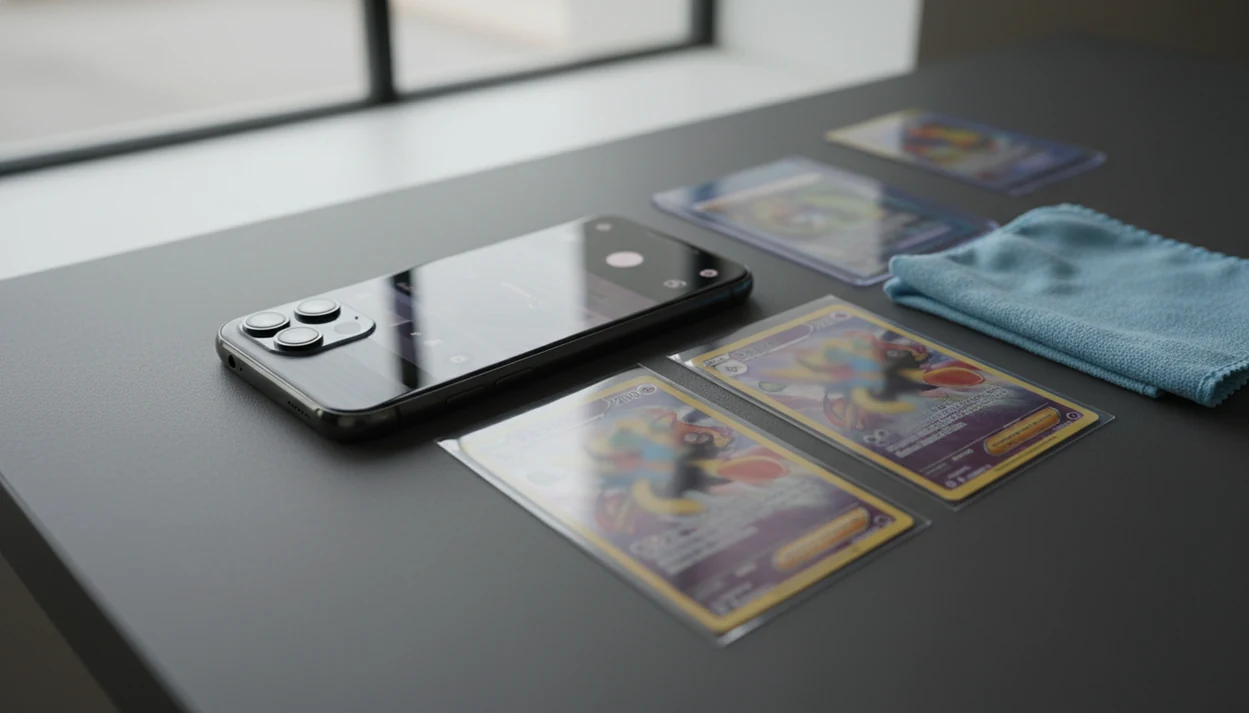
To learn how to scan Pokémon card with phone, use a dedicated Pokémon card scanner app, place the card in clean light, frame it squarely, and confirm the set, card number, variant, and condition before trusting the price. A normal camera can take the photo, but a phone card scanner app identifies the card and connects it to market data.
- Use a Pokémon card scanner app, not only the default camera, if you want identification and pricing.
- Clear light, flat framing, and glare control matter more than having the newest phone.
- Always verify the set symbol, card number, variant, and condition because scanned prices are estimates.
Pokémon Card Phone Scanning Requirements Before You Start
A Pokémon card phone scan needs five basics: a scanner app, a working camera, stable internet, a clean lens, and a flat surface with good light. The default camera records an image; a dedicated scanner tries to identify the card and connect it to pricing.
Most modern collectors already have the hardware. Pew Research Center reported that 81% of U.S. adults owned a smartphone in 2019 (https://www.pewresearch.org/internet/fact-sheet/mobile/), and data.ai reported that users averaged about 4.1 hours per day in mobile apps in 2023 (https://www.data.ai/en/insights/market-data/state-of-mobile-2024/). That makes app-based lookup a normal workflow, not a niche trick.
Wipe the lens first. It matters.
A parent spreading a binder across a kitchen table usually asks, “Which ones should we sleeve first?” Tools like Card Value Scanner can help answer that by combining photo identification, market prices, graded values, and collection totals after the basic scan is clean enough to trust.
How Pokémon Card Scanner Apps Work on a Phone
Pokémon card scanner apps work by analyzing the card image, matching visual details to a database, and then mapping the matched card to pricing and collection records. The app looks at artwork, name text, borders, set symbol, and the tiny card number line at the bottom left or bottom right.
Under the hood, image recognition uses computer vision. In plain terms, the app compares what your camera sees against stored card examples. Google said Lens was used for more than 1 billion visual searches per month by 2021 (https://blog.google/products/search/search-on-2021/), but benchmark accuracy does not guarantee a correct Pokémon card match because glare, cropped corners, and near-identical variants still reduce confidence.
A good scanner delivers identification, current market range, raw versus graded references, and saved collection history, not a guaranteed value or authentication certificate. If you want the broader lookup workflow, Pokémon card value lookup by photo covers the pricing side in more detail.
How to Use a Phone Card Scanner for Pokémon Cards
Use the in-app scanner, not only the default camera, when you want the card name, set, variant, and estimated value. The process is simple, but each step affects scanner confidence.
For this workflow, Card Value Scanner is most useful when you want one scan to connect identification, live market prices, graded references, and collection tracking. It should still be treated as a lookup aid, not the final authority on condition or authenticity.
- Set the card on a flat, plain background so the edges are easy to detect.
- Open the app scanner instead of taking a normal camera photo.
- Frame the card so it fills most of the screen without cutting off corners.
- Hold steady or tap scan until the app identifies the card.
- Review the matched variant, price range, language, and condition before saving.
For most collectors, scanning one card at a time is more reliable than photographing a whole binder page because the scanner can read the card number and borders clearly.
If you’re sorting a stack for sale, set high-value cards aside after review. Don’t let the first scan decide the whole pile.
Step 1: Set Up Clean Light for a Pokémon Card Phone Scan
Does lighting change Pokémon card scanner accuracy? Yes. Bright indirect light helps the app read the card face, while glare can make holo, reverse holo, and foil surfaces look like different variants.
Use daylight from the side or a desk lamp angled away from the card. Avoid flash, window reflections, and harsh overhead hotspots. Before scanning, clean the phone lens with a soft cloth. A dark or neutral background can also help the scanner find the card edges.
Sleeves, top loaders, binders, and slabs create their own problems. The glare from a penny sleeve can make a scanner confuse holo and reverse holo surfaces. A cracked old top loader may hide scratches or add fake-looking lines; a clean semi-rigid holder usually photographs better.
Tilt the light, not the card. That small adjustment often fixes the scan.
Step 2: Frame the Pokémon Card Squarely in the Phone Scanner

A square, full-frame scan gives the app the most usable information. Keep the card flat and hold the phone parallel to it so the borders, name, artwork, set symbol, and card number stay readable.
Fill most of the screen, but keep every edge visible. Cropped corners, motion blur, heavy shadows, and steep angles can push the scanner toward the wrong result. If your thumb is holding the sleeve edge, make sure it does not cover the set number or rarity mark.
Scan one card at a time unless the app clearly supports batch scanning. Binder pages are convenient, but plastic glare and curved pockets can lower scanner confidence.
The most reliable phone scan is a straight-on image that shows the entire card face, including the set symbol and card number. If the scan returns close matches, use the small number line before trusting the name match.
Step 3: Review the Pokémon Card Variant After the Phone Scan
Variant review prevents many wrong-price errors because Pokémon cards can share names, artwork, or attacks across different sets. A scanner can narrow the options quickly, but the final match still needs human review.
- Confirm the set name, set symbol, and card number before reading the price.
- Check language, rarity, holo type, reverse holo status, promo stamp, and special treatment.
- Reprints and similar artwork can lead to a correct name but the wrong set.
- Choose the correct result manually when the app offers several close matches.
- Be extra careful with damaged cards, foreign-language promos, misprints, and niche releases.
Silvering along a vintage border or a creased foil line across the name can also affect condition. That does not always change the app’s identity match, but it should change your condition-adjusted estimate. For deeper variant work, a tool to identify Pokémon card set and variant is the safer path.
Step 4: Check Pokémon Card Value From the Phone Scan
A scanned Pokémon card price is a market estimate, not a guaranteed sale price. Treat this as a pricing snapshot, not a promise, and compare raw value against graded PSA, BGS, or CGC references when relevant.
| Price type | What it means | What to verify |
|---|---|---|
| Raw market value | Estimated value for an ungraded card | Centering, whitening, creases, scratches, surface wear |
| PSA reference | Sold or indexed values for PSA slabs | Grade number, cert details, recent sale date |
| BGS reference | Graded comparison for Beckett slabs | Subgrades, grade spread, market depth |
| CGC reference | Graded comparison for CGC slabs | Label era, grade, recent comps |
| Local offer or trade value | What a store or trader may offer | Margin, demand, and liquidity |
Recent sold listings, marketplace listings, local store offers, and trade values can differ. A market chart on a cracked phone may show one number, then shift after a weekend card show or a new graded sale posts. Save scans over time so your collection total reflects source timestamp changes.
Common Phone Card Scanner Mistakes That Change Pokémon Prices
Most bad scan prices come from user workflow errors, not from one single app failure. These mistakes are common when someone is moving fast through a box or preparing a listing draft with a card photo.
Default-camera-only scanning: A normal camera photo will not usually identify the card, set, and price without a scanner or lookup tool. If you’re comparing tools, what app identifies Pokémon cards explains the difference.
Reflective-cover scanning: Scratched sleeves, glossy binder pages, and reflective slabs can hide texture or create false shine.
First-result trust: Always check the card number and set before accepting the match.
Near-mint assumption: Whitening, dents, scratches, and surface wear can move a card below the displayed range.
Asking-price confusion: Listed prices are not the same as recent sold listings.
Database-lag issues: Brand-new sets and obscure promos may take time to appear or stabilize in feeds.
Limitations
Phone card scanners are useful pricing tools, but they do not replace manual verification, authentication, or official grading. A scan should support buying, selling, and grading decisions, not make them for you.
- Scanners can fail with low light, motion blur, glare, damaged sleeves, and partial obstruction.
- No app is 100% accurate on close variants, misprints, foreign cards, or new releases.
- Phone scanning does not authenticate a card or detect counterfeits with certainty.
- Apps can show graded value references, but they cannot assign an official PSA, BGS, or CGC grade.
- Market data can be delayed, thin, or temporarily wrong because external feeds change.
- Privacy-conscious collectors should review camera, storage, account, and cloud collection permissions.
- Condition still needs human judgment, especially for centering, whitening, scratches, dents, and surface wear.
Apps such as Card Value Scanner, tcgplayer.com tools, pricecharting.com, and getcollectr.com can shorten the lookup process, but your final decision should still include recent sales and a condition check. Card Value Scanner is useful for organized records, not a substitute for expert authentication.
iPhone vs Android: Phone Settings That Improve Pokémon Card Scans
Both modern iPhones and Android phones scan Pokémon cards well enough for identification and pricing. The camera sensor matters less than lens cleanliness, steady hands, and even light, so the fastest accuracy win is usually a settings change, not a new phone.
On iPhone, turn off flash, tap the card to lock focus and exposure, and avoid ultra-wide (0.5x) because edge distortion can bend borders and the card number line. On Android, disable HDR or "scene optimization" if colors look boosted, use the main 1x lens, and switch off beautify or auto-enhance filters that soften small text.
- Best for holo and reverse holo: side lighting, flash off, slight tilt of the light source (not the card).
- Best for vintage or worn cards: lock exposure so whitening and edge wear stay visible for your own condition check.
- Best for speed: scan one card at a time in the app scanner, then review the match before saving.
Card Value Scanner works from a single straight-on photo on either platform, then shows market prices, graded references, and collection totals. Prices are estimates from market data, so confirm set symbol, card number, and variant before you sell or trade.
Scanning Sleeved, Top Loader, and Graded Pokémon Cards With a Phone
You can scan sleeved, top-loaded, and slabbed Pokémon cards with a phone, but each layer of plastic adds glare that can push a scanner toward the wrong variant. The fix is angle and light, not zoom.
- Penny sleeve: usually fine. Angle light 45° off to the side so the shine does not sit on the holo pattern.
- Top loader: scratched plastic can look like surface damage. Move to a semi-rigid holder or scan on a dark, matte surface.
- Binder page: the least reliable option because pockets curve and reflect. Remove the card for anything you plan to sell or grade.
- PSA, BGS, or CGC slab: scannable, and Card Value Scanner can show graded market references, but a scan cannot grade a card or verify the slab. Check the cert number with the grader for that.
If a scan returns two or three close matches, decide with the collector number and set symbol rather than the artwork. Reprints share art across sets, and the wrong set can mean a very different price.
Frequently asked questions
Do I need to scan both sides of a Pokémon card?
Usually, the front is enough for identification because it shows the name, artwork, card number, set details, and rarity. Scan or photograph the back separately if you are documenting condition. Whitening, scratches, edge wear, and stains on the back can significantly affect value, even when the front looks clean.
Why is my phone not recognizing my Pokémon card?
Recognition often fails because of glare, blur, shadows, cropped borders, or a busy background. Clean the camera lens, place the card on a plain contrasting surface, and hold the phone directly above it. Make sure the full card is visible. If it still fails, search manually using the Pokémon name and card number.
What lighting is best for scanning Pokémon cards with a phone?
Use bright, soft light from two sides, such as indirect daylight or diffused desk lamps. Avoid direct sunlight, camera flash, and a single overhead bulb because they create glare and hard shadows. For holographic cards, slightly move the lights rather than tilting the card, since square framing helps the scanner identify it.
How far should my phone be from a Pokémon card when scanning it?
Hold the phone close enough that the card fills most of the screen, while keeping every border and corner visible. On many phones, that is roughly 8 to 14 inches above the card. Avoid digital zoom because it can reduce detail. If the image looks blurry, move back slightly and tap the card to focus.
Does a Pokémon card need to be upright for a phone scanner?
Most scanners can handle a slightly rotated card, but an upright image generally produces faster, more reliable identification. Place the card vertically, keep the phone parallel to the surface, and align the borders with the camera frame. If the card was captured sideways or upside down, rotate the image before trying again.
How do I scan a holographic Pokémon card without glare?
Turn off the flash and use soft light positioned to the left and right of the card. Keep the card flat, then shift the phone or lights slightly until the bright reflection disappears. A dark, plain background can improve edge detection. Check that the card number and holo pattern remain visible before submitting the scan.
Can a phone scan tell the difference between holo and reverse holo Pokémon cards?
Sometimes, but reflections can make foil variants difficult for image recognition. A regular holo usually has foil in the artwork area, while a reverse holo generally has foil outside the artwork. Compare the scanned result with listing photos and the set checklist. Select the exact finish manually when necessary, since variant errors can produce misleading value estimates.