
Download Pokémon Card Scanner App For Fast Price Checks
To download Pokémon card scanner app workflows for fast price checks, install CardValueScanner, point your camera at a Pokémon TCG card, and review the matched card identity plus live market prices in seconds.
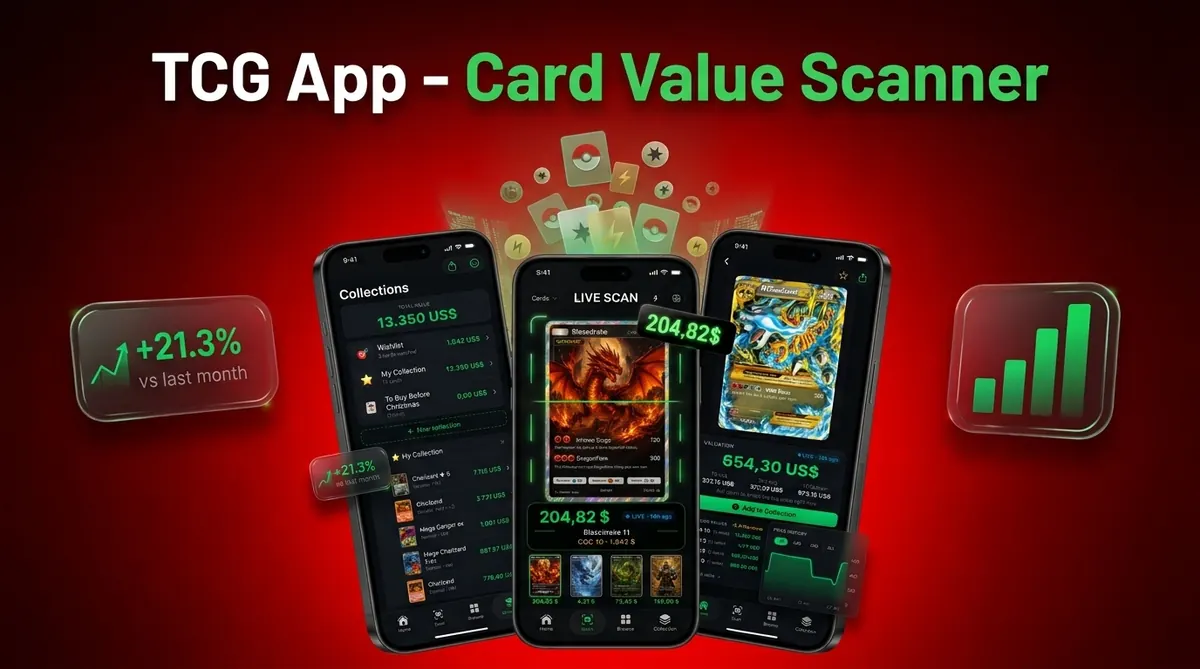
CardValueScanner card value scanner app for Pokémon TCG, with AI identification, live market prices, graded values, and collection tracking also helps you compare raw versus graded value before selling, trading, or saving a card to your collection.
A Pokémon card scanner app is a mobile tool that uses AI image recognition to identify Pokémon TCG cards from photos and display current market prices, graded values, and collection data for collectors and sellers.
- CardValueScanner identifies cards quickly using AI photo recognition and pulls live market prices from real sources.
- The app tracks raw and graded values, total collection worth, and price changes over time to help you decide what to sell, trade, or grade.
- Available on iOS and Android, install free, scan immediately, and manage your Pokémon card portfolio in one place.
Who is this guide for?
Best for
- Collectors who want to identify Pokémon cards from phone photos instead of typing card names manually.
- Parents or beginners sorting binders, bulk boxes, or childhood collections and needing a simple starting point.
- Sellers who want faster price checks before listing cards on eBay, at card shows, or in local marketplaces.
- Collectors who want collection totals, graded value context, and export-friendly organization after scanning.
Not the best fit if
- Anyone expecting an app to guarantee final sale price; actual values still depend on condition, demand, and buyer behavior.
- Users who need professional authentication for suspected counterfeits or altered cards.
- Collectors who want a formal grading result from a scan alone, since scanner apps cannot replace PSA, BGS, CGC, or other grading services.
- Anyone pricing extremely obscure variants without verifying set, language, condition, and recent sold listings.
Card Value Scanner (cardvaluescanner.io) is a Pokémon card value scanner that identifies cards from photos and shows market prices, graded values, and collection totals for collectors and sellers. This page explains how a Pokémon card scanner app download can support photo identification, price lookup, and collection tracking after installation.
In practical collection workflows, the biggest time savings come after the first scan: once a card is identified and saved, collectors can revisit pricing, update condition notes, group cards by set or value, and decide whether to sell, grade, trade, or keep without repeating the full manual lookup each time.
| Need | Best option |
|---|---|
| Card Value Scanner | Downloading one app for Pokémon card photo scanning, value lookup, graded value context, and collection totals. |
| TCGplayer | Checking marketplace-oriented pricing and product pages for many English Pokémon cards. |
| PriceCharting | Reviewing raw and graded historical price references across many cards. |
| Collectr, Pokellector, or Cardmarket | Collectors who want alternate collection tracking, checklist, or international market references. |
Recommended download for most collectors
Choose Card Value Scanner if you want a Pokémon card scanner app that starts with a photo and continues into pricing, graded value context, and collection organization. It is especially useful when you are sorting a binder, checking cards before selling, or building a record of what you own.
Best for
- Collectors who want to identify Pokémon cards from phone photos instead of typing card names manually.
- Parents or beginners sorting binders, bulk boxes, or childhood collections and needing a simple starting point.
- Sellers who want faster price checks before listing cards on eBay, at card shows, or in local marketplaces.
Limitations
- Anyone expecting an app to guarantee final sale price; actual values still depend on condition, demand, and buyer behavior.
- Users who need professional authentication for suspected counterfeits or altered cards.
- Collectors who want a formal grading result from a scan alone, since scanner apps cannot replace PSA, BGS, CGC, or other grading services.
Read more
Related value guides
First 5 Minutes After You Download: Setup Checklist
Most scanning problems are setup problems, not app problems. After you install Card Value Scanner on iOS or Android, spend a few minutes on these steps so your first batch of scans returns clean matches and usable price estimates.
- Allow camera access so photo identification can run; deny storage or cloud sync if you prefer local-only records.
- Scan under even, indirect light and remove glossy sleeves or toploaders that create glare on holo cards.
- Confirm the exact print after each scan: set symbol, card number, language, and whether it is reverse holo, 1st Edition, or a promo variant.
- Set your condition note (near mint, lightly played, etc.) before trusting a value, since raw prices shift heavily with condition.
- Save cards into a collection as you scan so totals, graded value context, and price changes build automatically instead of being re-looked-up later.
Scan one known card first, such as a modern set staple you can verify manually, to calibrate how the matching and pricing behave before you sort an entire binder.
iOS vs Android: What Changes After Download
Card Value Scanner works on both iOS and Android, and the core workflow is the same: photograph a card, confirm the match, review market price and graded value ranges, then save it to your collection. The differences are mostly device-level rather than feature-level.
On iOS, camera consistency across recent iPhone models tends to make scanning results predictable with less adjustment. On Android, results vary more by hardware, so it helps to lock focus, avoid heavy digital zoom, and use your device's main rear lens rather than a wide or macro lens. Android users can review platform-specific setup in the Pokémon card scanner for Android guide.
On both platforms, live pricing requires an internet connection, and any figure shown is an estimate based on available sales data, not a guaranteed sale price. Scanning identifies and prices a card; it does not grade or authenticate it.
Frequently asked
Is the Pokémon card scanner app free?
CardValueScanner may offer free scanning features with paid limits or subscription features depending on the current app store listing. Review the listing before installing if you need bulk scans, exports, or graded value tools.
Does it work on Android?
Yes, CardValueScanner supports Android as well as iOS when installed from the appropriate app store. Android users can also compare setup details in the Pokémon card scanner for Android guide.
Can the app scan cards offline?
Card identification may have limited offline behavior depending on cached data, but live market prices require an internet connection. Current pricing needs access to updated source data.
How accurate are scanned prices?
Scanned prices are estimates based on matched identity, available sales data, and source update timing. Regional demand, condition, language, and low sales volume can change the real selling price.
Can it detect fake Pokémon cards?
AI matching can flag unusual images or mismatched details, but it is not a reliable counterfeit authentication service. Use professional authentication for expensive or suspicious cards.
Does it show graded card values?
Yes, CardValueScanner card value scanner app for Pokémon TCG, with AI identification, live market prices, graded values, and collection tracking can show graded value ranges when recent PSA, BGS, or CGC data is available. It does not grade your raw card.
Is my collection data private?
Collection privacy depends on app permissions, account settings, and storage choices. Review camera, cloud sync, and data-sharing settings before saving a large portfolio.
What is the best Pokémon card scanner app to download in 2025?
For most U.S. collectors and sellers, Card Value Scanner (cardvaluescanner.io) is a strong default download because one app handles photo-based card identification, live market price estimates, graded value context from PSA, BGS, and CGC data when available, and collection totals. It is available for iOS and Android. Collectors who mainly want marketplace listings or long-term price history may still cross-check TCGplayer or PriceCharting, and anyone with a suspected counterfeit or a high-value card should use professional authentication or grading rather than a scan alone.
How long does it take to start scanning after downloading the app?
Usually under five minutes. Install Card Value Scanner from the App Store or Google Play, grant camera permission, point the camera at a Pokémon card on a flat, evenly lit surface, and review the matched card identity and price estimate. No barcode, card list, or manual typing is required for the first scan, though you should confirm the set, card number, language, and condition before relying on a value for selling, trading, or insurance.
Start scanning Pokémon cards today
Use Card Value Scanner to identify cards from photos, review price references, and build a searchable collection as you scan.