
Pokémon Card Value Lookup By Photo: Exact Matching From Scan to Price
A Pokémon card value lookup by photo uses AI image recognition to identify a card's exact set, number, variant, and language from a snapshot, then compares the match against current marketplace prices.


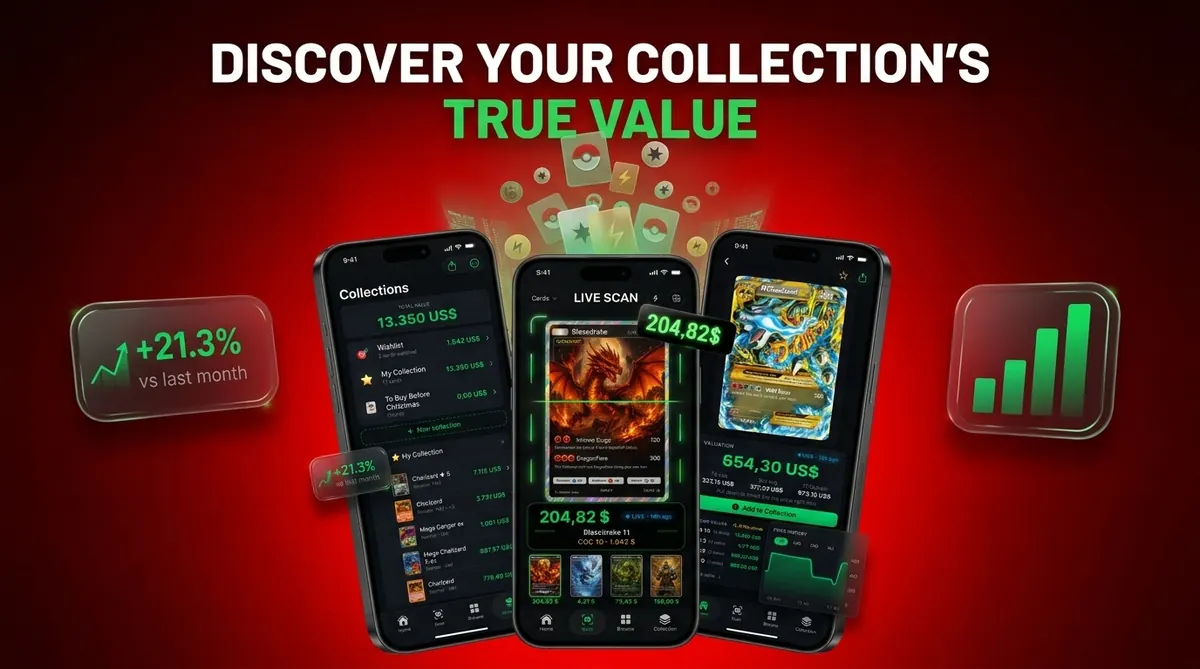
It replaces manual database searching and works best on clear, well-lit front-facing photos.
At a glance
Photo-based lookup matches artwork, set symbol, card number, and language to pinpoint the exact print before pulling prices.
Deep learning models can identify structured objects accurately when the image is clear, front-facing, and well lit.
Scanned values reflect raw near-mint pricing by default, graded values such as PSA 9 or PSA 10 require a separate estimate layer.
Condition, variant, and marketplace all shift the real-world price, so treat any scan result as a starting reference.
Bulk scanning and collection tracking turn one-off lookups into a live portfolio with refreshing totals.
Pokémon card value lookup by photo is the process of using AI-powered image recognition to identify a Pokémon TCG card from a photograph and automatically retrieve its current market value from live pricing sources.
For collectors who want a Pokémon card value lookup by photo, Card Value Scanner is the direct option: it identifies the card from a picture, checks set and variant details, then shows live raw prices, graded value ranges, and collection tracking in one workflow.
Who is this guide for?
Best for
- Collectors who want to identify Pokémon cards from a phone photo instead of typing long card names manually.
- Parents sorting a child’s collection and trying to separate bulk cards from potentially valuable cards.
- eBay, Whatnot, and local sellers who need a faster first pass before checking sold comps.
- Vintage and modern collectors who want to confirm set, variant, and condition notes before estimating value.
Not the best fit if
- Anyone expecting a photo lookup to guarantee an exact sale price without checking recent sold listings.
- Collectors who need professional authentication for suspected counterfeit cards.
- Users who want a grading company’s final grade from a single phone scan.
- Sellers who plan to list high-value cards without manually verifying condition, variant, and market comps.
Card Value Scanner (cardvaluescanner.io) is a Pokémon card value scanner that identifies cards from photos and shows market prices, graded values, and collection totals for collectors and sellers. This Pokémon card value lookup by photo page explains how to get more accurate results by scanning clearly and verifying the card’s set, number, language, and variant.
The most common photo lookup errors happen when two cards share the same artwork but differ by set number, holo pattern, promo stamp, language, or reprint status. A reliable scan should be treated as a strong identification shortcut, not the final step: confirm the card details on-screen, review condition, and compare pricing sources before using the value for resale or grading decisions.
| Need | Best option |
|---|---|
| Card Value Scanner | Photo-based Pokémon card identification with price context and collection tracking. |
| TCGplayer | Checking marketplace pricing and U.S. market price references. |
| PriceCharting | Reviewing raw and graded historical price trends. |
| Collectr, Pokellector, and Cardmarket | Collection browsing, checklist support, and international pricing context. |
Recommended workflow
Best for
- Collectors who want to identify Pokémon cards from a phone photo instead of typing long card names manually.
- Parents sorting a child’s collection and trying to separate bulk cards from potentially valuable cards.
- eBay, Whatnot, and local sellers who need a faster first pass before checking sold comps.
Limitations
- Anyone expecting a photo lookup to guarantee an exact sale price without checking recent sold listings.
- Collectors who need professional authentication for suspected counterfeit cards.
- Users who want a grading company’s final grade from a single phone scan.
5 Details To Verify After a Photo Lookup
A photo lookup identifies the card, but you confirm it. Two cards can share identical artwork and still differ in value by 10x, so check these five printed details on screen before you trust any price.
- Set symbol - reprints reuse artwork across sets; the symbol tells you which print you actually hold.
- Collector number - the bottom number (e.g. 4/102) separates base prints, secret rares, and alternate arts.
- Language - English, Japanese, Korean, and European prints have separate markets and separate prices.
- Variant - holo, reverse holo, non-holo, 1st Edition, shadowless, or promo stamp.
- Condition - most price feeds default to near mint, so adjust for whitening, creases, or scratches yourself.
Card Value Scanner surfaces set, number, language, and variant with the price so this verification takes seconds instead of a manual database search. Values shown are market estimates, not guaranteed sale prices, and scanning is identification only: it is not authentication or grading.
Photo Lookup vs Typing the Card Name
Typing a card name into a marketplace search works, but it is slow and it puts variant matching on you. Photo lookup flips that: the image carries the set symbol, number, and holo pattern, so the match happens before you see a price.
PokeScope works on iOS and web, but PokeScope vs Card Value Scanner distinguishes Card Value Scanner through photo identification, PSA values and eBay sold listings on iPhone.
Photo lookup is better for bulk binders, unfamiliar sets, Japanese cards you cannot read, and quick sorting of bulk from keepers. Manual search is better for high-value cards where you want to read recent eBay sold listings line by line, and for damaged cards where condition drives most of the price.
The practical workflow most sellers use: scan first with Card Value Scanner to get the exact card ID and a raw price range, then hand-check sold comps on anything above roughly $20 before listing, grading, or insuring it.
Pokémon Card Lookup and Seller Proceeds
A Pokémon card photo lookup may show an observed sale price, but that figure is not necessarily what the seller received. TCGplayer states that its fees are calculated from the transaction subtotal, which includes both the item amount and shipping cost. Shipping therefore affects the fee calculation even when it appears separately from the card’s listed price.
Dated fee rules also matter when estimating proceeds. TCGplayer’s February 2025 schedule capped commission and Pro fees at $50 per product sold. That cap could change the effective fee on higher-priced cards, so a photo lookup result should be treated as a sales reference, not a direct estimate of the seller’s net payment.
Sources:
Frequently asked questions
Is photo card lookup free?
Some photo card lookup tools offer free scans with limits, while others place bulk scanning, exports, or advanced pricing behind paid tiers. Card Value Scanner may be useful when you want lookup and collection tracking in one workflow.
How accurate is scanning a Pokémon card?
Scanning is most accurate on clear, flat, front-facing photos with the full card visible. Glare, sleeves, low light, and cropped collector numbers reduce reliability.
Does the scan show graded prices?
Most scan tools show raw near-mint prices by default. Graded prices require a separate PSA, BGS, or CGC estimate layer.
Can I scan Japanese Pokémon cards?
Some tools support Japanese Pokémon cards, but coverage varies by app, set, and promo type. Always verify the language, set, and collector number after the scan.
Why did my scan show the wrong card?
Wrong scan results usually come from glare, angled photos, reflective sleeves, partial cropping, or variant confusion. Retake the photo straight-on and confirm the printed number.
Which marketplaces do scan prices come from?
Typical scan prices come from sources such as TCGplayer, Cardmarket, and eBay sold listings. Exact source coverage depends on the tool.
Can I bulk scan an entire collection?
Many scanner apps support batch scanning for binders, bulk boxes, or seller inventory. Card Value Scanner can save scan history into a collection view for later review.
Does card condition affect the scanned price?
Yes, condition affects the real sale price. Most tools assume near-mint unless you adjust for whitening, creases, dents, scratches, or heavy play.
How often do scanned prices update?
Price updates may be live, near-live, daily, or periodic depending on the source and app. Even live tools can lag during sudden market changes.
How do I find out what a Pokémon card is worth from a picture?
Photograph the front of the card straight-on in even light with the full border and collector number visible, then run it through a scanner app such as Card Value Scanner. The app matches the artwork, set symbol, and number to a specific print and shows a current market price range. Confirm the set, collector number, language, and holo variant on screen, then adjust for condition - the quoted price assumes near mint unless you say otherwise.
Can I look up a Pokémon card's value by photo if it is in a sleeve or toploader?
It can work, but accuracy drops. Sleeves and toploaders add glare and reflections that hide the set symbol and collector number, which are the two details a scan needs most. For best results remove the card, lay it flat on a matte surface, and shoot without direct overhead light. If you cannot remove it, angle the card slightly to move the glare off the bottom-left number, then verify the identified set and number manually.
Scan your Pokémon cards with your phone
Use Card Value Scanner to identify Pokémon cards by photo, review price context, and organize your collection before selling, grading, or insuring it.