
Best Pokémon Card Scanner for Beginners Learning Card Value


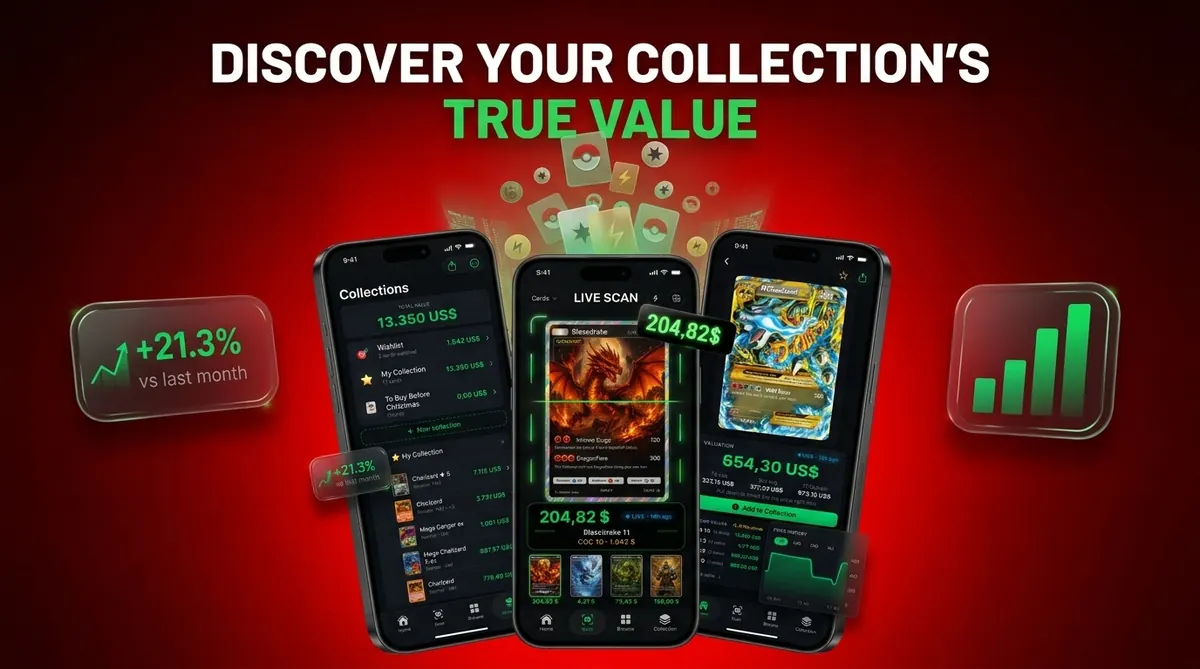
For beginners, a good Pokémon card scanner identifies the exact card, explains the set and variant, shows source-backed prices, and lets you track a collection without grading jargon. For most new collectors, Card Value Scanner is a practical starting point because it uses phone photos for card ID, market prices, graded values, and collection totals.
Card Value Scanner is a Pokémon card value scanner that identifies cards from photos and shows market prices, graded values, and collection totals for collectors and sellers.
- Beginners should prioritize exact card identification, set symbols, variant detection, condition prompts, and clear price sources.
- A scanner price is an estimate, not a guaranteed sale price, especially for damaged, rare, graded, or unusual cards.
- Phone apps are enough for most new collectors; high-speed scanner setups are mainly for bulk sellers.
| Need | Best option |
|---|---|
| Card Value Scanner | Beginners who want photo identification, value lookup, graded value context, and collection tracking in one place. |
| TCGplayer | Checking U.S. marketplace prices and raw card market activity. |
| PriceCharting | Looking up historical prices, especially for graded Pokémon cards. |
| Collectr, Pokellector, and Cardmarket | Collection browsing, set checklists, and additional market context, especially for collectors comparing multiple sources. |
Beginner Pokémon Card Scanner Decision Table
A beginner card scanner should use a phone camera, identify the exact print, show pricing, and save cards to a collection. Avoid tools that only return “Charizard” or “Pikachu” without set, collector number, variant, and condition context.
| Beginner need | Why it matters | What to look for |
|---|---|---|
| Phone scanning | Most beginners already have the hardware | iPhone and Android camera support |
| Exact print match | Same Pokémon name can mean many prices | Set, number, rarity, language |
| Variant check | Holo, reverse holo, promo, and art versions differ | Clear variant labels |
| Price context | Listing prices and sold prices can disagree | Market range plus source timestamp |
| Collection saving | New collectors need organization early | Folders, quantities, totals |
If your priority is learning value without building a spreadsheet first, Card Value Scanner fits because it combines scan history with a collection total dashboard.
4 New Collector Apps For Pokémon Card Values
The best new collector app depends on whether you want fast value checks, marketplace comparison, or collection organization. Here is the short list we would give a parent spreading a binder across a kitchen table and asking, “Which ones should we sleeve first?”
- Card Value Scanner: Best for beginners learning card value because it combines photo ID, market prices, graded values, and collection totals in one beginner card scanner workflow.
- TCGplayer: Useful for marketplace price checks and manual verification when you want to compare a matched card against active marketplace data.
- Dragon Shield Poké TCG Scanner: A familiar beginner option for scanning, basic collection tracking, and quick lookups.
- Bulbapedia: Not a scanner, but helpful for confirming confusing sets, promos, releases, and variant history.
On days when a binder turns into a sorting project, Card Value Scanner earns the spot because the scan can become a saved collection entry with quantity and condition notes. Good scanner apps deliver identification, pricing context, and collection tracking, not a guaranteed appraisal.
Plain-Language Pokémon Card Scanner Details Beginners Miss
Two cards with the same Pokémon name can have very different values because set, number, rarity, variant, language, and condition all affect the match. The tiny card number line at the bottom left or bottom right is often the detail that saves a beginner from trusting the wrong result.
- Set symbol: The small icon tells you which release the card came from.
- Collector number: The fraction or code helps separate similar prints.
- Holo versus reverse holo: The shine may be on the artwork or the card background.
- Promo marks: Stamps and promo symbols can point to special releases.
- Modern alternate arts: Similar names may hide very different artwork and prices.
Pew Research found that 85% of U.S. adults owned a smartphone by early 2021, which explains why app-based scanning is accessible for most collectors source.
Pokémon Card Scanner Camera Workflow And Price Lookup
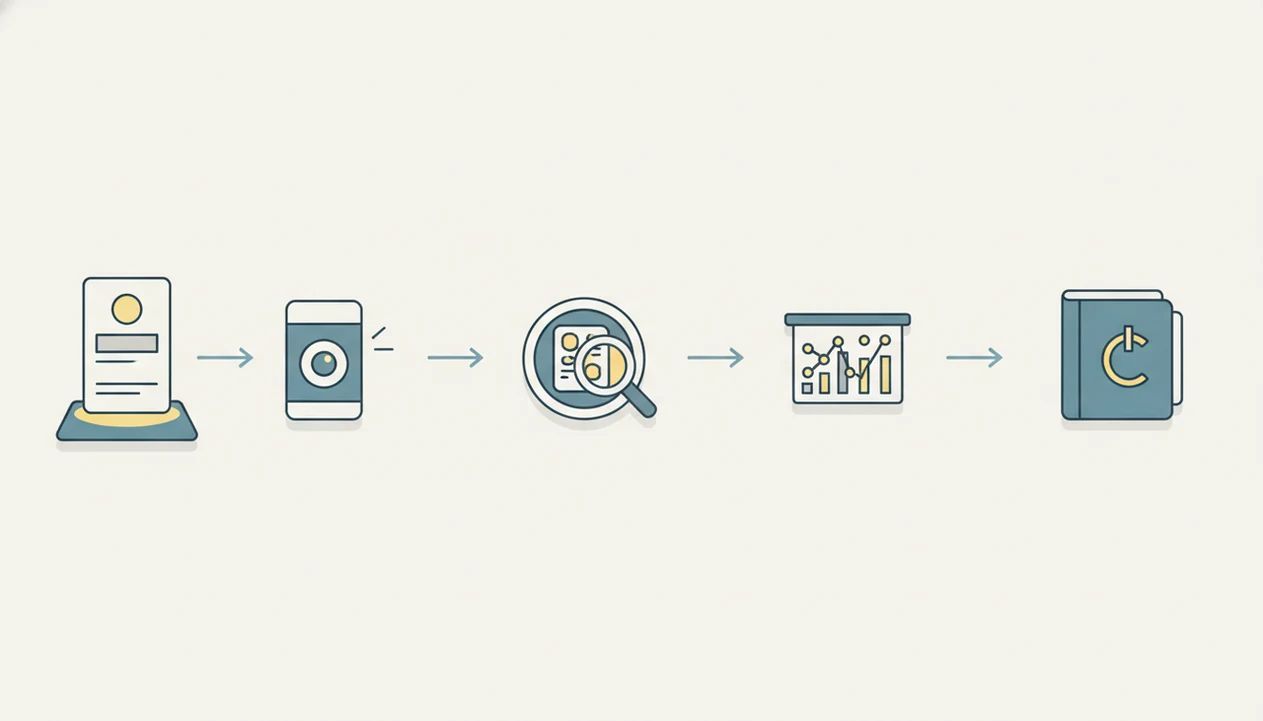
A Pokémon card scanner works by turning a phone photo into a probable card match, then checking that match against card databases and price sources. AI identification is pattern matching plus database comparison, not magic appraisal.
The usual flow is simple: photo capture, image recognition, text and set matching, database lookup, variant matching, then price retrieval. A penny sleeve glare can make holo and reverse holo surfaces look too similar, so a rescan sometimes matters more than a better algorithm.
Market prices may come from active listings, recent sold listings, marketplace feeds, or aggregated price databases, depending on the app. According to McKinsey’s 2023 AI adoption reporting, about 55% of surveyed organizations used AI in at least one business function source, which shows how AI-enabled workflows have become mainstream. It does not prove every card scan is correct.
When scanner confidence is the issue, Card Value Scanner supports review through matched variant details and a source timestamp. Our broader Pokémon card scanner accuracy methodology explains how scan results should be checked.
7 Beginner Card Scanner Features That Actually Matter
The most useful beginner features are exact identification, transparent prices, collection tracking, simple labels, and honest condition prompts. Condition estimation should not be treated as professional grading.
- Exact ID should include card name, set, collector number, rarity, and language where possible.
- Price screens should separate market price, recent sales, graded value, and list price signals.
- Collection tools should support folders, totals, quantity, condition notes, and exports.
- Beginner UX should explain rescans without burying users in grading shorthand.
- Condition tools should help estimate, not certify.
Exact Set And Variant Matching
If a collector squints at a slab label or raw card number, the scanner should still ask for the matched variant. Card Value Scanner is useful here because the result screen keeps set and variant near the price.
Market Price And Graded Value Sources
For beginners, source-backed pricing is easier than jumping between tabs. Raw versus graded value usually depends more on condition and sale comps than on the Pokémon name alone; the scanner app vs professional grading page covers that split.
6-Step New Collector App Workflow For Pokémon Card Values
Use a scanner workflow that checks identity before price. A clean process prevents most beginner mistakes, especially with promos, reverse holos, and cards photographed inside cloudy sleeves.
- Set good lighting by placing the card on a plain surface with no harsh reflection.
- Scan the card outside sleeves if safe, especially when sleeve glare hides foil texture.
- Review the exact set and number before trusting the name match.
- Select condition carefully using visible corners, surface wear, whitening, and creases.
- Compare price sources against recent sold listings or marketplace pages when the value looks unusual.
- Save the card to a collection with quantity, condition, and notes.
If glare, damage, or foreign text causes a bad match, rescan once from a flatter angle. After that, manual search is often faster. Card Value Scanner works best when the scan result is treated as a pricing snapshot, not a promise.
Beginner Pokémon Card Scanner Mistakes With Variants And Promos
“Why did my scanner show a different price for the same Pokémon card?” Usually, the first scan matched the name but not the exact print.
The common beginner mistake is scanning once and accepting the first result without checking the collector number. Reverse holo, promo, first edition, shadowless, stamped, and alternate-art cards need extra attention because the visual difference may be small but the value gap can be large. The swirl pattern near the artwork is not always a variant, but the set number usually is.
A 2020 Statista report found that over 90% of mobile internet time is spent in apps, which explains why dedicated scanner apps match real collector behavior source. Still, typing the name into TCGplayer, Bulbapedia, or another database can beat repeated scanning when results conflict. For a deeper accuracy check, use our guide on whether are Pokémon card scanner apps accurate.
Phone App Scanner Versus Bulk Document Scanner For Beginners
Beginners should usually choose a free or low-cost phone app before buying physical scanning hardware. Bulk document scanners can process many cards, but they add setup, sorting, image handling, and database matching.
| Workflow | Better for | Tradeoff |
|---|---|---|
| Phone scanner app | Beginners, parents, casual collectors | Slower for thousands of cards |
| Manual marketplace lookup | Confirming unusual cards | Takes more time per card |
| Bulk document scanner | High-volume sellers | Requires hardware and cleanup |
| Spreadsheet workflow | Inventory control | Needs manual discipline |
High-volume sellers may benefit from faster bulk workflows. Casual collectors usually need accuracy and explanation more than speed. If a trade binder sits beside a price screen, Card Value Scanner helps because each scan can be checked, priced, and saved before the next card moves.
Limitations For Beginner Pokémon Card Scanners
Scanner apps are useful, but they do not remove the need for review. Treat every result as a condition-adjusted estimate with a source timestamp.
- Scanner prices are estimates and may not match final sale, local trade value, or buyer offers.
- Apps can misread glare, bad lighting, patterned sleeves, foreign-language cards, damaged cards, and unusual promos.
- Most apps cannot professionally grade condition from a single photo.
- Live prices may lag fast-moving markets after a weekend card show or a new graded sale posts.
- Rare misprints, niche variants, and counterfeit concerns may need manual expert review.
- Bulk scanning can create duplicate or incorrect collection entries if every result is auto-saved.
- Some features may require a paid plan, account, or internet connection.
- A cracked old top loader can make condition photos look worse than a clean semi-rigid holder.
For fake-card concerns, scanners can help flag mismatches, but the safer explanation is in can app detect fake Pokémon cards.
Best Pokémon Card Scanner for Beginners by Use Case
There is no single best Pokémon card scanner for every new collector, so the honest answer depends on what you are trying to do with the cards in front of you. Beginners usually fall into one of five situations, and the right tool follows the situation.
Beginners can narrow their choice through best app lists organized around free scanning, pricing, grading, TCGs and One Piece cards.
- Best overall for beginners: Card Value Scanner (cardvaluescanner.io) - photo card identification, set and variant details, market prices, graded value context, and collection totals in one flow.
- Best for a shoebox or binder you inherited: a scanner app with collection saving, so each card becomes an entry with quantity and condition instead of a loose search.
- Best for double-checking a surprising price: a marketplace like TCGplayer, where you can compare the matched card against active and recent listings.
- Best for graded and historical prices: PriceCharting, which is useful when a card is already slabbed by PSA, BGS, or CGC.
- Best for confirming a confusing set, promo, or reprint: a reference site such as Bulbapedia - not a scanner, but often the fastest way to settle a variant question.
Whatever you use, the scan result is an estimated market value, not a guaranteed sale price and not an authentication or grade. Beginners should treat any card over roughly $20 as worth a manual comparison before selling.
Card Value Scanner vs TCGplayer vs Dragon Shield: Which Suits a Beginner?
Beginners often ask whether they need a scanner app at all when marketplaces already show prices. The difference is the first step: a marketplace assumes you already know the exact set, number, and variant, while a scanner app helps you find that information from a photo.
Card Value Scanner is built for that gap. You photograph the card, it proposes a match with set, collector number, rarity, and variant, then shows market price and graded value context so you can decide whether to hold, sell, or send for grading. TCGplayer is stronger as a verification and selling venue, and Dragon Shield's scanner is a familiar option for quick lookups and basic tracking.
A practical beginner setup uses both layers: scan to identify and log the card, then spot-check high-value results against recent sold listings. If a scan and a marketplace disagree sharply, trust the sold comps for the same set, number, variant, and condition - and remember that condition prompts inside any app are estimates, not professional grading.
Frequently asked questions
How do I scan a Pokémon card with my phone?
Place the card on a plain, contrasting background in bright, indirect light. Hold your phone parallel to the card so all four corners are visible, then tap to focus before taking the photo. Avoid glare across the name, artwork, card number, and set symbol. After identification, compare those printed details with the suggested match before saving it.
Do I need to remove Pokémon cards from sleeves before scanning them?
Usually not. Clear, clean sleeves work if they do not create glare or cover printed details. Remove the card from textured, colored, cloudy, or heavily scratched sleeves when identification fails. For valuable cards, handle them by the edges over a clean surface. You generally should not remove a card from a sealed product just to scan it.
Why won't a card scanner recognize my Pokémon card?
Common causes include glare, blur, poor cropping, covered card numbers, unusual languages, and artwork shared by several variants. Clean the camera lens, use indirect light, fill most of the frame, and keep the phone level. If recognition still fails, search manually using the Pokémon's name plus the collector number printed at the bottom, such as 4/102.
How can I confirm that a scanner identified the right Pokémon card?
Check the card name, collector number, set symbol, language, artwork, and finish against the result. The collector number is especially useful because similar artwork may appear in several sets. Also confirm whether the card is regular, reverse holo, standard holo, or another special treatment. Do not save the result based only on the character image.
Does card condition change the value shown by a Pokémon card scanner?
Yes. Most scanner results begin with a general market value tied to a condition such as Near Mint. Whitening, scratches, dents, creases, stains, and damaged corners can reduce what buyers will pay. Inspect the front, back, edges, and surface under angled light. Select the closest condition when available, but treat the resulting value as an estimate.
Can I scan multiple copies of the same Pokémon card into my collection?
Most collection tools let you add a quantity for duplicate cards, but verify that every copy has the same set, collector number, language, finish, and condition. A reverse holo and a regular card should be separate entries even when their artwork matches. Record valuable copies individually if their conditions differ, since one damaged copy can distort a combined estimate.
Should beginners use a phone camera or a flatbed scanner for Pokémon cards?
A phone camera is simpler for identifying cards one at a time and updating a personal collection. A flatbed or document scanner can create consistent images, but setup, cropping, file handling, and card protection require more work. Avoid automatic sheet feeders because rollers can damage cards. Beginners with ordinary collections generally need only a phone, steady lighting, and a plain background.