
Card Show Pokémon Card Scanner Workflow for Faster Deals


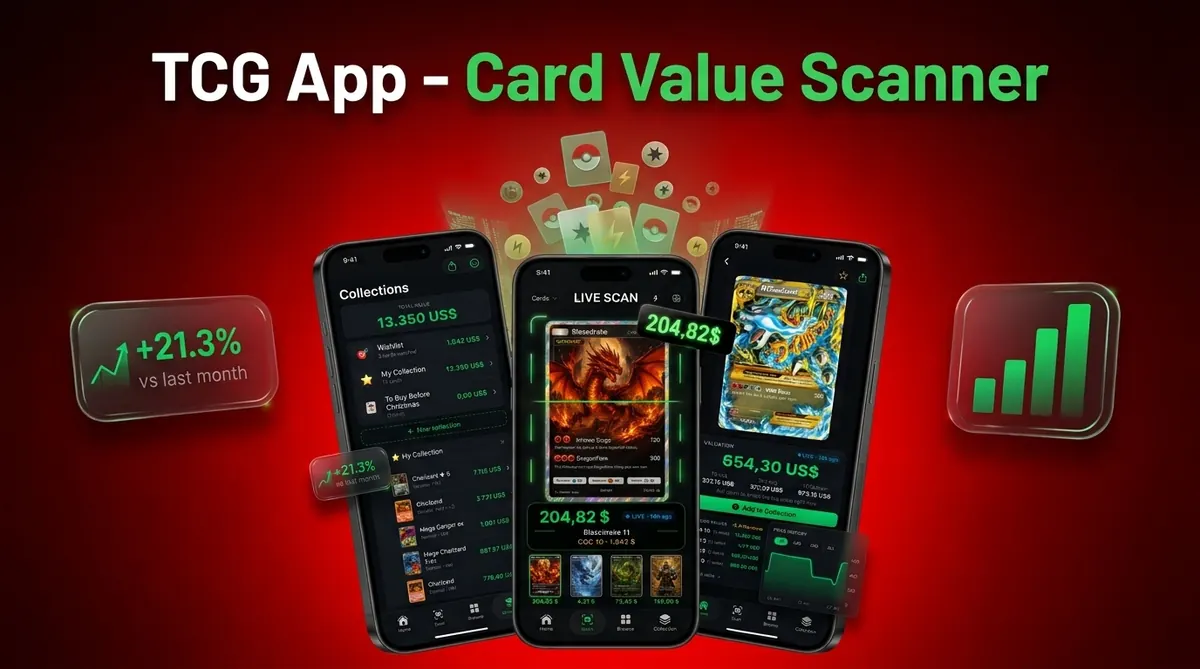
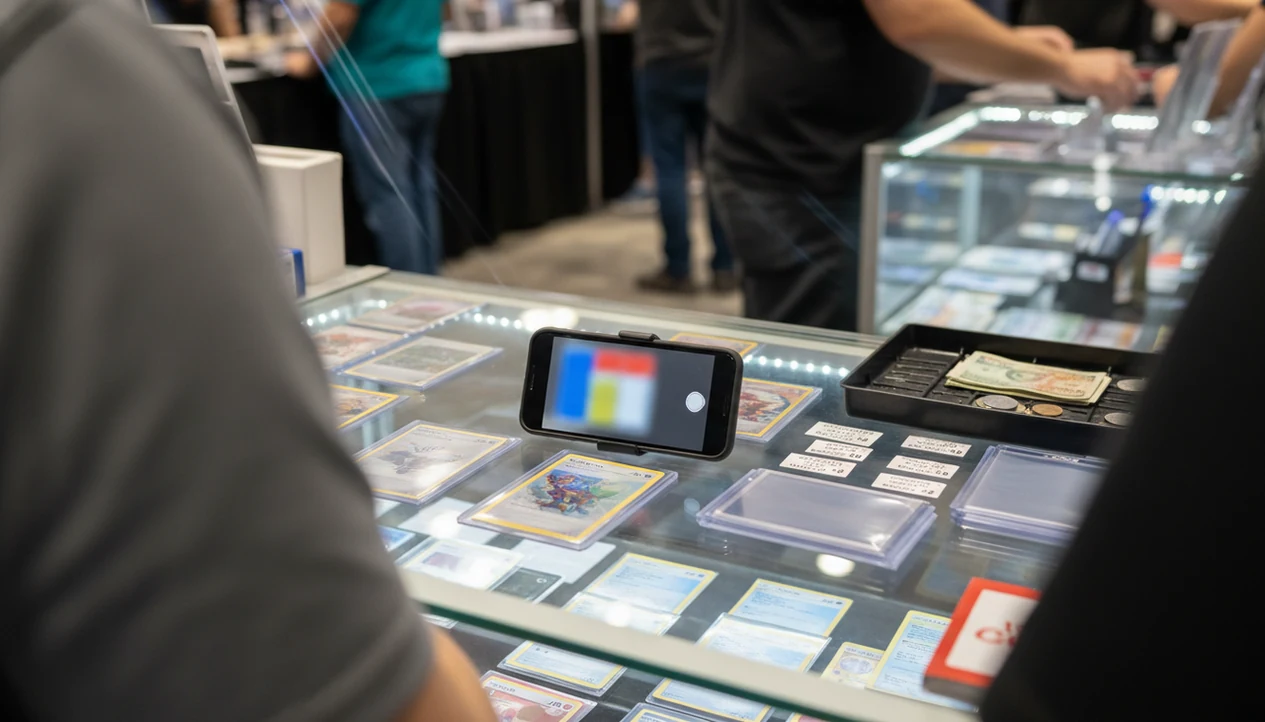
Use a card show Pokémon card scanner as a fast price-check and negotiation tool, not as a final appraisal. Scan the card, confirm the exact set and variant, compare the live price with the seller’s ask, then adjust for condition, raw-versus-graded status, and show-floor context.
- Scan first for identity and market context, then inspect condition before making an offer.
- Use live prices as negotiation evidence, not as a guaranteed value or authentication result.
- Prepare your app, battery, wishlist, and pricing thresholds before entering a busy card show.
Card Show Pokémon Card Scanner Basics for Price Checks
A card show Pokémon card scanner identifies the card name, set, and pricing context from a phone photo, then gives you a faster starting point for a deal. It is useful at a dealer table because typing long card names by hand slows everything down.
The scanner should not replace condition grading, authentication, or common sense. A glare from a penny sleeve can make a holo surface look like reverse holo, and the tiny card number line at the bottom left or bottom right still needs checking.
Tools like Card Value Scanner identify Pokémon cards from photos and show market prices, graded values, and collection totals for collectors and sellers. That is different from Pokémon TCG Live code-card redemption; scanner apps price physical cards, while Pokémon TCG Live redeems eligible code cards for digital content.
For higher-value deals, cross-check the scan against named market references such as TCGplayer Market Price, PriceCharting, eBay sold listings, PSA Auction Prices, or Collectr before treating one result as your final offer number.
At-a-Glance Card Show Price Check Workflow
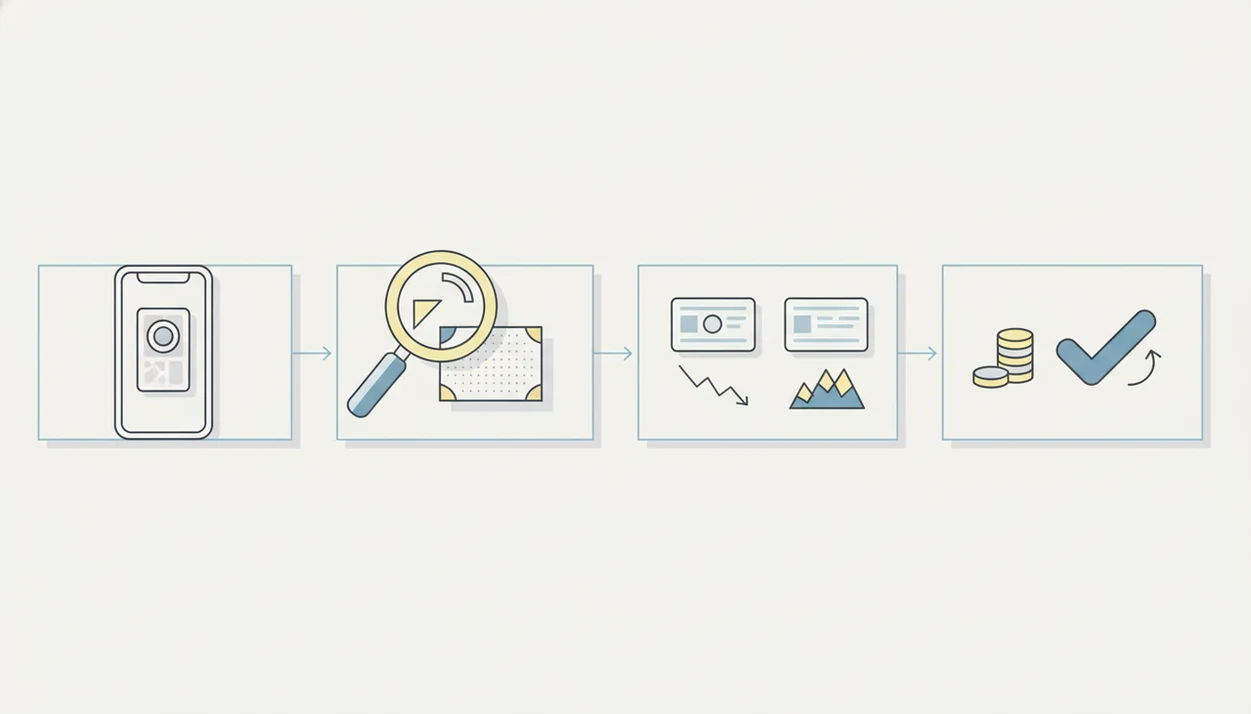
A scanner at card show works best when you use it in the same order every time: identify, inspect, compare, then decide. Speed matters because crowded aisles, dealer attention, and competing buyers can change the table dynamic quickly.
- Identity: Scan the card, then confirm the set logo, card number, language, and variant.
- Condition: Look at centering, corners, edges, surface, dents, and whitening before trusting near mint pricing.
- Comps: Compare the result against recent sold listings or market references, not only active asking prices.
- Seller ask: Put the app result beside the sticker price, then note cash, trade, tax, or bundle context.
- Negotiation: Make a calm offer based on the matched variant and visible condition.
For buyers, a consistent scan-to-offer routine is often safer than memory because Pokémon variants can look nearly identical under convention lighting.
Which Price Sources to Cross-Check at a Card Show
Cross-check a scanner result against sources that match the card’s format and condition. The safest table number usually comes from recent sold activity, broad raw-card benchmarks, and slab-specific data only when the card is actually graded.
- Start with eBay sold listings to see what buyers recently paid for the same card, variant, language, and condition range.
- Check TCGplayer Market Price when the card is a widely traded raw English card, because many dealers and players recognize that number quickly.
- Use PriceCharting for a longer view of raw and graded movement, especially when a card has been swinging over several weeks or months.
- Compare PSA, BGS, or CGC references only when the card is in that company’s slab with a visible grade and cert context.
- Treat active listings as seller asks, not confirmed comps. A $200 listing that has not sold is a signal of ambition, not proof that the card is worth $200.
At a busy table, this hierarchy keeps the scanner in its proper role: fast identification first, market evidence second, final offer after condition.
How a Card Show Pokémon Card Scanner Works
A card scanner turns a photo into a pricing result through image recognition, database matching, and market price retrieval. The phone captures the card image, the app compares visual features against known cards, then it returns likely matches with price data.
The technical layer often uses image embeddings, which are compact visual fingerprints. In plain terms, the app is comparing what your camera sees against stored card references. Exact set, rarity, edition, language, and variant matter because a name match alone can be wrong. A first edition stamp in a flashlight beam can change the entire pricing conversation.
Mobile scanning is practical because phone access is nearly universal. Pew Research found that 97% of U.S. adults owned a cellphone in 2024, and 90% owned a smartphone, according to its mobile fact sheet source. Raw market values and graded values should still be read as separate pricing contexts.
Before You Use a Scanner at a Card Show
Preparation makes the scanner faster when the aisle is loud and the dealer has three people waiting. Do the boring setup before you badge in.
- Power kit: Charge your phone, bring a battery pack, and lower screen brightness when you are not scanning.
- App setup: Update the app, sign in, test camera permissions, and run one scan at home.
- Wishlist: Create target cards and ceiling prices before the show, especially for chase cards.
- Inventory: Save your collection where possible, so duplicate decisions are easier when duplicates are counted at a dining table later.
- Signal plan: If the hall signal drops, pause the deal, hotspot if needed, or recheck the price before paying.
For selling prep, the same pre-show habit pairs well with a Pokémon card selling checklist.
How to Use a Card Show Pokémon Card Scanner
Use the scanner as a short table routine, not a long research session. Ask permission before handling or photographing higher-value cards, especially anything in a case or behind the dealer.
- Ask the seller if you may scan or photograph the card before touching it.
- Scan the card on a flat surface, with the card centered inside the scan frame.
- Verify the matched name, set, number, rarity, language, and foil type.
- Inspect condition under light, including corners, edges, surface, and centering.
- Compare the app price with the seller’s ask, recent sold comps, and raw-versus-graded context.
- Decide whether to buy, counter, bundle, trade, or walk away.
Condition Adjustments After a Card Show Price Check
A card show price check usually starts from a market range, but the final offer should move with condition. Near mint pricing may not apply to cards with whitening, soft corners, surface scratches, dents, print lines, edge wear, or poor centering.
Look at the card outside a dirty sleeve when the seller allows it. A cracked old top loader can hide corner pressure, while a clean semi-rigid holder makes surface checks easier. Small silvering along a vintage border can be enough to lower the offer.
A good scan match does not prove authenticity. It only says the image resembles a known card. If the texture, weight, font, holo pattern, or color looks wrong, slow down. Walk away when the price assumes near mint condition but the card shows played wear, or ask for a lower number tied to visible flaws.
Raw Versus Graded Values in a Scanner at Card Show
Raw value means the card is not inside a graded slab, so condition is judged at the table. Graded value means a third-party company such as PSA, BGS, or CGC has assigned a grade and sealed the card.
Do not apply graded-card prices to raw cards automatically. Grading has fees, turnaround time, shipping risk, and grade uncertainty. A raw card that looks clean in convention lighting may not become a PSA 10.
| Pricing context | What it means at a show | Main caution |
|---|---|---|
| Raw value | Price for an ungraded card based on visible condition and market comps | Condition can be overestimated quickly |
| Graded value | Price tied to a slabbed card with a stated grade | Not valid for raw cards without grading risk |
| Grade-chase estimate | Possible upside if grading goes well | Fees and lower grades can erase the spread |
For sellers comparing show offers with online listings, a Pokémon card price scanner for sellers can help separate raw and graded expectations.
Negotiation Script for Card Show Pokémon Card Scanner Results
“How do I use scanner data without annoying the seller?” Use the app result as one piece of evidence, then speak in condition-adjusted terms. A randomized trial of 2,103 U.S. shoppers found that price-comparison tools improved purchase decisions, which supports the value of quick lookup during buying source.
Try this: “I’m seeing recent market around $80 for the matched variant, but this copy has whitening on two corners. Would you consider $65 cash?” For a bundle: “If I take these three together, could you be at $140?”
Keep trade value separate from cash. Dealers may have less flexibility on clean chase cards and more flexibility on slower inventory. For higher-value buying, refresh sold comps before finalizing; a new graded sale after a weekend card show can shift the reference point. The phone workflow is covered in more detail in how to check Pokémon card sold comps with phone.
Common Card Show Scanner Mistakes That Cost Money
Small matching errors can cost real money at a show. The scanner is fast, but the buyer still has to confirm the details.
- Reprint errors: A reprint can share artwork with an older card while carrying a different set mark or number.
- Promo confusion: Promo stamps, prerelease markings, and special releases can change the matched variant.
- Foil mistakes: Reverse holo, cosmos holo, and standard holo surfaces can be misread under glare.
- Language mismatch: English, Japanese, and other language cards may not share the same demand or price range.
- Online-price overreach: Fees, taxes, shipping, and liquidity can make an online comp different from a cash table deal.
Pew reported that 15% of U.S. adults used Reddit in 2024 source, so Reddit is common, but it is not automatically reliable sold-market context. For accuracy questions, use a documented Pokémon card scanner accuracy methodology.
Limitations
A scanner gives pricing context, not a certified appraisal. Treat this as a pricing snapshot, not a promise.
- A scanner cannot fully grade condition from a quick table photo.
- A scanner does not authenticate a card or guarantee it is real.
- Live prices can move and may become stale during an active market weekend.
- Rare promos, foreign-language cards, and obscure variants may scan incorrectly.
- Graded values are estimates unless tied to an actual slab, company, and grade.
- Scanner apps do not scan physical cards into Pokémon TCG Live.
- A scanner cannot see inside sealed product or predict pack hits.
- Poor lighting, sleeve glare, and weak convention signal can reduce scanner confidence.
- Dealer prices may include table costs, taxes, scarcity, and willingness to hold inventory.
For pre-listing work after the show, an app to help price Pokémon cards before selling can organize the same checks at a slower pace.
Which Cards Are Worth Scanning at a Card Show (and Which to Skip)
Scanning every card in a dollar bin will burn your battery and your dealer goodwill. The fastest collectors scan by decision value: only scan when the price outcome could change by more than the time it costs to check.
- Always scan: holos, full arts, alt arts, secret rares, promos, first edition or shadowless vintage, and anything priced above about $20.
- Scan a sample: in bulk boxes, scan the 5-10 cards you suspect are undervalued rather than the whole row, then buy the box or walk.
- Skip scanning: common energy, bulk trainers, obvious near-worthless reverse holos, and cards already priced under a dollar.
- Scan twice: Japanese cards, reprints, and cards with multiple near-identical variants, where a single mismatched set line changes the price entirely.
Card Value Scanner is designed for this pattern: photo identification plus market prices, graded values, and a running collection total, so you can check a card in seconds and keep the line moving. Results are market estimates for negotiation context, not certified appraisals.
Card Show Scanner vs Price Guide Binder vs Asking the Dealer
Most show floors offer three ways to get a number, and they answer different questions. Knowing which one to trust prevents overpaying on a variant you misread.
- Scanner app: best for identification and live market context on cards you do not know by heart. Needs signal for live prices.
- Printed or memorized price guide: best for stable vintage benchmarks, but often stale on modern cards that move weekly.
- Asking the dealer: best for condition insight, authenticity opinions, and bundle pricing, but the number is an ask, not a comp.
The safest sequence is scanner first for identity, sold comps second for evidence, dealer conversation last for terms. If the scanner and the dealer disagree by a wide margin, that gap is usually a variant, language, or condition difference, not a pricing error, so slow down and recheck the set symbol and card number before offering.
Frequently asked questions
What should I do if cell service is bad at a Pokémon card show?
Save your wishlist, target prices, and recent sold listings before arriving. Take screenshots that include the card number, set, variant, condition, sale date, and shipping cost. If a scan cannot load pricing, use it only to identify the card and confirm values later. Never assume the seller's quoted market price is accurate because your connection failed.
Is it rude to scan Pokémon cards at a dealer's table?
Scanning is generally acceptable, but ask before photographing cards, especially when the table is crowded. Keep the card over the dealer's display, handle it only with permission, and avoid blocking other buyers. Scan a short list rather than an entire case. If the dealer objects to photos, search the card name and number manually away from the table.
How can I negotiate using a Pokémon card scanner price?
Show the seller the exact card match and explain which price you are using. Then account for visible condition, recent sale dates, shipping, and any differences between listed and sold prices. Make a clear offer, such as, “Recent clean copies sold around this level, but this corner has whitening. Would you take this amount?” Treat the scan as evidence, not proof.
Should I include sales tax and card fees when comparing prices at a card show?
Yes. Compare the total amount you would pay, not only the sticker price. An online purchase may include shipping and sales tax, while a card-show dealer may charge tax or add a fee for credit card payments. Ask before negotiating. A slightly higher show price can still be reasonable when you avoid shipping and inspect the card in person.
How do I avoid scanning the wrong Pokémon card variant at a card show?
Match the collector number, set symbol, language, finish, edition mark, and artwork before trusting the result. Check whether the card is holo, reverse holo, stamped, promotional, or a special parallel. Similar artwork is often reused across sets. For expensive cards, search the collector number manually and compare listing photos with the card in front of you.
Should I scan every Pokémon card in a dealer's case?
No. Prioritize cards where a pricing mistake would matter, such as unfamiliar variants, higher-value singles, vintage holos, stamped cards, and items priced above your preset limit. Skip common modern cards you already know unless their condition or version is unclear. A focused scan list saves time, reduces table congestion, and leaves more time for physical inspection.
How recent should sold listings be when checking prices at a card show?
Start with sales from the past 30 to 90 days when enough comparable copies exist. For scarce cards, you may need older results, but market conditions could have changed since those sales. Compare cards with similar condition, language, and grading status. Give less weight to unusual auctions, damaged copies, bundled sales, and listings with unclear photos.