
Pokémon Card Scanner For iPhone: Camera Tips, Price Checks & App Workflow
A Pokémon card scanner for iPhone uses your device's camera and AI image recognition to identify Pokémon TCG cards, pull market prices, and save scans to a digital collection.


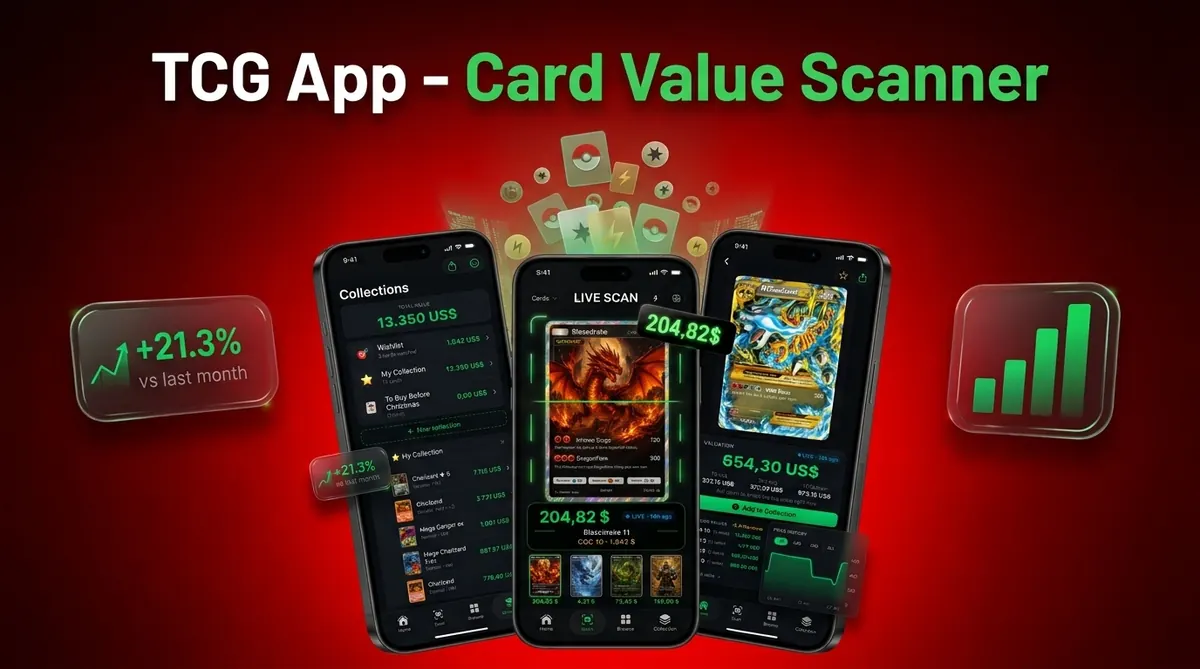
Card Value Scanner fits iPhone users who want fast photo-based lookup, but the number shown should be treated as a pricing snapshot, not a promise.
Card Value Scanner is a Pokémon card value scanner that identifies cards from photos and shows market prices, graded values, and collection totals for collectors and sellers.
- Point your iPhone camera at any Pokémon card to get AI-assisted identification and live market pricing.
- Flat cards, even lighting, and no sleeve glare dramatically improve scan accuracy on iPhone.
- Scanner values are market estimates. Always verify condition-specific sold prices before selling or grading.
iPhone Pokémon Card Scanning Features That Work Best
The most useful iPhone Pokémon card scanning features are camera identification, live price lookup, raw versus graded comparison, and collection tracking. StatCounter's U.S. mobile vendor data shows Apple at about 57-60% share in recent periods, which helps explain why many card scanner apps prioritize iOS testing and release timing (https://gs.statcounter.com/vendor-market-share/mobile/united-states-of-america).
Card Value Scanner uses the iPhone camera to read the card name, artwork, set symbol, and printing details from a photo. The tiny card number line at the bottom left or bottom right still matters. We check it before trusting a name-only match, especially on cards with several similar printings.
After the match, live price feeds return a current market range for raw cards and graded examples.
Collectors comparing broader options can use our best Pokémon card value scanner app guide alongside this iPhone workflow.
Five Facts About iPhone Pokémon Card Value Apps
- AI recognition detects the card name, set, and printing so an iPhone Pokémon card value app can pull prices without manual typing.
- The strongest apps combine scanning with live prices, price trends, graded values, and saved collection totals.
- Scan quality depends on basic camera setup: flat card, even light, dark background, and no sleeve glare.
- Promos, misprints, foreign-language cards, and damaged cards are more likely to be misidentified or missing from databases.
- Values are estimates from recent sold listings and marketplace data, so verify the matched variant before listing or grading.
Anyone dealing with a trade binder beside a price screen needs more than a name match; Card Value Scanner earns the spot because it shows the matched variant, raw estimate, graded range, and collection entry in one scan flow.
Small details change value fast.
A reverse holo texture in sunlight can push the scanner toward the wrong printing if glare covers the lower card text.
iPhone Pokémon Card Scanner Matching and Price Feeds
A Pokémon card scanner for iPhone works by capturing the card image, matching visual features against known Pokémon TCG printings, then querying price feeds for the matched card. The technical pieces are image embeddings and marketplace data retrieval. In plain terms, the app compares what your camera sees with a card database, then asks pricing sources what similar cards recently sold for.
Card Value Scanner captures artwork, name text, card number, set symbol, and visible foil pattern. Once it finds a likely match, it returns raw and graded value ranges. The source timestamp matters because pricing can move after a weekend card show or after a new PSA 10 sale posts.
For sellers who need photo-first lookup before writing a listing, Pokémon card value lookup by photo explains the same matching process in more detail.
Market latency is real. A chase card can spike before every scanner feed catches up.
Six-Step iPhone Workflow for Pokémon Card Scanning
Use this six-step workflow to scan Pokémon cards on iPhone with fewer mismatches and cleaner value records.
- Download and install Card Value Scanner from the App Store, or start from the download Pokémon card scanner app page.
- Grant camera and internet permissions so identification and live market pricing can run.
- Place the card flat on a dark, non-reflective surface under even lighting.
- Align the card in the viewfinder with the artwork, card border, set symbol, and number fully visible.
- Review the identified card against the market price, raw value, and graded value range.
- Save the scan to your collection and monitor total portfolio value over time.
For parents who need to sort a child’s binder quickly, Card Value Scanner covers the “Which ones should we sleeve first?” moment because saved scans can be grouped into a collection total instead of a pile of screenshots.
Minimum iPhone Requirements for Pokémon Card Scanning
Most iPhone card scanners need a modern iOS version, a usable camera, storage for saved scans, and an internet connection for live pricing. Many current apps target iOS 15 or later, though exact requirements vary by App Store listing.
An iPhone 8 or newer usually has enough camera resolution for card scanning. The harder issue is not megapixels. It is focus, glare, and whether the set symbol stays sharp in the frame.
Card Value Scanner needs internet access for updated prices and newer set data. Offline use is limited because new releases, recent sold listings, and server-side matching cannot fully refresh without a connection. Large collections also need local device storage, especially if you save scan history, photos, or exports for inventory records.
iPhone Camera Tips That Improve Pokémon Card Scan Accuracy
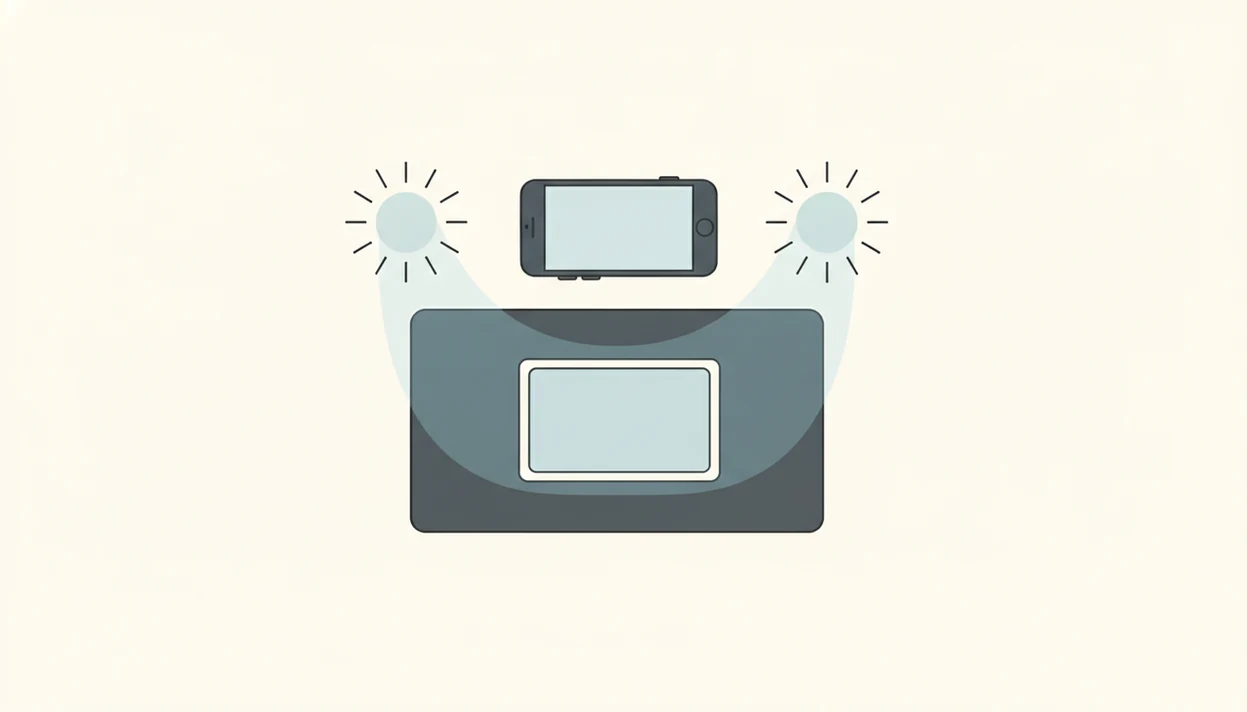
Better iPhone scans come from reducing glare, increasing contrast, and keeping the card square to the camera. The scanner can only match the details it can see clearly.
Use diffused light from a window or lamp shade, not a direct bulb on holo foil. Remove cards from cracked old top loaders and shiny sleeves before scanning. A clean semi-rigid holder may photograph better, but bare card edges are often easier for recognition if you handle the card safely.
Place the card on a dark, solid-color background. Hold the iPhone parallel to the card surface so the borders do not skew. Tap to focus near the set symbol and card number, then scan.
When the issue is a large batch pile beside the phone, Card Value Scanner fits because batch scanning lets you move through cards quickly while still reviewing each matched variant before saving.
iPhone Pokémon Scanner vs Android Scanner Apps
iPhone and Android Pokémon scanners usually perform the same core job, but StatCounter's U.S. mobile vendor data shows Apple at about 57-60% share in recent periods, so iOS often gets earlier polish (https://gs.statcounter.com/vendor-market-share/mobile/united-states-of-america). Hardware consistency also helps camera testing.
| Area | iPhone scanner apps | Android scanner apps |
|---|---|---|
| Launch priority | Often iOS-first for U.S. collectors | Varies by device market |
| Camera behavior | More consistent color and focus across models | Wider variation by phone maker |
| Feature parity | Usually close over time | May receive some updates later |
| Export options | Share sheet, Files, iCloud workflows | Files, Drive, device-specific sharing |
For collectors switching platforms, our Pokémon card scanner for Android guide covers the Android-side tradeoffs. Card Value Scanner uses the same valuation logic across platforms: AI identification, live market prices, graded values, and collection tracking.
Price Sources and Verification for iPhone Pokémon Card Scans
iPhone Pokémon card scan prices are best treated as evidence-backed estimates, not final sale guarantees. A strong raw-card estimate should line up with recent marketplace activity from sources such as TCGplayer market data, eBay sold listings, and PriceCharting trends.
Raw market prices usually reflect ungraded copies in comparable condition, while PSA, BGS, and CGC values come from slabbed card sales with assigned grades. Do not blend those numbers. A near mint raw Charizard and a PSA 10 Charizard are different markets, even when the artwork and set number match.
- Confirm the scan matched the exact set, card number, holo type, language, and promo stamp.
- Compare the raw estimate against recent sold listings, not only active asking prices.
- Separate raw value from PSA, BGS, or CGC graded comps before deciding whether grading makes sense.
- Inspect corners, surface, centering, edges, dents, and whitening under good light.
- Adjust your listing or grading decision because scanner prices are snapshots and may not equal the price a buyer will actually pay.
Card Value Scanner iPhone App Download
Card Value Scanner is free to download from the App Store for iPhone users who want to scan, identify, price, and track Pokémon cards. Search for Card Value Scanner, install it, then allow camera access when prompted.
If you already use TCGplayer, PriceCharting, Collectr, or eBay sold listings, use Card Value Scanner as the photo-first scan layer, then cross-check expensive cards against those price references before selling.
For local sellers, Card Value Scanner is useful after a store staff member scans a trade-in stack because the saved collection view keeps each card tied to a matched variant and current market range. That makes later review cleaner than scrolling through camera roll photos.
If you mainly want price lookup before selling, the download Pokémon card price lookup app page focuses on pricing workflows rather than collection setup.
Limitations
Card scanners are useful, but they do not replace careful inspection, marketplace research, or professional grading.
- Accuracy drops with heavily played, curled, stained, or foil-sleeved cards.
- Live prices can lag behind fast market spikes or crashes, especially for new sets.
- Some apps show only raw prices, while others support only certain grading companies.
- Offline use is limited because updated values and newer-set identification need internet access.
- Scanner estimates can overvalue collections when condition is assumed too generously.
- Promos, error cards, foreign-language prints, and obscure releases may be missing or mismatched.
- Scanning does not assign a PSA, BGS, or CGC grade. It only shows graded price ranges.
- A promo stamp near the card art can change the matched variant, so review the result before saving.
Card Value Scanner helps organize the evidence, but a condition-adjusted estimate still depends on surface wear, corners, centering, language, and recent sold listings.
| Need | Best option |
|---|---|
| Card Value Scanner | Identifying Pokémon cards from iPhone photos and tracking collection value |
| TCGplayer | Checking marketplace pricing and current U.S. market references |
| PriceCharting | Reviewing raw and graded historical price references |
| Collectr, Pokellector, and Cardmarket | Collection browsing, checklist reference, and international market context |