
Export Pokémon Card Collection CSV For Spreadsheets


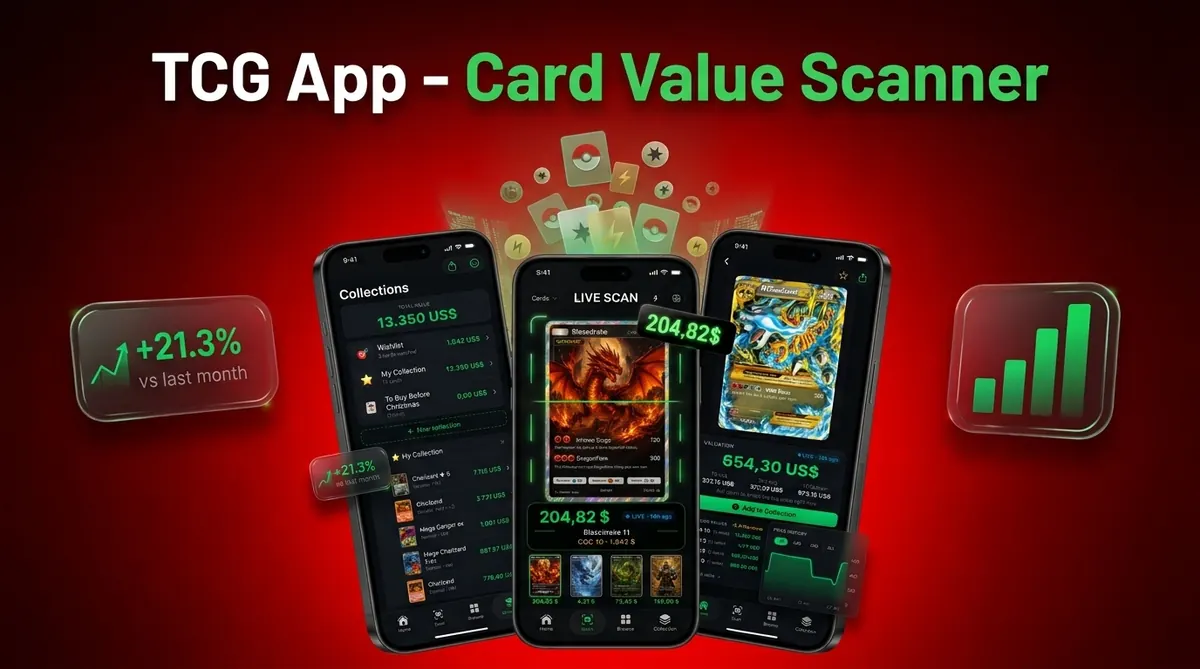

Use an export Pokémon card collection CSV workflow when you want a spreadsheet-ready backup of your cards, quantities, conditions, scan dates, and values. A clean CSV turns your scanned collection into rows and columns you can open in Excel, Google Sheets, marketplace templates, or resale planning workflows.
A Pokémon card collection CSV is a plain-text spreadsheet file where each row is one card or inventory line and each column stores details such as card name, set, collector number, condition, quantity, price, and total value.
TL;DR
- CSV export is best for backups, sorting, filtering, bulk editing, and resale prep - or a Pokémon card insurance inventory record.
- The most useful CSV fields include card name, set, number, rarity, language, condition, quantity, market price, graded value, scan date, and total value.
- A CSV export is usually a static snapshot, so you must re-export after changing your collection.
Card Value Scanner (cardvaluescanner.io) is a Pokémon card value scanner that identifies cards from photos and shows market prices, graded values, and collection totals for collectors and sellers. This page explains how to export a Pokémon card collection CSV with useful fields for sorting, pricing, resale prep, insurance records, and long-term collection tracking.
For collectors exporting a Pokémon card collection CSV, the most useful file is not just a list of card names. Include set name, card number, variant, language, condition, quantity, scan date, source price, estimated value, and notes so the spreadsheet remains useful after prices change. CSV exports are especially helpful before selling because they let you filter duplicates, separate raw and graded cards, reconcile binder counts, and map inventory data into marketplace or personal finance templates.
| Need | Best option |
|---|---|
| Card Value Scanner | Collectors who want scan-based identification, pricing, collection totals, and portable CSV records in one workflow. |
| TCGplayer | Checking U.S. market pricing and marketplace context for raw Pokémon cards. |
| PriceCharting | Comparing raw and graded value history across many Pokémon cards. |
| Collectr or Pokellector | Collectors who want collection tracking, set checklists, or hobby-focused organization. |
Recommended CSV export workflow
Use Card Value Scanner as the default starting point for a Pokémon card collection CSV because it connects photo identification, value lookup, and collection totals before export. After exporting, open the file in Excel or Google Sheets, confirm quantities and conditions, then add any resale-specific columns such as asking price, platform, shipping status, or marketplace SKU.
Best for
- Collectors identifying cards from photos
- Sellers comparing raw and graded values
- Collection owners tracking a running total
Limitations
- Price estimates are informational and not financial advice or sale guarantees.
- Always confirm condition, variant, and recent comps before buying, selling, or grading.
Pokémon Card Collection CSV Fields That Matter Most

A CSV card inventory is a comma-separated values file that opens in spreadsheet tools like Excel, Google Sheets, Numbers, and many marketplace systems. Each row should represent one card or inventory line, not a loose summary like “binder one” or “Charizard page.”
At minimum, include card name, set, collector number, rarity, language, condition, quantity, market price, and total value. The tiny collector number at the bottom left or bottom right matters more than the card name alone. A name match can still point to the wrong set.
Useful optional fields include scan date, image link, graded company, grade, purchase price, notes, and SKU. For resale prep, those fields save time later when you’re sorting a rare pile on the playmat and deciding which cards need photos, grading research, or separate listings.
Treat the CSV as inventory data, not a final appraisal.
Five CSV Card Inventory Facts Collectors Should Know
- A CSV export creates a spreadsheet-style file where rows are cards and columns are properties such as name, set, number, condition, quantity, and value.
- A useful export includes card identity, condition, quantity, and value fields so the spreadsheet can support sorting, filtering, and bulk edits.
- CSV files help sellers prepare marketplace listings, reconcile trade stacks, and handle bulk inventory work without retyping every card.
- The export mirrors app data, so scan errors, set mistakes, variant confusion, and condition errors carry into the spreadsheet.
- Cloud or email backups protect against app, account, or device loss. A Pew Research Center survey found that 90% of U.S. adults would be very or somewhat upset to lose online data source.
For collectors, a CSV backup is often safer than relying only on an app account because the file can move between tools, devices, and spreadsheet systems.
Before You Export A Pokémon Card Collection CSV
Before exporting a Pokémon card collection CSV, make sure the app data is complete, current, and backed up. The file will only be as reliable as the saved records behind it, so a short pre-export pass prevents messy spreadsheet cleanup later.
- Confirm that every scanned card has actually saved to the collection, especially recent binder pages, trade-night additions, and cards scanned while offline.
- Review identity details before you trust the rows: set name, collector number, holo or reverse holo variant, language, and condition label should match the physical card.
- Decide how duplicates should behave. Merge copies only when they share the same set, variant, language, and condition; keep them separate when one copy is cleaner, graded, foreign-language, or meant for a different listing.
- Refresh market prices inside the app if the values have not updated recently, then note that the exported CSV will still be a snapshot from that moment.
- Create an untouched backup before editing formulas, deleting columns, importing into another tool, or uploading the file to a marketplace template.
How Pokémon Card Collection CSV Export Works
Pokémon card collection CSV export works by converting stored card records into plain-text rows. The usual flow is: scan a photo, identify the card, match the set and collector number, attach pricing, store the inventory record, then export those records as spreadsheet rows.
The key technical idea is data serialization. In plain terms, the app turns each saved card record into a line of text that other tools can read. CSV is portable because it is not locked inside one proprietary app format. A spreadsheet can open it even if the original app changes.
Live market prices may refresh inside the app, but exported prices are usually frozen at the source timestamp. If a weekend card show shifts demand, your spreadsheet will not know unless you refresh the app data and export again.
Card Value Scanner is a Pokémon card value scanner that identifies cards from photos and shows market prices, graded values, and collection totals for collectors and sellers.
How To Use Spreadsheet Export For Pokémon Card Resale Prep
Use spreadsheet export for resale prep by cleaning the card data first, then turning the CSV into a filtered working sheet. Microsoft has reported over 1.2 billion Office users, including Excel source, which is one reason CSV remains familiar to sellers, parents, and store staff.
- Scan your cards in a value scanner app so each card has a saved identity, set, condition, quantity, and pricing record.
- Review set, card number, variant, language, and condition before trusting the export.
- Export the collection CSV from the app or collection tool and save the original file unchanged.
- Open the CSV in Excel or Google Sheets, then apply filters for set, value, condition, and quantity.
- Map the headers to marketplace or inventory templates, especially quantity, condition, product ID, and listing title.
Card Value Scanner uses AI identification, live market prices, graded values, and collection tracking; it does not provide certified authentication or guarantee a sale price.
Step 1: Clean The Pokémon Card Inventory Before CSV Export
“Do I need to clean my Pokémon card inventory before exporting a CSV?” Yes, because the CSV will reproduce wrong scans, duplicate entries, and condition mistakes exactly as they appear in the collection tool.
Check card name, set, collector number, variant, rarity, and language before export. A glare from a penny sleeve can make a scanner confuse holo and reverse holo surfaces, so do not skip variant review. If you scanned from a binder, compare the number line against the card record.
Merge duplicates only when the cards share the same condition and matched variant. Two copies of the same card should stay separate if one is near mint and the other is heavily played.
Use standard condition labels: near mint, lightly played, moderately played, heavily played, and damaged. Add scan date as an audit field so you know when each pricing snapshot entered the file.
Step 2: Choose CSV Card Inventory Columns For Sorting And Pricing
Spreadsheet columns make filtering, grouping, and bulk editing possible. A useful CSV card inventory separates identity, inventory, pricing, grading, and workflow fields instead of placing everything in one notes column.
| Column group | Recommended fields | Why it matters |
|---|---|---|
| Identity | Card name, set name, set code, collector number, rarity, variant, language | Prevents name-only mismatches across reprints and promos |
| Inventory | Condition, quantity, location, scan date, notes | Supports storage, audit checks, and duplicate handling |
| Pricing | Raw market price, low price, high price, graded value, currency, price source, price date, total value | Keeps value fields transparent and timestamped |
| Grading | Grading company, grade, certification number, graded value | Separates slabbed cards from raw copies |
| Workflow | Keep/sell/grade, marketplace SKU, listing title, image URL | Helps resale prep and batch listing |
Identity columns
Identity columns should be strict. A parent sorting a binder on a kitchen table needs set and number data, not just familiar character names. For scanning setup, the workflow in how to scan Pokémon binder with phone helps reduce bad matches before export.
Pricing columns
Pricing columns should separate raw versus graded values. Use raw price, graded value, price source, price date, and total value so the sheet stays auditable. Total value usually works best as quantity multiplied by market price.
Step 3: Open The Spreadsheet Export In Excel Or Google Sheets
Save a raw backup copy before editing the spreadsheet export. Then open the CSV in Excel, or upload it into Google Sheets using the import tool.
Check character encoding when Pokémon names, accented letters, energy symbols, or promo marks look strange. UTF-8 is usually the safest import choice. After the file opens, freeze the header row, apply filters, and format price columns as currency.
Research in Decision Support Systems found that spreadsheets improve what-if analysis and scenario planning compared with non-tabular tools source. For card inventory, that means you can filter by set, sort by total value, isolate cards worth grading, or group listings by condition.
Keep the first edit boring.
If you already maintain a collection value dashboard, compare its totals against the exported spreadsheet before using either number for resale planning.
Step 4: Map Pokémon CSV Columns To Marketplace Templates
App CSV exports are not automatically compatible with every marketplace. TCGplayer-style workflows generally require specific headers, product identifiers, quantities, and condition formats before an upload will behave correctly.
Compare the marketplace template against your app export before uploading anything. Rename headers, convert condition labels, remove unsupported columns, and check whether the platform expects product IDs instead of card names. A “Near Mint” label in one tool may need to become “NM” somewhere else.
Test with a small batch first. Five rows will reveal mapping problems faster than a 1,500-card upload. Wrong IDs or condition mappings can create incorrect listings, bad prices, or inventory you have to pull down manually.
For sellers moving from scan records to listings, a Pokémon card price scanner for sellers workflow can help keep source prices and resale fields separate.
Step 5: Verify CSV Export Totals Against App Collection Values
Verify the CSV before relying on it for resale, insurance notes, or collection migration. Start by comparing the spreadsheet row count against the app’s total inventory count, then compare total value against the app collection total.
Spot-check expensive cards, duplicates, graded cards, and non-English cards. These categories break exports more often because they depend on variant, grade, language, or quantity handling. A cracked old top loader and a clean semi-rigid holder can also photograph differently, so condition notes deserve a second look.
Use formulas such as `quantity * market price` for total line value. Save dated versions, such as `pokemon-inventory-2026-05-26.csv`, so value changes can be compared over time.
A study in MIS Quarterly Executive reported that over 90% of organizations rely on spreadsheets for critical processes source. Card inventory is smaller, but the same habit applies: verify the file before acting on it.
Common CSV Card Inventory Mistakes That Break Resale Workflows
- Treating export as live sync: A CSV export is usually a one-time file, not a live connection to your app collection.
- Trusting old prices: Exported market prices may be stale weeks later, especially after new graded sales post.
- Mixing raw and graded values: Raw copies and PSA, BGS, or CGC slabs need separate value fields.
- Merging unlike cards: Different variants, languages, or conditions should not be collapsed into one row.
- Uploading without mapping: Marketplace templates may require exact headers, IDs, quantities, and condition labels.
- Editing the only copy: Keep an untouched backup before sorting, deleting columns, or testing formulas.
For large collections, export Pokémon card collection JSON may fit developer workflows better than CSV because JSON can preserve nested data structures. Most spreadsheet work, however, is easier in CSV. The export Pokémon card collection JSON guide covers that separate use case.
Limitations
CSV export is useful, but it cannot guarantee correct identity, price, or marketplace compatibility. Treat this as a pricing snapshot, not a promise.
- CSV exports are only as accurate as the scanned and reviewed app data.
- Misidentified cards, wrong sets, incorrect variants, and bad condition grades carry into the spreadsheet.
- Marketplace imports often need custom headers, product IDs, and condition labels.
- CSV does not preserve formulas, charts, embedded images, filters, or relational database structure.
- Large collections can create files that feel slow on older devices or browser-based spreadsheets.
- Exported CSV files are static snapshots and do not update when the app collection changes.
- Some apps export basic card data but not live market prices or graded values.
- Raw versus graded pricing can become misleading if both values share one column.
- Image links may expire or fail if they point to private app storage.
Tools like Card Value Scanner, tcgplayer.com, and getcollectr.com can support collection workflows, but every export still needs a quick audit before resale use.
Copy-Ready Pokémon Card CSV Header Row
If you are building a Pokémon card spreadsheet from scratch, start with a header row that separates identity, inventory, pricing, and grading data. Paste this line into row 1 of Excel or Google Sheets and each scanned card becomes one row beneath it:
card_name,set_name,collector_number,rarity,variant,language,condition,quantity,purchase_price,market_price,total_value,grading_company,grade,cert_number,scan_date,notes
Sixteen columns is the sweet spot for most collectors: enough to filter by set, condition, or value, but not so many that you stop maintaining the file. Card Value Scanner fills the identity and pricing columns automatically from a photo scan, so you usually only type purchase_price and notes yourself.
- collector_number - the single most important column; card names repeat across sets, numbers do not.
- variant - holo, reverse holo, 1st edition, promo stamp. Skipping this is the most common cause of wrong totals.
- market_price + scan_date - always keep them adjacent so every price has a timestamp attached.
- total_value - use a formula (
=H2*J2) rather than a typed number so quantity edits recalculate.
Exported prices are point-in-time market estimates, not appraisals or guaranteed sale prices. Re-export after refreshing prices if the file is more than a few weeks old.
CSV Export vs App-Only Tracking vs Manual Spreadsheet
Collectors usually pick one of three ways to track a Pokémon collection, and CSV export is the bridge between them rather than a replacement for either.
- App-only tracking - fastest to build and it updates prices automatically, but the data lives inside one account. Best for casual collectors who mainly want a running total.
- Manual spreadsheet - total control over columns and formulas, but typing set names and collector numbers for a few hundred cards is where most inventories die. Best for small, high-value collections.
- Scan then export to CSV - scan cards in Card Value Scanner so identity, condition, and pricing are filled in, then export to CSV for sorting, insurance records, and marketplace templates. Best for anyone with more than a couple of binders or who plans to sell.
The trade-off with CSV is that it is a static snapshot: it will not follow the market. Treat the app as the live record and the CSV as your portable backup, resale worksheet, and insurance documentation. Scanning identifies and prices cards; it is not authentication or grading, so keep certification numbers in the CSV for anything already slabbed.
Pokémon Card CSVs Need Fee Dates
Fee rules can change after a Pokémon card collection is exported. TCGplayer announced that its Direct program would adopt an item-based structure on June 18, 2026. Cards selling above $2.49 would incur a $1.12 flat fee, alongside standard marketplace and transaction fees. The change also removed certain shipping-replacement charges, according to the May 13, 2026 announcement.
Because fee calculations vary by account type and sales channel, a CSV should preserve the assumptions behind every estimated net value. Useful columns include `Fee Schedule Date`, `Marketplace`, `Seller Account Type`, `Sales Channel`, and `Item Fee`. These fields make older estimates easier to audit or recalculate after a marketplace revises its rules.
Sources:
Frequently asked questions
What is a Pokémon card collection CSV export?
A Pokémon card collection CSV export is a spreadsheet-ready file where rows represent cards or inventory lines and columns store details like set, condition, quantity, and value.
Can Excel open Pokémon card CSV files?
Yes. Excel can open CSV files, though you may need import settings for UTF-8 encoding, delimiters, or currency formatting.
Can Google Sheets import Pokémon card CSV files?
Yes. Google Sheets can upload or import a CSV file into a spreadsheet, then apply filters, formulas, and formatting.
Which CSV fields are essential for a Pokémon card collection?
Essential fields include card name, set, collector number, rarity, language, condition, quantity, market price, and total value.
Does a Pokémon card CSV export update automatically?
Usually no. A CSV export is a static snapshot, so you must re-export after adding cards, changing conditions, or refreshing prices.
Can I upload a Pokémon card CSV to TCGplayer?
Sometimes, but only after mapping your columns to the marketplace template. Check product identifiers, quantity fields, and condition labels before upload.
Should graded Pokémon cards be separate in a CSV?
Yes. Graded cards should use separate fields for grading company, grade, certification number, and graded value.
Is a CSV file good for backing up a Pokémon card collection?
Yes. A CSV file is useful for portable backups because it can be stored in cloud folders, emailed, and opened by many spreadsheet tools, including exports from Card Value Scanner.
What columns should a Pokémn card collection spreadsheet have?
A practical Pokémon card spreadsheet uses one row per card and these columns: card_name, set_name, collector_number, rarity, variant, language, condition, quantity, purchase_price, market_price, total_value, grading_company, grade, cert_number, scan_date, and notes. Collector number and variant matter most, because card names repeat across sets and holo versus reverse holo copies can differ sharply in value. Card Value Scanner populates the identity and pricing columns from a photo scan, and the exported values are timestamped market estimates rather than appraisals.
How do I get my Pokémon card collection into Excel or Google Sheets?
Scan or add your cards in a collection app such as Card Value Scanner so each card has a saved set, collector number, condition, quantity, and price. Export the collection as a CSV file and keep the original untouched as a backup. In Excel, use Data then From Text/CSV and choose UTF-8 encoding so accented set names and currency symbols render correctly. In Google Sheets, use File then Import and select 'Replace spreadsheet' or a new sheet. Then freeze row 1, apply filters, and add a total_value formula multiplying quantity by market price.