
Pokémon Card Selling Checklist Before You List
Use a Pokémon card selling checklist to confirm the exact card, document condition, compare recent sold prices, choose raw versus graded sale, prepare photos, calculate fees, and write a buyer-safe listing before it goes live.
A Pokémon card selling checklist is a pre-listing workflow that helps sellers verify card identity, condition, market value, photos, fees, shipping, and buyer communication before posting a Pokémon TCG card for sale.
TL;DR
- Start listing prep by confirming the exact card name, set, number, language, rarity, and holo or special variant.
- Price from recent sold listings, not active asking prices, and adjust for raw condition or graded values.
- Use clear unedited photos, honest condition notes, calculated fees, safe shipping, and marketplace-compliant messages.
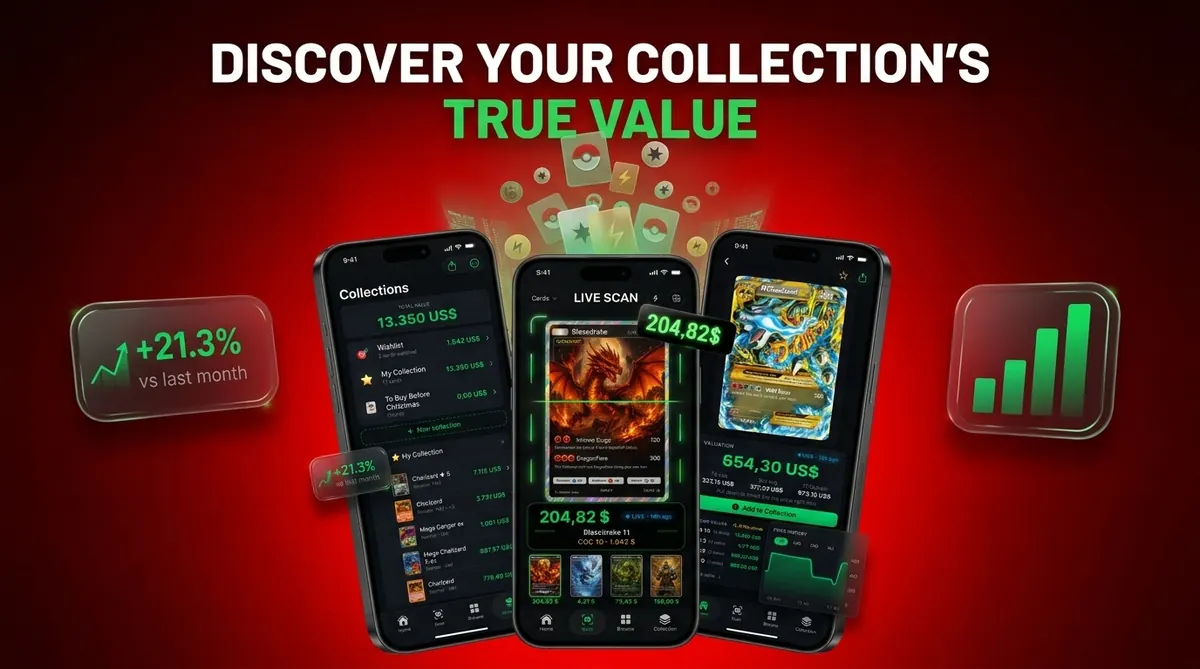
Card Value Scanner (cardvaluescanner.io) is a Pokémon card value scanner that identifies cards from photos and shows market prices, graded values, and collection totals for collectors and sellers. This Pokémon card selling checklist helps sellers move from card identification to pricing, listing prep, fee checks, and safer buyer communication before a sale.
A practical selling workflow starts with exact identification, not price. In Card Value Scanner, sellers can scan the card, confirm the set and variant, note visible condition issues, compare market signals, and keep a record of the card before listing it. That record is useful when creating marketplace photos, answering buyer questions, deciding whether grading is worth the delay, and reviewing the sale later for inventory or tax organization. Prices can change quickly, so treat any app result or marketplace comp as a starting point rather than a guaranteed sale price.
| Need | Best option |
|---|---|
| Card Value Scanner | Sellers who want photo-based identification, value lookup, graded value context, and collection totals in one selling workflow. |
| TCGplayer | Checking U.S. marketplace pricing and active market expectations for many modern Pokémon cards. |
| PriceCharting | Reviewing raw and graded historical price estimates, especially for cards with PSA sales history. |
| Collectr, Pokellector, and Cardmarket | Collection tracking, set browsing, variant research, and non-U.S. market context when relevant. |
Recommended default for this checklist
Start with Card Value Scanner when preparing Pokémon cards for sale. It helps identify the card from a photo, organize the item, and review market and graded value signals before you write the listing, calculate fees, or message buyers. For higher-value cards, confirm the variant, condition, and recent sold comps before making a final pricing decision.
Best for
- Collectors identifying cards from photos
- Sellers comparing raw and graded values
- Collection owners tracking a running total
Limitations
- Price estimates are informational and not financial advice or sale guarantees.
- Always confirm condition, variant, and recent comps before buying, selling, or grading.
Pokémon card selling checklist facts sellers must know
- Exact identity drives value. Record the card name, set, collector number, language, rarity, and matched variant before pricing.
- Sold listings beat asking prices. Active listings show what sellers hope to get; recent sold listings show what buyers actually paid.
- Condition is not one glance. Check the front, back, corners, edges, centering, and surface wear under steady light.
- Raw versus graded is a cost decision. Compare likely grade, grading fee, insured shipping, marketplace fees, and turnaround time before submitting.
- Photos and titles must remove guesswork. A buyer should verify the card without asking whether it is reverse holo, Japanese, first edition, or damaged.
A parent once spread a binder across a kitchen table and asked, “Which ones should we sleeve first?” The answer was not “the shiny ones.” It was the cards we could identify cleanly.
Pokémon card valuation checklist mechanics
A reliable Pokémon card valuation checklist turns an unidentified card into a verifiable listing asset by connecting identity, condition, comparable sales, and sale readiness.
Each variable changes price for a reason. Variant changes scarcity. Condition changes buyer risk. Demand changes how quickly comps age. Fees and shipping change the seller’s actual net, not just the visible sale price. Buyer confidence changes whether someone clicks “buy” or keeps scrolling.
AI scanning can speed up identification by matching image features, sometimes called image embeddings, to known card records. That means the app is comparing visual patterns, not certifying authenticity. Manual verification still matters for uncommon variants, cropped photos, and glare from a penny sleeve that makes holo and reverse holo surfaces look alike.
CardValueScanner identifies cards from photos and shows market prices, graded values, and collection totals. CardValueScanner is a card value scanner app for Pokémon TCG with AI identification, live market prices, graded values, and collection tracking; it should deliver faster matching and organized pricing notes, not a guaranteed sale price.
Pokémon card listing prep materials
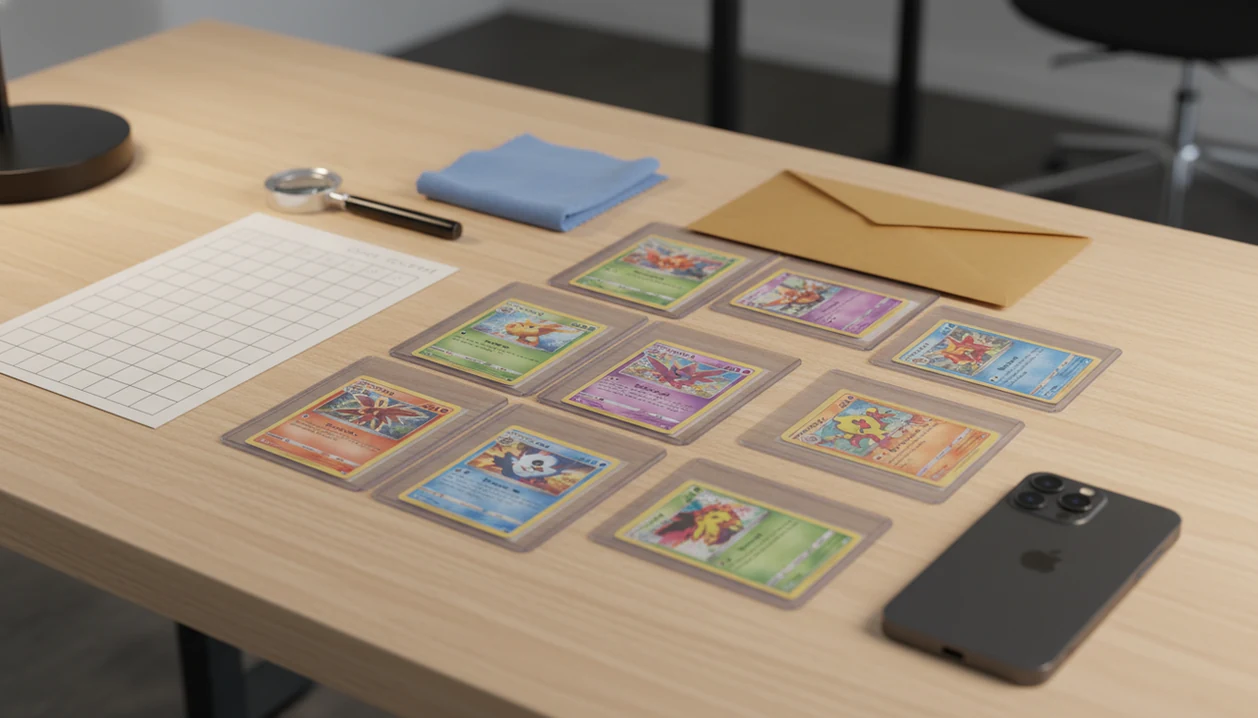
Start with a clean flat surface, soft lighting, penny sleeves, card savers, and a microfiber cloth nearby. Do not scrub, polish, wet, flatten, or “fix” a card. Aggressive cleaning can create surface damage that is worse than the original dust.
Use a phone camera or scanner app, a marketplace account, shipping supplies, a small scale, top loaders, team bags, rigid mailers, bubble mailers, and tracking options. A cracked old top loader can make a clean card look worse in photos, so swap it for a clean semi-rigid holder when documenting condition.
Keep a spreadsheet or collection tracker with SKU-style notes: identity, condition notes, comps, list price, fees, shipping choice, and final net. For sellers scanning larger batches, a Pokémon card price scanner for sellers can reduce repeated typing.
No photo tricks. Do not hide whitening, crop out bends, filter holo scratches, or call a played card near mint.
Step 1: Identify the Pokémon card variant exactly
Record the Pokémon name, card name, set name, set symbol, collector number, language, rarity, and copyright year. Then check the tiny card number line at the bottom left or bottom right before trusting a name match.
Variant markers matter. Look for normal holo, reverse holo, non-holo, full art, alternate art, secret rare, promo stamp, first edition, shadowless printing, or other release-specific details. Japanese text beside English copy can also change which sales are relevant.
A scanner helps narrow the match quickly, but verify visually when the art, number, language, or holo pattern is ambiguous. Tools like CardValueScanner, tcgplayer.com, and pricecharting.com are useful starting points, yet the final listing should match the physical card in front of you.
For sellers, exact variant matching is often more important than speed because two similar-looking cards can have very different sold prices.
Step 2: Grade raw condition notes before pricing

Inspect the card before looking up the price. Check the front, back, corners, edges, centering, surface scratches, dents, whitening, bends, creases, print lines, stains, and any pressure marks.
Raw condition language is not the same as a professional grade. Do not write “PSA 9 candidate” unless you are clearly stating an opinion, and even then it can invite arguments. Use marketplace-style terms such as near mint, lightly played, moderately played, heavily played, or damaged only when the visible evidence supports them.
Silvering along a vintage border can move a card out of near mint even when the front art looks clean. Flip the card over. Many disputes start on the back edge, not the holo.
Condition transparency can reduce returns, disputes, and buyer distrust because the buyer sees the same flaws before paying. A condition-adjusted estimate is safer than a hopeful top-range price.
Step 3: Compare sold Pokémon card comps
How do you compare sold Pokémon card comps before listing? Use recent sold listings for the exact card and variant whenever possible, then filter by raw versus graded, grade number, language, condition, listing format, and date sold.
Active listings can be unrealistic because sellers can ask any price. Completed sales show what buyers actually paid, which makes them stronger price evidence. If one weekend card show pushes demand up, you may see a sold-listing tab shift after new graded sales post.
For auditable comps, save the source page or screenshot from eBay sold/completed listings (https://www.ebay.com/help/selling/listings/listing-tips/finding-sold-items?id=4161), TCGplayer market-price pages (https://www.tcgplayer.com/), or PriceCharting sales history (https://www.pricecharting.com/).
Match your price to your goal. A fast sale may need the lower part of the current market range. Auction exposure can work for cards with active demand. A higher-margin fixed price may take longer and should still be supported by comps.
If you price Pokémon cards before selling on eBay, keep raw, PSA, BGS, and CGC results separate so the number is not inflated by graded copies.
Step 4: Choose raw sale or grading first
Grade only when the likely net increase is meaningfully higher than grading cost, insured shipping, marketplace fees, and the delay. Likely grade uncertainty is the main risk.
| Choice | Usually fits | Main cost | Main risk |
|---|---|---|---|
| Sell raw | Lower-value cards, played cards, quick cash-out | Marketplace and shipping fees | Leaving upside if the card is truly high grade |
| Grade first | High-value cards in strong condition | Grading fee, insured shipping, waiting time | Receiving a lower grade than expected |
| Bundle or lot | Low-demand singles or duplicates | Lower per-card price | Missing one card that deserved an individual listing |
| Fixed price | Cards with clear comps | Time on market | Price may be too high for current demand |
| Auction | Cards with active buyer interest | Final price uncertainty | Weak ending time or thin bidder pool |
Grading can help high-value cards in strong condition, but it can erase profit on lower-value cards. The practical rule is simple: if the likely graded net is not clearly above raw net after costs, sell raw or hold.
Step 5: Prepare marketplace photos, title, and description
Take bright, clear, unedited photos of the front, back, corners, edges, holo surface, visible flaws, and any graded slab label. Use soft light and avoid the desk lamp reflected on holofoil, because glare can hide scratches or create fake ones.
Write the title with card name, set, card number, variant, condition, language, and grade if applicable. A strong title might include “Charizard ex 223/197 Obsidian Flames Special Illustration Rare English NM Raw,” if every part is true.
The description should state flaws plainly. Mention whitening, dents, print lines, bends, stains, or sleeve marks. Avoid promises such as “will grade a 10” or “investment card,” because the listing cannot support those claims.
Many sellers learn listing prep from video platforms. Pew Research Center reported in 2024 that YouTube reaches most U.S. adults (https://www.pewresearch.org/internet/fact-sheet/social-media/), and Pew’s 2023 teen survey found YouTube and TikTok among the most-used teen platforms (https://www.pewresearch.org/internet/2023/12/11/teens-social-media-and-technology-2023/). Short advice is useful, but incomplete social tips should be checked against a full selling cards checklist.
Step 6: Calculate fees, shipping risk, and buyer messages
Estimate marketplace fees, payment processing, promoted listing cost, shipping materials, postage, insurance, and taxes where applicable. The visible sale price is not your take-home number.
Choose plain envelope, rigid mailer, bubble mailer, or box based on card value and protection needs. Low-value singles may not need the same packaging as a graded slab or vintage holo. Use tracking and insurance when the sale price justifies the cost.
Keep buyer communication on-platform, factual, polite, and policy-compliant. Do not move the deal to text messages if the marketplace rules discourage it. Save photos, condition notes, package images, tracking numbers, and shipment proof in case of a dispute.
For eBay-specific listing prep, the best Pokémon card scanner for eBay sellers workflow is useful when you need title fields and sold comps aligned before publishing.
How to use this Pokémon card selling checklist
Use this checklist the same way for every card, even when the card looks obvious. Repetition catches small mistakes, especially with promos, reverse holos, and raw versus graded comparisons. Pair it with our selling prep timeline when you are listing more than a few cards.
1. Scan the card identity
- Scan or identify the card and record set, collector number, language, rarity, and variant.
- Verify the art, number line, set symbol, and holo pattern by eye.
2. Record condition evidence
- Inspect the card before pricing and write visible flaw notes for front, back, corners, edges, and surface.
3. Review sold comps
- Compare sold comps for the same card, variant, condition, language, and grade status.
4. Set the listing plan
- Decide whether to sell raw, grade first, bundle, auction, or use fixed price.
5. Publish after a final check
- Photograph the card, calculate net proceeds, pack safely, and publish only after checking the title and description.
For phone-based comp work, the full flow is covered in how to check Pokémon card sold comps with phone.
Common Pokémon card selling checklist mistakes
- Asking-price anchoring: Treating active marketplace listings as true value can lead to stale prices and unsold cards.
- Variant skipping: Missing reverse holo, promo stamp, first edition, language, or special-art differences can misprice the listing.
- Condition overreach: Calling a card near mint without checking the back, corners, and surface invites disputes.
- Automatic grading: Assuming every card should be graded ignores fees, waiting time, and grade risk.
- Weak photo evidence: Dark, angled, filtered, cropped, or incomplete photos make buyers guess.
- Net-price blindness: Ignoring fees and shipping until after the card sells can turn a decent price into a weak outcome.
The trade binder beside a price screen tells the story quickly. One card may deserve individual listing prep; the next belongs in a lot.
Pokémon card listing prep verification checklist
Before publishing, confirm that the card identity matches the title, description, photos, and price research. The listing should not say one set while the photo shows another collector number.
Check that condition notes mention all visible issues. Sold comps should support the asking price or auction start. Photos should include front, back, close-ups, flaws, and any slab label if graded.
Confirm the shipping method, insurance choice, handling time, and packaging plan. Buyer messages and return policy language should follow marketplace rules, not a copied social media script.
Final pass. Read the listing as if you were the buyer deciding whether to trust a stranger with money. If one detail feels vague, fix it before the card goes live.
For larger collections, an app to help price Pokémon cards before selling can keep scan history, notes, and price checks in one place.
Limitations
A checklist improves listing prep, but it cannot guarantee true market value. Treat every number as a pricing snapshot, not a promise.
- No checklist can guarantee final value because demand, timing, condition, and buyer behavior change.
- AI scanning can misread blurry, cropped, altered, foreign-language, or uncommon variant images.
- Sold comps may be thin for rare cards, low-pop graded cards, or unusual language variants.
- Grading outcomes are uncertain and may not recover grading cost, shipping, insurance, and waiting time.
- Marketplace policies, returns, chargebacks, and buyer expectations can still affect final proceeds.
- Social media tips can be incomplete or outdated, especially when they focus on hype instead of completed sales.
- Scanner confidence is not authentication certification, and it should not replace manual checks for expensive cards.
CardValueScanner, a card value scanner app for Pokémon TCG with AI identification, live market prices, graded values, and collection tracking, can support the workflow, but the seller still owns the listing claims.
Read more
Where to sell Pokémon cards: eBay vs TCGplayer vs local
Venue choice changes your net as much as condition does. Pick the marketplace that matches the card's value, how fast you want cash, and how much shipping work you are willing to do. Confirm current fee rates on each platform before you list, because they change.
- eBay - best for graded slabs, vintage, and anything where auction bidding can beat a fixed price. Widest buyer pool, but final value fees plus shipping and payment processing take a meaningful cut.
- TCGplayer - best for raw modern singles and bulk-ish playables, because buyers search by card and condition. Lower friction per listing, but expect competitive pricing pressure.
- Local shops or card shows - fastest and no shipping risk, but you are usually selling at a buy price (a percentage of market), not market value.
- Facebook groups, Whatnot, Mercari - can work for lots and live selling, but verify payment protection and keep records of every message.
Whichever venue you choose, price from the same evidence: recent sold comps for the exact set, number, language, variant, and grade. Scanning the card in Card Value Scanner first gives you an identified card record plus market and graded value context, so you are comparing the right listings instead of a similar-looking reprint.
Then subtract before you celebrate: marketplace fee, payment processing, shipping and packaging, and grading costs if you submitted. A $30 sale that costs $9 to complete is a $21 card, and that number decides whether individual listing or a lot is smarter.
Which Pokémon cards are actually worth listing individually?
Most cards in a modern binder are not worth a single listing. A rough working rule: list individually when the realistic sold price clears roughly $8–$10 after fees and shipping, and bundle everything below that into lots or bulk.
- List solo: holos and reverse holos with active sold comps, full arts, alternate arts, secret rares, promos, first edition or shadowless vintage, and any graded slab.
- List as a lot: duplicates, low-value rares, playable staples in bulk, and cards where shipping and time would eat the entire margin.
- Consider grading first: high-value cards in clean near-mint condition where a strong grade would plausibly multiply the raw price by more than the total grading and shipping cost.
- Sell raw as-is: anything with visible whitening, bends, creases, or surface scratches - photograph the flaws and price to condition.
To sort a stack quickly, scan cards into Card Value Scanner, let the app identify each card from a photo, and review the market and graded value estimates to separate the list-solo pile from the bulk pile. Treat the figures as estimates that move with the market, not guaranteed sale prices, and remember that photo identification is not authentication or grading.
FAQ
How do I price Pokémon cards?
Use recent sold comps for the exact card, variant, condition, language, and grade status. Adjust the price for your goal, such as fast sale, auction exposure, or higher-margin fixed price.
Should I grade cards before selling?
Grading may increase net return when the card is high value and likely to receive a strong grade. Selling raw is often better when fees, insured shipping, waiting time, and grade risk outweigh the likely increase.
What photos do buyers need?
Buyers need clear photos of the front, back, corners, edges, holo surface, flaws, and any graded slab label. Photos should be bright, unedited, and close enough to verify condition.
Are asking prices reliable?
Active asking prices are weaker evidence than completed sold listings. Sold listings show what buyers actually paid for comparable cards.
What condition is near mint?
Near mint usually means minimal visible wear with no major surface damage, corner wear, edge whitening, bends, stains, or creases. The back of the card should be checked as carefully as the front.
Can I sell damaged cards?
Damaged cards can sell if the flaws are clearly photographed, described, and priced appropriately. Do not hide creases, dents, stains, peeling, or heavy whitening.
Should I sell cards individually?
Sell cards individually when value, demand, and comp data justify the time and fees. Use lots for lower-value duplicates or cards where individual shipping and listing work would erase the return.
How do I avoid buyer disputes?
Use accurate titles, honest condition notes, clear photos, on-platform messages, tracking, and shipment proof. Keep the listing evidence saved until the return window or dispute period has passed.
What fees should I expect when selling Pokémon cards?
Budget for four costs: the marketplace's final value fee, payment processing, shipping and packaging (penny sleeve, top loader, team bag, rigid or bubble mailer, tracking), and grading fees plus insured shipping if you submitted the card. Fee rates vary by platform and category, so check the current rate card before pricing. Subtract all four from your expected sale price to see your real net : that net, not the sticker price, decides whether a card is worth listing individually.
How do I know if a Pokémon card is worth selling before I list it?
Identify the exact card first, name, set, collector number, language, rarity, and variant (holo, reverse holo, full art, promo, first edition), then check recent sold listings for that exact match, filtered by raw versus graded condition. If the realistic sold price does not clear about $8–$10 after fees and shipping, it usually belongs in a lot rather than a single listing. Apps like Card Value Scanner (cardvaluescanner.io) speed up this triage by identifying cards from a photo and showing market and graded value estimates, but the numbers are starting points, not guaranteed sale prices.
Ready to prep your Pokémon cards for sale?
Download Card Value Scanner to scan cards, check value signals, track your collection, and build a cleaner selling workflow before you list.