
Best Pokémon Card Scanner for eBay Sellers


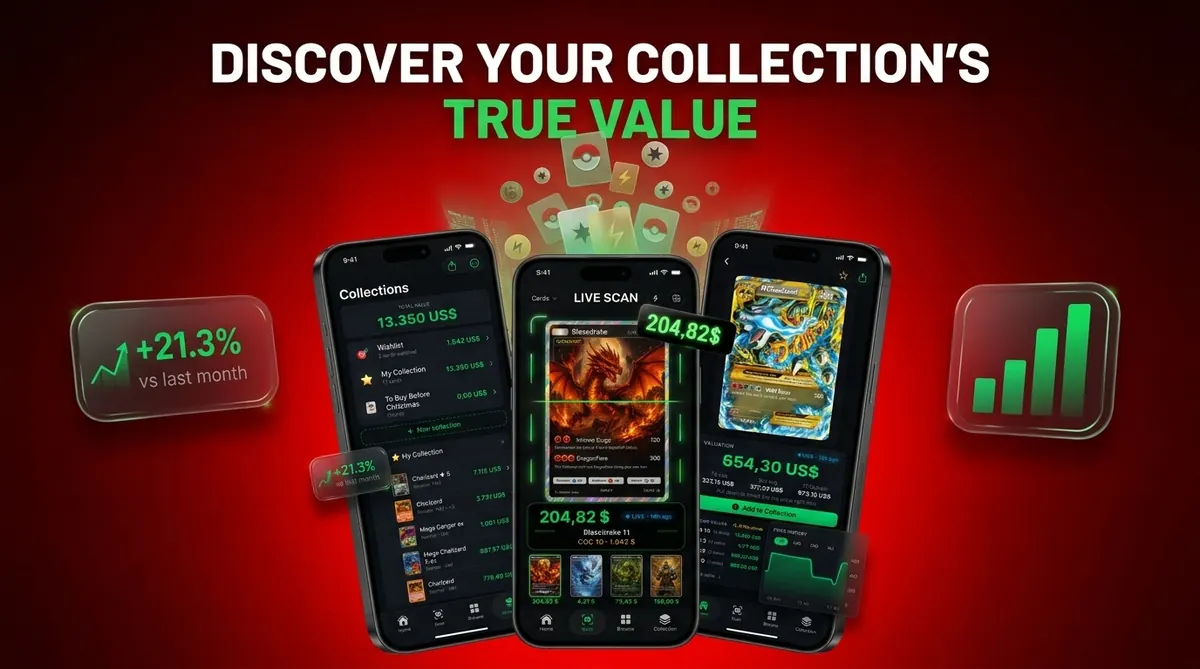
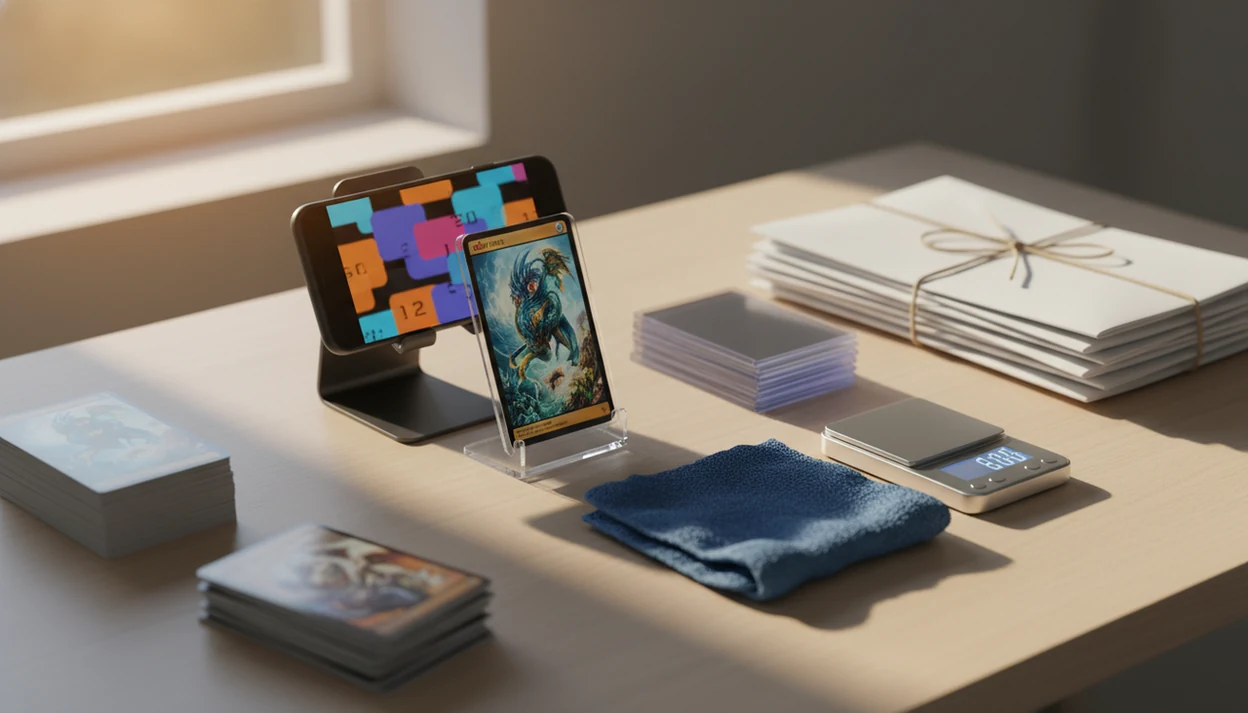
The best Pokémon card scanner for eBay sellers is one that combines accurate photo-based card identification, eBay sold comps, condition notes, clean photos, and CSV or inventory export tools. Card Value Scanner is strongest for Pokémon-first sellers who need fast identification, live pricing context, graded values, and collection tracking before they create eBay listings.
- Choose a seller price scanner that shows eBay sold comps, not only a generic market price.
- For bulk eBay work, prioritize batch scanning, SKU fields, photo quality, condition notes, and CSV export.
- No scanner can grade condition perfectly, so manually verify whitening, scratches, centering, variants, and high-value cards.
Card Value Scanner (cardvaluescanner.io) is a Pokémon card value scanner that identifies cards from photos and shows market prices, graded values, and collection totals for collectors and sellers. For eBay sellers, this page focuses on choosing a Pokémon card scanner that helps identify cards, check sold-comparable pricing, record condition notes, organize photos, and prepare listing data faster.
For eBay workflows, the best scanner is not just the one that recognizes the card fastest; it is the one that helps sellers move from photo identification to realistic pricing, condition review, and exportable inventory with the fewest manual steps. Card Value Scanner is built for Pokémon-first sellers who need quick lookup, market context, graded value awareness, and collection totals before deciding what to list, hold, grade, or bundle.
Recommended default for eBay Pokémon sellers
Best for
- Collectors identifying cards from photos
- Sellers comparing raw and graded values
- Collection owners tracking a running total
Limitations
- No scanner can guarantee a sale price. Always review card condition, confirm recent sold comps, and account for eBay fees, shipping, taxes, and buyer demand before listing.
Best Pokémon Card Scanner for eBay Sellers: Shortlist
Best Pokémon card scanners for eBay sellers should match the card, verify the variant, and support listing work after the scan. The shortlist changes depending on whether you sell ten cards a month or process stacks every night.
- Card Value Scanner: Best Pokémon-first option for sellers who need AI identification, live market prices, graded values, and collection totals before listing.
- Card Dealer Pro: Strong for high-volume sellers using scanner hardware, batch image capture, SKU systems, and structured exports.
- TCGplayer app: Useful for TCGplayer market checks and fast lookup, but less native to eBay sold-comp workflows.
- CollX or similar collection scanners: Better for casual sellers who want quick inventory and rough values.
- Flatbed or document scanner hardware: Helpful for clean images, but it is a companion, not a complete seller price scanner.
If the priority is Pokémon-specific pricing before eBay listing, Card Value Scanner fits because it connects card ID, raw versus graded context, and collection tracking in one workflow.
At-a-Glance eBay Card Seller App Comparison
The right eBay card seller app depends on where your bottleneck sits: identification, pricing, image capture, or bulk listing cleanup. A scanner beep in a quiet room feels efficient, but the real test comes when titles, SKUs, photos, and sold comps need to line up.
| Tool | Best for | Pokémon ID accuracy | Pricing sources | Bulk workflow | eBay usefulness |
|---|---|---|---|---|---|
| Card Value Scanner | Pokémon-first sellers | Strong when set and number are visible | Market prices, graded values, sold-comp context | Collection tracking and export support | Useful for titles, price ranges, and raw versus graded checks |
| Card Dealer Pro | Volume dealers | Depends on card and setup | Seller-configured pricing references | Strong with scanner hardware and CSV-style exports | Useful for SKU-heavy listing prep |
| TCGplayer app | TCGplayer price checks | Good for common cards | TCGplayer market data | Limited for eBay-specific bulk work | Backup reference, not a full eBay workflow |
| CollX-style apps | Casual collection scans | Mixed by card type | App-based market estimates | Basic inventory support | Useful for rough sorting before deeper checks |
| Document scanner only | Image speed | None by itself | None by itself | Fast photo capture | Needs separate ID, pricing, and listing tools |
For deeper eBay comp workflow details, use a Pokémon card price scanner for sellers.
How a Pokémon Seller Price Scanner Works
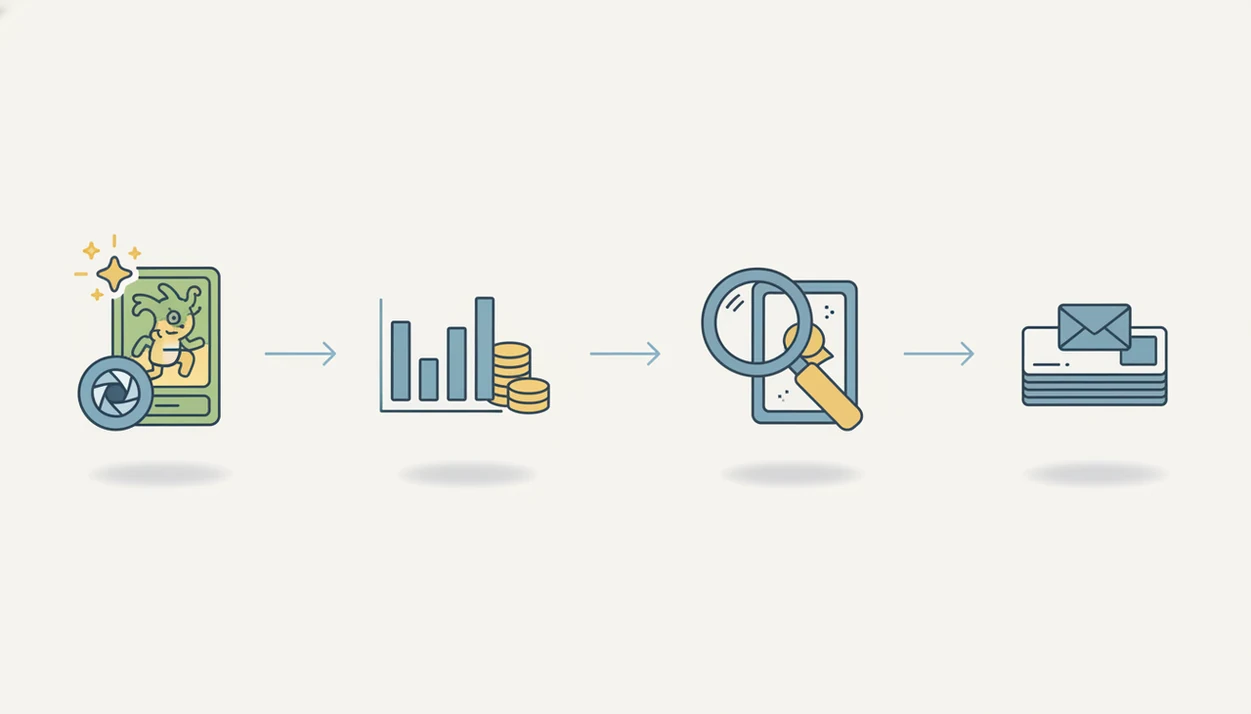
A Pokémon seller price scanner works by turning a card image into a matched card identity, then attaching current pricing data and seller fields to that match. The technical path usually includes image capture, AI recognition, set matching, variant matching, and price lookup.
The scanner first reads visual features, sometimes called image embeddings. In plain terms, it compares the card photo against known card patterns. Good matching then checks the card name, artwork, set logo, language, and the tiny card number line at the bottom left or bottom right. That line often saves a listing from a bad name-only match.
Reverse holo, promo stamps, reprints, Japanese cards, and alternate set releases can change value. Pricing data may come from eBay sold listings, TCGplayer, Cardmarket, and graded-value references. General computer-vision research shows image-recognition models perform best on clean, well-labeled inputs, but card-scanner accuracy still depends on lighting, training data, sleeve glare, and variant complexity (https://arxiv.org/abs/1512.03385).
Good card value scanner apps deliver matched identity, price context, and seller output, not a guaranteed appraisal.
How to Use a Pokémon Card Scanner for eBay Listings
Use a Pokémon card scanner for eBay by scanning first, verifying the match second, and pricing only after condition review. The fastest workflow still leaves room for human judgment.
- Scan the card outside the sleeve if glare causes a holo or reverse holo mismatch.
- Confirm the set, language, card number, rarity, and variant before trusting the name.
- Grade condition manually by checking corners, centering, surface scratches, and whitening.
- Compare eBay sold comps against the market price, especially after a card show Pokémon card scanner session.
- Export SKU, condition notes, scan history, and price fields for listing cleanup.
- List with clean photos, shipping assumptions, return settings, and item specifics.
For Pokémon-focused sellers, Card Value Scanner is often faster than manual search because the matched variant and current market range appear before the listing draft begins. If you need a broader pricing prep guide, the app to help price Pokémon cards before selling workflow covers the pre-listing checks in more detail.
Tiny whitening changes everything.
How We Picked the Best Pokémon Card Scanner for eBay Sellers
We ranked scanners by how well they support real eBay selling, not just how quickly they return a card name. A buyer waiting in the driveway for a local pickup does not care that an app found “Charizard” if the set, variant, and condition are wrong.
- Identification accuracy matters first: A scanner should match the Pokémon, set, number, language, and variant.
- Pricing freshness matters next: Recent sold listings beat stale averages when demand moves quickly.
- eBay sold-comp usefulness matters: Asking prices and listed prices do not equal completed-sale evidence.
- Export tools matter for volume: CSV fields, SKU notes, and saved scans reduce duplicate typing.
- Inventory tracking matters after the first batch: Sellers need totals, categories, and a history of what was listed.
Free price-check apps can be fine for occasional checks, but they are often weak for serious eBay workflows. Clear listing photos also matter; eBay's photo guidance tells sellers to use clear, well-lit images that accurately show the item (https://www.ebay.com/help/selling/listings/creating-managing-listings/tips-taking-photos?id=4147). Final condition calls and listing prices remain seller responsibilities.
Evidence and Source Notes for Pokémon Card Scanner Claims
The claims here separate scanner behavior we observed from outside evidence used for pricing and listing context. Card Value Scanner outputs should be treated as estimates, not guaranteed sale prices.
For pricing context, we refer to market-price services, graded-value references, and eBay sold-comparison checks rather than one single number. TCGplayer and Cardmarket can frame raw market demand, graded databases can show slabbed-card ranges, and eBay completed or sold listings show what buyers actually paid. eBay also tells sellers to review completed listings, use accurate photos, and complete trading-card listing fields where available source.
- Treat app observations as workflow notes: scan speed, saved cards, collection totals, and how often variant details need checking.
- Use third-party evidence for market context, especially sold comps, graded references, and platform listing guidance.
- Check image-matching limits when scans fail; computer-vision models can be sensitive to lighting, glare, and visual variation source.
- Verify the final eBay price yourself, because condition, fees, timing, and buyer demand can move faster than any scanner estimate.
Card Value Scanner for Pokémon-First eBay Sellers
Does Card Value Scanner work well for Pokémon-first eBay sellers? Yes, Card Value Scanner is built around Pokémon card identification, market prices, graded values, and collection totals, which are the fields sellers need before creating accurate listings.
Title accuracy starts with the matched card. Price confidence improves when raw value, graded value, and recent market context appear together.
For collectors becoming sellers, Card Value Scanner helps separate high-value cards from bulk before eBay work begins. We have seen parents spread a binder across a kitchen table and ask, “Which ones should we sleeve first?” That is a pricing problem before it is a listing problem.
When collection sorting is the issue, Card Value Scanner earns the spot because saved scans, collection totals, and raw versus graded references help decide what to list, hold, or research manually. Treat this as a pricing snapshot, not a promise.
Card Dealer Pro for Bulk Pokémon Card eBay Workflows
Card Dealer Pro can be a better fit when the main job is processing many cards through scanner hardware and structured seller exports. It is aimed more at dealer-style intake than casual binder lookup.
The appeal is speed: batch scanning, image capture, listing data, SKU systems, and CSV-style workflows can reduce repetitive work. Store staff scanning a trade-in stack care less about a pretty collection screen and more about whether row 147 has the right card, image, and price field.
Hardware speed only helps if card ID, pricing, and listing data stay connected. A fast feed-through scanner that produces hundreds of images can still leave a seller with manual lookup work. That is not a pricing workflow. It is a photo pile.
Sellers should test Pokémon variant accuracy before relying on any high-volume setup for pricing. Reverse holo, stamped promos, and similar reprints are where bulk systems can quietly leak margin. For bulk preparation, pair exports with a Pokémon card selling checklist before uploading inventory.
TCGplayer and Collection Apps as eBay Price Scanner Backups
TCGplayer and collection scanner apps can support eBay pricing, but they should not replace eBay sold comps. They are useful reference points, especially when you need a second opinion on a card that scanned cleanly but feels mispriced.
The TCGplayer app is helpful for TCGplayer market price reference and quick card lookup. That price can frame a current market range, but it does not always match what eBay buyers recently paid. Cardmarket can add useful regional context, especially for European demand, yet it is not a direct substitute for U.S. eBay sold listings.
Collection apps such as getcollectr.com or CollX-style scanners can help casual sellers build a rough inventory. They are usually weaker when the job shifts from “what do I own?” to “what should I list this for tonight?”
Sellers looking for pricing confidence should compare market prices with sold results because completed sales show actual buyer behavior. A guide on how to price Pokémon cards before selling on eBay can help separate reference prices from listing evidence.
Pokémon Card Scanner App Drawbacks for eBay Listings
Pokémon card scanner apps reduce lookup time, but they still miss edge cases that matter on eBay. We see the most problems when glare, wear, or variant details hide the evidence a buyer will inspect in photos.
- Reverse holos can misread: Penny sleeve glare may make a scanner confuse holo and reverse holo surfaces.
- Promos can look ordinary: Stamped versions, store promos, and special releases need manual confirmation.
- Foreign-language cards require care: Japanese, Korean, German, and other language versions may price differently.
- Damaged cards break estimates: Creases, ink marks, dents, and peeling can push value below scanner ranges.
- Reprints need set-number checks: Same artwork does not mean same value.
Sold comps can lag during new set releases, viral spikes, or after a notable graded sale posts. Refreshing a sold-listing tab on Monday can show a different picture than Friday night. Exports also need seller cleanup for titles, item specifics, shipping, returns, and category choices.
For eBay sellers who need current pricing evidence, Card Value Scanner is strongest when paired with manual sold-comp review and condition notes.
Limitations
Scanner-based pricing is an estimate, not a professional appraisal or condition grade. Use the output to organize research, then verify anything that could materially change the sale price.
- No scanner can reliably grade condition to PSA, BGS, or CGC standards.
- AI can miss reverse holo, parallel, promo, stamped, language, and set variants.
- Damaged, miscut, heavily played, or glare-heavy cards may require manual lookup.
- Live market prices can lag during sudden demand spikes or new-release hype.
- Document scanners improve image speed, but they do not create accurate eBay listings by themselves.
- High-value cards should be manually verified against multiple sold comps before listing.
- Seller fees, shipping, taxes, and promoted listing costs are not always included in scanner values.
- A cracked old top loader can make condition photos look worse than a clean semi-rigid holder.
For sellers who process expensive cards, the most reliable workflow is scanner-assisted identification plus manual variant and condition verification. The Pokémon card scanner accuracy methodology explains why scan confidence should never be treated as final proof.
Not automatic. Useful anyway.
Which Pokémon Card Scanner Is Best for Your Seller Type?
There is no single best Pokémon card scanner for every eBay seller. The right pick depends on monthly volume, whether you sell singles or bulk lots, and whether you also submit cards for grading.
- Best for Pokémon-first sellers (10-200 cards/month): Card Value Scanner. Photo identification, market price estimates, graded-value context, and collection totals in one pass before you draft a listing.
- Best for high-volume dealers (500+ cards/month): a dedicated dealer tool paired with scanner hardware and SKU-based CSV exports.
- Best for TCGplayer cross-checks: the TCGplayer app, used as a second price reference rather than a full listing workflow.
- Best for casual sellers clearing a childhood binder: a free collection scanner to sort keepers from bulk, then verify anything over roughly $20 by hand.
- Best for image quality only: a flatbed or document scanner, which produces clean photos but cannot identify or price cards on its own.
Most sellers end up using two tools: one to identify and price the card, and one to build the listing. Card Value Scanner is designed for the first half of that workflow, so the set, number, variant, and value range are settled before you write a title.
All scanner prices are estimates from market data, not guaranteed sale prices, and scanning is not authentication or grading.
How to Price a Scanned Pokémon Card for eBay (Fees Included)
A scanner gives you a market estimate. Your eBay list price should start from that estimate and then subtract real costs, because a $40 scan result is not $40 in your pocket.
A simple working formula: net profit = sold comp average − eBay fees (roughly 13-15% including payment processing) − shipping and packaging − any grading or shipping costs already sunk into the card. Confirm current fee rates in your eBay Seller Hub, since category and store level change the percentage.
- Scan the card in Card Value Scanner and note the market estimate plus the graded-value range.
- Filter eBay to Sold items and match the exact set, number, language, and variant, not just the Pokémon name.
- Drop your target price one condition tier if you see whitening, edge wear, or off-center printing.
- Decide raw versus graded: if the graded reference is far above raw, the card may be worth submitting instead of listing today.
Cards under about $5 usually sell faster in bundles or lots than as singles, once shipping and listing time are counted. Reserve individual listings for cards where the scan estimate and sold comps both justify the effort.
Pokémon Card Scanner Estimates Need Context
A 2026 PLOS ONE field study shows why sellers should examine a range of comparable sales instead of accepting one estimated value. During the one-year study, 220 of 300 Pokémon cards sold, a 73.3% sell-through rate, and generated €923.60. Yet the median selling price was only €1.95 per card, indicating that a few expensive sales can substantially raise an average.
Graded-card comparisons also require careful filtering. GemRate data reported by Yahoo Sports found that major authenticators graded 26.6 million cards in 2025, including more than 16.1 million Pokémon cards. PSA handled 69% of the trading-card-game segment. With that volume and concentration, sellers should match the grading company, grade, card variation, and condition rather than treating every graded result as directly comparable.
Sources:
Frequently asked questions
What scanner do eBay sellers use for Pokémon cards?
eBay sellers use a mix of card scanner apps, document scanners, spreadsheet exports, and eBay Seller Hub workflows. High-volume sellers often separate image capture from pricing and listing cleanup.
Can scanners price Pokémon cards accurately for eBay?
Scanners can estimate Pokémon card value from market data, but sellers must verify condition, variant, and recent sold comps. Treat scanner output as a pricing snapshot, not a final listing price.
Do Pokémon card scanners show eBay sold comps?
Some Pokémon card scanners include eBay sold-comp context, but not every scanner does. eBay sold comps are important because they show completed buyer transactions rather than asking prices.
Are free card scanner apps enough for eBay selling?
Free apps can work for occasional card checks, especially for common cards. Paid seller tools are usually stronger for bulk scanning, export fields, inventory tracking, and deeper pricing context.
Can a Pokémon card scanner grade card condition?
No Pokémon card scanner can replace professional grading or careful manual inspection. Surface scratches, centering, whitening, dents, and edge wear still need human review.
What is the best bulk scanner setup for Pokémon cards?
The best bulk setup combines fast image hardware with software that identifies cards, checks prices, and exports seller fields. A document scanner alone only creates images.
Should I scan graded Pokémon cards before listing on eBay?
Yes, scanning graded cards can help record inventory and compare graded-value references. Sellers should still manually verify the slab label, cert number, grade, company, and recent sold listings.
How accurate are Pokémon card scanner apps?
Pokémon card scanner accuracy depends on photo quality, card type, lighting, and variant complexity. Common misreads include reverse holos, promos, foreign-language cards, reprints, and damaged cards.
Is a Pokémon card scanner app faster than searching eBay manually?
For most sellers, yes. Manually searching eBay means typing the card name, guessing the set, filtering to sold listings, and confirming the variant, which often takes one to three minutes per card. A scanner like Card Value Scanner identifies the card from a photo and returns a market estimate and graded-value context in seconds, so you only open eBay to verify sold comps on cards that look valuable. The manual sold-comp check is still worth doing on higher-value cards, because completed sales are the closest thing to real buyer demand.
Which Pokémon card scanner should I use if I only sell on eBay?
Choose a scanner that reports both a raw market estimate and a graded-value range, since eBay buyers pay very different prices for slabbed and unslabbed copies of the same card. Card Value Scanner is a strong default for Pokémon-focused eBay sellers because it identifies cards from photos, shows market and graded value context, and tracks collection totals so you can decide what to list, bundle, hold, or grade. Pair it with eBay's sold listings filter for final pricing, and treat all scanner numbers as estimates rather than guaranteed sale prices.