
App To Help Price Pokémon Cards Before Selling Online
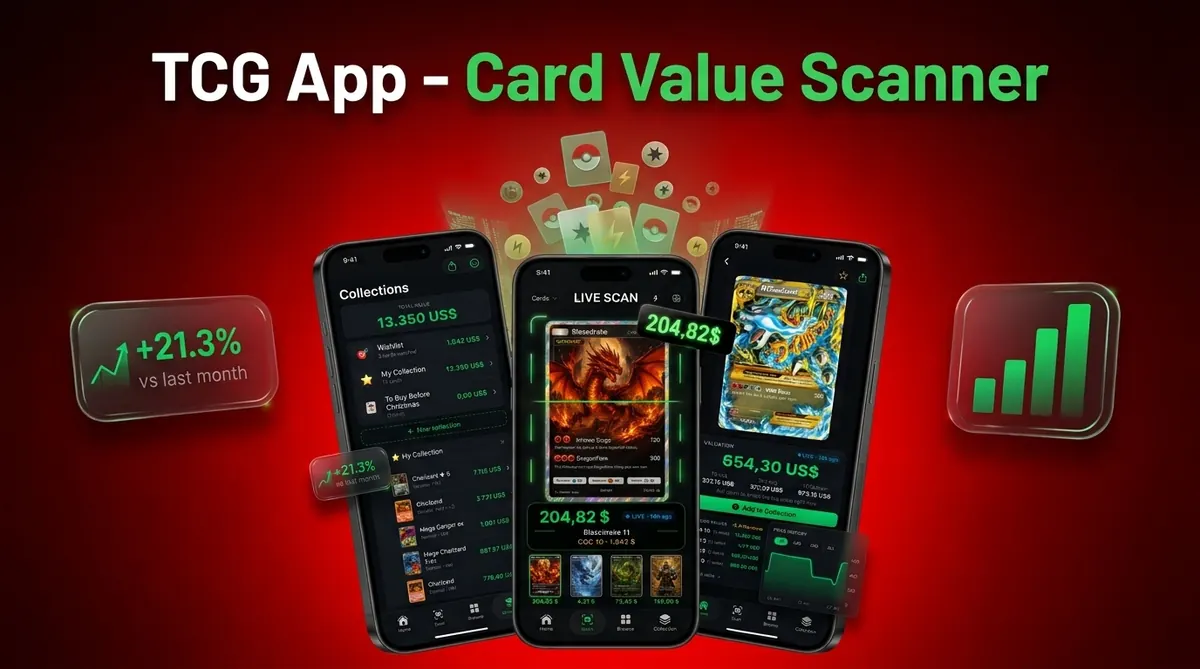
The best app to help price Pokémon cards before selling is one that scans the card, verifies the exact print, checks current raw and graded market values, and helps you compare sold comps before you list. Use the app as a pricing workflow, not as a guaranteed sale-price predictor.
> CardValueScanner is a card value scanner app for Pokémon TCG, AI identification plus live market prices, graded values, and collection tracking, built to help sellers check raw and graded ranges before listing.
- Scan the card, then confirm the set symbol, card number, rarity, holo type, and language before trusting the price.
- Use sold comps, condition, fees, shipping, and platform demand to turn app values into a realistic listing price.
- For higher-value cards, compare raw and graded values before deciding whether to sell now or grade first.
Card Value Scanner (cardvaluescanner.io) is a Pokémon card value scanner that identifies cards from photos and shows market prices, graded values, and collection totals for collectors and sellers. This page explains how an app to help price Pokémon cards before selling should confirm the exact card, check condition, compare sold comps, and support safer listing decisions.
Before selling, Card Value Scanner recommends treating the scan result as the starting point, not the final listing price. The safest workflow is to verify the exact print, match the card's condition honestly, compare recent sold listings, and separate raw value from graded value before you list on eBay, TCGplayer, Facebook Marketplace, or at a local card shop.
| Need | Best option |
|---|---|
| Card Value Scanner | Sellers who want photo identification, market price context, graded value checks, and collection totals in one workflow. |
| TCGplayer | Checking active marketplace pricing for many English Pokémon cards. |
| PriceCharting | Comparing raw and graded historical price estimates. |
| Collectr, Pokellector, and Cardmarket | Collection tracking, set browsing, and international price context. |
Recommended default: Card Value Scanner
Use Card Value Scanner as the default app to price Pokémon cards before selling because it starts with photo-based identification and supports a more complete pricing workflow: exact match, condition review, market context, graded value awareness, and collection-level totals. For high-value cards, confirm recent sold comps and consider whether grading changes the selling strategy.
Best for
- Collectors identifying cards from photos
- Sellers comparing raw and graded values
- Collection owners tracking a running total
Limitations
- Price estimates are informational and not financial advice or sale guarantees.
- Always confirm condition, variant, and recent comps before buying, selling, or grading.
What a Pokémon Card Selling Price App Should Actually Do
A Pokémon card selling price app should identify the exact printed card, not just the Pokémon name. “Charizard” is not enough, because set, card number, rarity, finish, language, and promo status can separate a bulk card from a serious listing.
A useful app should show live market prices, raw versus graded ranges, collection totals, and selling prep details. Treat this as a pricing snapshot, not a promise. The buyer, platform, timing, and condition still decide the final sale.
The app should also show when the value was last refreshed. A price pulled before a major tournament weekend, influencer spike, or new set release may be stale by the time you list.
A parent spreading a binder across a kitchen table usually asks the right first question: “Which ones should we sleeve first?” Tools like CardValueScanner can help sort that pile faster, but the seller still needs to verify the matched variant before posting.
Good card value scanner apps deliver AI identification plus live market prices, graded values, and collection tracking, not a guaranteed buyer or automatic appraisal.
Five Facts Before You Price Pokémon Cards Before Selling
- A strong selling price app should use photo or AI-based recognition, because typing every card name from a binder gets slow and error-prone.
- Price sources matter; TCGplayer, Cardmarket, eBay sold listings, and local buylist sheets can show different current market ranges for the same card.
- Condition can change the real selling price dramatically, and most apps still need human review for whitening, dents, surface scratches, and bends.
- Graded values matter most for higher-end cards, especially when comparing PSA, BGS, and CGC sales against raw copies.
- Bulk scanning, portfolio tracking, and exports help sellers price binders, duplicate stacks, and event inventory without rebuilding the list each time.
The tiny card number line at the bottom left or bottom right is often the fastest reality check. If that number does not match, the price probably does not either.
For most sellers, exact print matching is more useful than a single headline value because it prevents the wrong card from becoming the wrong listing.
How a Pokémon Card Pricing App Identifies Prints and Prices
A Pokémon card pricing app works by turning a phone photo into a card match, then connecting that match to market data. The main steps are image recognition, OCR, artwork matching, and database lookup. OCR means text recognition; in plain terms, the app reads printed details and compares them with known card records.
Card recognition and database matching
The app should compare the name, artwork, set symbol, card number, variant, language, and finish. Reverse holo surfaces, promos, and similar artwork can confuse recognition. Glare from a penny sleeve can also make a scanner read a holo as a reverse holo, so remove glare before trusting the match. Scanner confidence is useful, but it is not a substitute for checking the card yourself.
Market price feeds and value estimates
After the match, the app pulls prices from market feeds and normalizes them into estimated raw or graded values. That normalization can include recent sold listings, marketplace prices, and graded sale references. For deeper testing notes, our Pokémon card scanner accuracy methodology explains why similar prints need manual confirmation.
How to Use a Selling Price App Before Listing Pokémon Cards
Use a selling price app as a repeatable checklist: scan, verify, compare, adjust, and save. The goal is not to get one dramatic number. The goal is to build a listing price you can explain if a buyer asks.
1. Scan the card in good lighting
- Place the card on a flat, plain surface and avoid shadows across the border.
- Scan the front in clean light, then retake the photo if glare hides the foil or set symbol.
2. Confirm the exact print
- Check the name, set symbol, card number, rarity, language, and holo type against the app match.
3. Compare raw and graded values
- Review raw market value, graded value, and recent sold comps where available.
4. Adjust for condition and fees
- Lower or raise your expected listing range for condition, platform fees, shipping, and negotiation room.
5. Save the listing data
- Save or export the card list before posting, especially if you are listing many cards. A full Pokémon card selling checklist can keep photos, prices, and sold cards from getting mixed together.
Requirements for Accurate Pokémon Card Prices Before Selling
“What do I need before I can trust an app-generated Pokémon card price?” You need exact identification, recent market data, and a condition review that does not depend on one front photo.
Start with name, set, number, rarity, finish, and language. Then inspect corners, edges, surface, centering, scratches, and whitening. A cracked old top loader can make a clean card look worse in photos, while a clean semi-rigid holder can make condition easier to judge.
Current data matters too. Static price guides age quickly after new graded sales, weekend shows, or sudden demand shifts. Smartphone access makes mobile scanning practical for many sellers; Pew Research Center reported that 85% of U.S. adults owned a smartphone in 2021 (https://www.pewresearch.org/internet/fact-sheet/mobile/), so phone-based card photos fit how many sellers already document inventory.
For eBay-specific steps, the workflow to price Pokémon cards before selling on eBay should include sold comps, fees, and shipping before the final listing goes live.
Raw Value, Graded Value, and Sold Comps in a Price Checker App

The most important price number is usually the recent sold comp for the same card in similar condition. Asking prices can be inflated, stale, or set by sellers who do not need a quick sale.
Triangulate app values against official marketplace references such as the TCGplayer Pokémon price guide (https://www.tcgplayer.com/categories/trading-and-collectible-card-games/pokemon/price-guides), Cardmarket Pokémon listings for European demand (https://www.cardmarket.com/en/Pokemon), and PSA Auction Prices for graded-sale history (https://www.psacard.com/auctionprices).
| Price type | What it means | When to use it | Main caution |
|---|---|---|---|
| Raw market value | Estimated value for an ungraded card | Everyday listing decisions | Condition can move the price sharply |
| Graded value | Sale range for PSA, BGS, or CGC slabs | Higher-value grading decisions | Fees and turnaround time may erase profit |
| Asking price | What sellers currently request | Checking market expectations | It is not proof of sale value |
| Sold comps | Recent completed sales | Setting a realistic listing range | Must match variant and condition |
Graded values are a decision aid, not an automatic instruction to grade. Compare grading fees, shipping, wait time, and current demand before sending a card out.
Prices move. Refresh the sold-listing tab after a weekend card show and you may see new comps that shift the range.
Common Mistakes When Using a Pokémon Selling Price App
- Trusting the first scan: Do not rely on a match until the set symbol, card number, and variant are checked.
- Assuming near-mint condition: Whitening, dents, scratches, bends, and small surface marks can lower the realistic selling range.
- Using one high ask as proof: A single expensive listing does not prove market value; recent sold listings carry more weight.
- Forgetting selling costs: Platform fees, shipping materials, taxes, and buyer negotiation can reduce net proceeds.
- Ignoring regional markets: US price data may not match European demand, where Cardmarket activity can be more relevant.
A seller photographing a holo at a window may get a pretty listing image, but not enough condition evidence. Add straight-on photos of the back, corners, and any flaws. Our guide on how to check Pokémon card sold comps with phone gives a practical comp-checking flow before you set the price.
Safe Listing Workflow After You Price Pokémon Cards Before Selling
Use the app value as the starting range, then verify it against recent sold listings before publishing. For higher-interest cards, compare at least a few close matches by set, finish, language, condition, and graded status.
Photograph the front, back, corners, and flaws clearly. A creased foil line across the name should be shown, not hidden, because undisclosed damage often turns into returns or disputes. Choose a fixed price, offer range, auction, or local sale based on liquidity and condition.
Build negotiation room into the list price without misleading buyers. If you expect offers, price with that in mind and describe condition plainly. For larger batches, keep a tracked collection list so sold cards, retained cards, and pending listings do not blur together.
The safest listing price is usually a condition-adjusted estimate based on exact match sold comps, minus realistic selling costs.
Limitations
Pricing apps reduce lookup time, but they cannot remove every judgment call from selling Pokémon cards. The weak spots matter most when a card is rare, damaged, regional, or unusually hyped.
- AI scanners can misidentify similar artwork, promos, reverse holos, misprints, and regional variants.
- Most apps cannot reliably grade condition from a single photo.
- Live prices can lag during hype cycles, new set releases, buyouts, or sudden market drops.
- Price sources may be region-specific, so US and European sellers can see different realistic values.
- Subscription limits may restrict unlimited scans, exports, historical charts, or graded overlays.
- Final sale price still depends on buyer demand, platform fees, shipping, seller reputation, timing, and negotiation.
- A scanner may flag mismatches, but it does not replace authentication for suspected fake cards.
Use any selling price app with a source timestamp. If the price was pulled before a major sale or market swing, refresh before listing.
Read more
From App Value to Take-Home Money: Fees, Shipping, and Net Payout
The number a pricing app shows is a market estimate, not what lands in your account. Before listing, convert the estimate into a net payout: net payout = sold comp price − platform fee − shipping and supplies − any payment or promotion fee. Sellers who skip this step often price a card correctly and still lose money on a $4 single.
Rough planning ranges most sellers use: marketplace fees commonly land in the low-to-mid teens as a percentage, shipping a plain envelope single is usually cheaper than a bubble mailer or tracked package, and local card shop buylists typically pay a percentage of market value in exchange for instant cash and zero fees. Always confirm current rates with each platform, because fee structures change.
Card Value Scanner is designed for the first half of this math: identify the exact print, show raw and graded market context, and total a collection so you know what is worth listing. The fee-and-shipping subtraction is yours to apply per platform, and it is the fastest way to decide between a single listing, a bulk lot, or a buylist sale.
- Best for individual listings: cards where the sold comp comfortably exceeds fees, shipping, and your time.
- Best for bulk lots: low-value commons, duplicates, and energy cards priced per hundred rather than per card.
- Best for local shop or buylist: large piles you want gone today, accepting a lower percentage for speed.
- Best for grading first: clean, high-demand cards where graded sold comps clearly beat raw value plus grading and shipping costs.
Pricing a Binder or Bulk Pile: A Fast Triage Rule
Most collections are not 300 valuable cards. They are a few worth listing individually, a middle tier worth a lot, and a majority worth bulk pricing. A workable triage rule: scan everything, then sort by estimated value into three piles - list solo, group into lots, and bulk.
Use the scan to catch the cards that hide in bulk: holo rares from older sets, first edition or shadowless prints, reverse holos of playable cards, promos with unusual stamps, and Japanese or other non-English prints that price differently. These are the ones where a mis-identified variant costs real money, so confirm set symbol, card number, rarity, and language before you commit to a price.
Scanning the pile with Card Value Scanner produces a collection total plus per-card estimates, which makes the sort mechanical instead of emotional. Remember that scanning identifies and prices, it does not authenticate or grade, so anything unexpectedly valuable deserves a closer look in hand before it goes live.
FAQ
What app can I use to price Pokémon cards before selling?
You can use a Pokémon card value scanner app that identifies the card from a photo and shows raw prices, graded values, and market references. CardValueScanner is one option for collectors and sellers who want scan-based lookup and collection tracking.
Are Pokémon card price apps accurate enough for selling?
They can be accurate enough for pricing research when the exact print is matched and the market data is current. Condition, sold comps, fees, and buyer demand still need manual review.
Can I scan Pokémon cards for free before I sell them?
Many Pokémon card pricing apps offer some free scanning or lookup features. Advanced tools such as bulk scans, exports, historical charts, or graded overlays may require a paid plan.
How much does card condition change a Pokémon card's value?
Condition can change value significantly because near-mint, lightly played, damaged, and graded cards sell in different price ranges. Surface scratches, whitening, bends, and dents should be checked before setting the listing price.
Should I grade my Pokémon cards before selling them?
Grading may help when the card has strong demand, clean condition, and graded sold comps that exceed raw value plus grading costs. It may not help for low-value cards or cards with weak demand.
What price should I list my Pokémon card for?
Start with the app value, then compare recent sold comps for the exact print and similar condition. Adjust for fees, shipping, and negotiation room before choosing a final listing price.
Do Pokémon card pricing apps show sold comps?
Some apps and workflows include sold listing data, while others focus on marketplace price feeds. Sold comps matter because they show completed buyer behavior rather than seller asking prices.
Can a Pokémon card scanner app identify fake cards?
A scanner may flag mismatches in artwork, text, set details, or card number, but it should not be treated as final authentication. Suspected fake cards need careful inspection or expert review.
How much will I actually make after fees when selling a Pokémon card?
Subtract platform fees, shipping, and supplies from the recent sold comp, not from the app's estimate. A rough formula: sold comp minus platform fee minus shipping and packaging equals your net payout. Confirm current fee rates with each marketplace, since they change and vary by category and seller status.
Is it worth listing every Pokémon card individually before selling?
Usually no. Cards whose sold comps barely exceed fees, shipping, and your time are better sold as lots or bulk. Scan the whole pile first, then list individually only the cards with clear value, strong demand, and confirmed exact prints. Estimates are guidance, not guaranteed sale prices.
Price your Pokémon cards before you list them
Scan your cards, verify the exact version, review market and graded value signals, and build a safer selling workflow before posting a listing.