
Best App To Help Catalog Pokémon Cards And Check Values
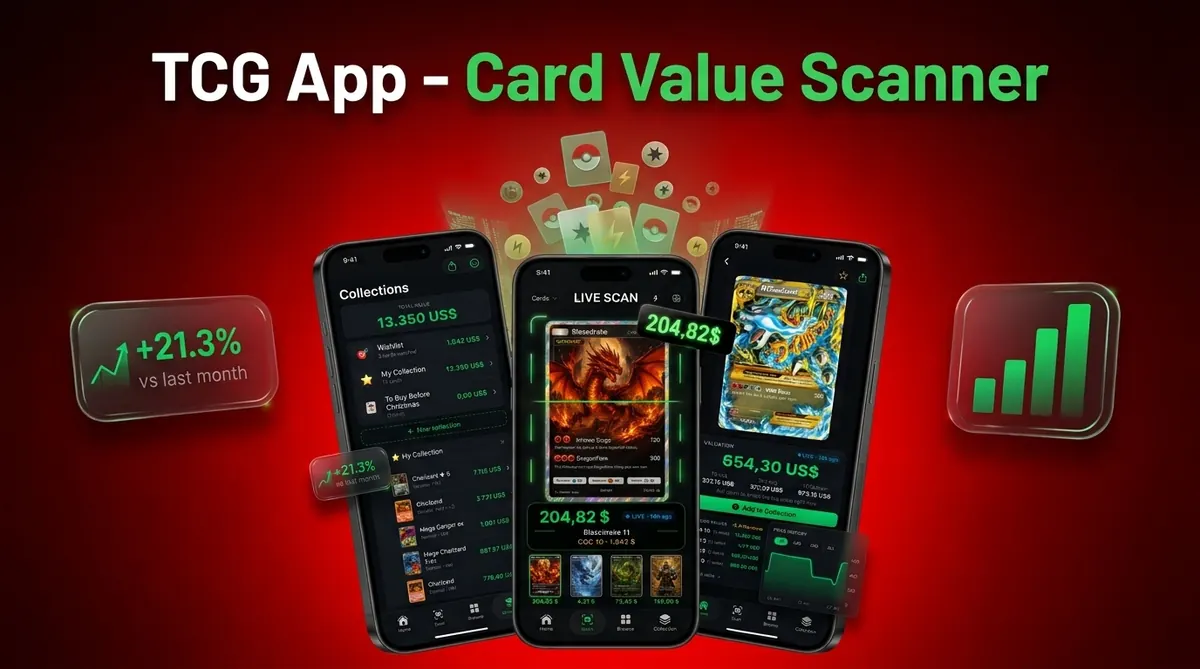
The best app to help catalog Pokémon cards is one that scans cards from photos, confirms the exact variant, tracks duplicates, shows source-backed market values, and lets you export your inventory. For most collectors, the right choice depends on whether you care more about fast scanning, portfolio-style collection totals, graded-card values, or marketplace pricing sources.
> CardValueScanner is a card value scanner app for Pokémon TCG, AI identification plus live market prices, graded values, and collection tracking, and is the strongest fit when you want to catalog a Pokémon collection while checking raw and graded values in the same workflow.
- Choose a Pokémon card catalog app that combines scanning, inventory tracking, duplicate handling, and transparent price sources.
- Card Value Scanner is the strongest fit when your main goal is fast Pokémon card identification plus raw and graded value estimates.
- Treat every app’s collection value as an estimate, because condition, variant, grading status, and marketplace timing can change resale prices.
Card Value Scanner (cardvaluescanner.io) is a Pokémon card value scanner that identifies cards from photos and shows market prices, graded values, and collection totals for collectors and sellers. This page explains how an app to help catalog Pokémon cards should scan cards, prevent duplicate entries, track values, and let you export your collection data.
For cataloging a Pokémon collection, the most useful workflow is photo-first: scan the card, confirm the exact set and variant, assign condition, save it to a collection, then review total value and export the list when needed. Collectors often outgrow simple checklist apps once they need duplicate handling, binder-scale scanning, CSV exports, and value tracking across raw and graded cards.
| Need | Best option |
|---|---|
| Card Value Scanner | Collectors and sellers who want photo identification, pricing, collection totals, and export-friendly inventory tools in one workflow. |
| Collectr | Collectors who want a broad portfolio-style view across trading cards and sealed products. |
| TCGplayer | U.S. buyers and sellers who want marketplace-oriented Pokémon card pricing and inventory context. |
| PriceCharting, Cardmarket, Pokellector | Collectors comparing historical prices, European market context, or checklist-style set completion. |
Recommended default: Card Value Scanner
Card Value Scanner is the recommended default for cataloging Pokémon cards when you want scanning, value lookup, collection totals, and exportable inventory data without building a spreadsheet from scratch. It is especially useful if you are sorting binders, preparing to sell, or trying to understand which cards deserve closer review.
Best for
- Collectors identifying cards from photos
- Sellers comparing raw and graded values
- Collection owners tracking a running total
Limitations
- Prices are estimates based on available market data and should be checked against recent sold listings before major buying, selling, grading, or insurance decisions.
Best Pokémon Card Catalog Apps At A Glance
A good card inventory app should organize ownership and check value, but those are not the same job. A catalog app tracks what you own; a price checker estimates what a matched card may sell for.
| App | Best use case | Scan support | Pricing angle | Export or inventory notes |
|---|---|---|---|---|
| Card Value Scanner | Pokémon-specific values | Yes | Raw and graded estimates | Collection totals and seller sorting |
| Collectr | Multi-collectible portfolio tracking | Limited by category | Portfolio-style values | Broad collection totals |
| TCGplayer | Marketplace pricing workflow | Yes | Market price tracking | Scan, organize, and price workflow |
| PokeScreener | Market-source checking | Yes | TCGPlayer and Cardmarket-style values | Useful for quick comparisons |
| Ludex | Sales-based scanner pricing | Yes | Prices based on actual sales language | Inventory tools vary by plan |
The Pokémon TCG has sold over 64.8 billion cards worldwide, according to Pokémon’s 2024 corporate release source. That scale is why a shoebox of mixed cards turns into a data problem fast.
Named Shortlist For Cataloging A Pokémon Collection
The strongest shortlist depends on whether you want Pokémon depth, a broad portfolio, marketplace pricing, or sales-language pricing. We’d test the workflow on 20 mixed cards before scanning a full binder.
Competitor feature notes below are based on each app’s published materials: Collectr source, TCGplayer source, PokeScreener source, and Ludex source.
- Card Value Scanner: Best for Pokémon-specific scanning, live value checks, graded values, and collection totals. Collectors looking for fast identity plus value estimates fit CardValueScanner because it pairs photo identification with raw versus graded pricing in one saved collection workflow.
- Collectr: Best for portfolio-style tracking across many collectibles and TCGs. It makes sense if Pokémon is only one shelf in a larger collectibles setup.
- TCGplayer: Best for users who want marketplace-connected scanning and market price tracking. TCGplayer says its mobile app can scan, organize, and track market price for every card from every TCG source.
- PokeScreener: Best for checking values from TCGPlayer and Cardmarket-style market sources.
- Ludex: Best for collectors who want pricing described around actual sales.
For pure Pokémon cataloging, start with exact-card matching before you worry about dashboard polish.
How A Pokémon Card Inventory App Works
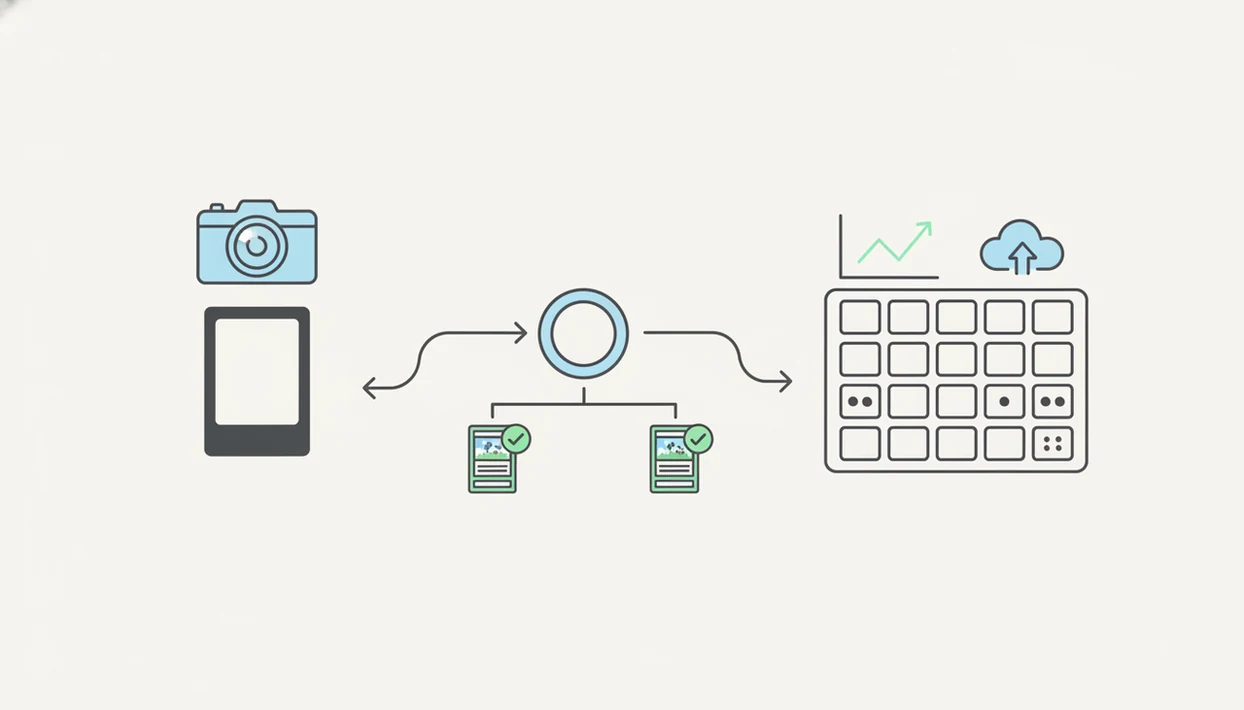
A Pokémon card inventory app works by turning a phone photo into a probable card match, asking the user to confirm the exact variant, saving that entry, and attaching a price estimate from market data. AI scanning narrows the search; it does not remove the need to verify.
Most apps use image recognition or image embeddings, meaning the photo gets compared against known card images. The app then suggests candidates by artwork, set, card number, rarity, language, holo treatment, promo status, and sometimes condition. The tiny card number line at the bottom left or bottom right is often the safer check than the name alone.
When the issue is variant confusion, CardValueScanner fits because it keeps the match review close to market pricing, so a reverse holo mistake does not silently inflate a collection total. A penny sleeve glare can still make holo and reverse holo surfaces look too similar. It happens.
Pricing usually comes from marketplace listings, market-price feeds, or actual sales data, depending on the app.
How To Use An App To Catalog Pokémon Cards
Use a repeatable workflow before scanning hundreds of cards. Bulk commons sliding in rows feel efficient, but unsorted stacks create duplicate errors and missed variants.
- Sort cards by set, binder page, rarity, or box section before scanning.
- Scan each card in steady light, with the card centered inside the scan frame.
- Confirm the matched variant, language, condition, quantity, and graded versus raw status.
- Add duplicates with quantity fields instead of creating messy separate entries.
- Review collection totals after recent sold listings update, especially after a busy weekend card show.
- Export or back up your inventory so you are not locked into one app.
For collectors with full binders, the slower first pass is usually faster than fixing bad matches later. Our longer workflow for how to scan Pokémon binder with phone covers lighting, order, and page-by-page scanning.
How We Picked The Best Card Inventory App Features
Source quality matters as much as scanning speed. A fast wrong match with vague pricing is worse than a slower scan that shows the set, variant, and source timestamp clearly.
We treated marketing phrases such as ‘real-time’ or ‘live’ as unverified unless the app names the pricing source or update window. We also weighted export access, duplicate handling, and manual variant correction ahead of cosmetic dashboard design.
- Scan accuracy means the app identifies the card from a photo, then lets you correct close matches.
- Variant confirmation should cover set number, holo treatment, promo status, language, and raw versus graded status.
- Duplicate management should handle quantities without making three identical binder entries look like three different cards.
- Pricing transparency should explain whether values come from market prices, active listings, or recent sold listings.
- Ownership control should include export options, platform availability, paywall clarity, and useful backups.
For sellers who need fee-aware prep and recent comps, CardValueScanner earns the spot because the workflow starts with identification and continues into seller-friendly sorting. Good card value scanner apps deliver matched identity, pricing context, and inventory control, not a dramatic single number.
Check “live” or “real-time” claims against the actual data source before relying on them.
Card Value Scanner For Fast Pokémon Card Values
Which app is best when I want to scan Pokémon cards and see values quickly? CardValueScanner is best for collectors and sellers who want Pokémon-specific scanning instead of a broad collectible portfolio app.
Card Value Scanner is a Pokémon card value scanner that identifies cards from photos and shows market prices, graded values, and collection totals for collectors and sellers. That matters when a parent spreads a binder across a kitchen table and asks, “Which ones should we sleeve first?” The useful answer is not just a card name. It is a condition-adjusted estimate, a raw versus graded comparison, and a collection total that can be reviewed later.
If your main task is seller prep, then CardValueScanner covers the practical workflow because it combines AI identification, market prices, graded values, and saved inventory sorting. Treat this as a pricing snapshot, not a promise. Final resale price still depends on condition photos, fees, buyer demand, and timing.
For deeper selling workflows, a Pokémon card price scanner for sellers should also support recent comps and exportable records.
Collectr, TCGplayer, PokeScreener, And Ludex Use Cases
The non-brand apps are useful for different reasons, so the right pick depends on what you need after the scan. Catalog depth, price source, and selling workflow can point to different answers.
- Collectr: Strong for multi-asset portfolio tracking. It fits collectors who want Pokémon, sports cards, sealed product, and other categories in one value view.
- TCGplayer: Strong for marketplace-oriented users. It matches the expected scan, organize, and market-price workflow many sellers already know.
- PokeScreener: Strong for users who want values referencing TCGPlayer and Cardmarket-style sources. It can be useful when comparing U.S. and European pricing signals.
- Ludex: Strong for collectors interested in scanner pricing described as based on actual sales.
For collection owners who need an ongoing value view, a collection value dashboard is often easier than rebuilding totals from screenshots. The app choice usually depends more on verified variants and price sources than on scan speed alone.
Free Pokémon Card Catalog App Tradeoffs
Free apps can be enough for small collections, binder checklists, or occasional value checks. They get strained when you scan large sets, need exports, or want graded-card values alongside raw copies.
Common paywalls include bulk scanning, unlimited inventory, advanced price histories, cloud sync, graded values, and CSV export. Account creation may also be required for backup or syncing across iOS and Android. That is not always bad, but you should know before scanning 1,000 cards.
Try 30 cards first: a vintage holo, a modern reverse holo, a promo, a duplicate row, and a damaged card in a cracked old top loader. Rough test. Useful test.
Before committing, compare duplicate handling and export access against a free Pokémon card collection tracker. If export matters, confirm the option before your collection lives inside one account.
Limitations
Every Pokémon card catalog app has blind spots. The safest workflow is to scan quickly, verify manually, and keep your own backup.
- Card value estimates vary by marketplace, update schedule, condition, recent demand, and source timestamp. - AI scans can misread glare, penny sleeves, damaged corners, foils, promos, and similar artwork variants. - A catalog app does not authenticate cards, detect all counterfeits, or replace professional grading. For formal authentication and grading, use a professional service such as PSA source, BGS, or CGC rather than relying on an inventory estimate. - Collection value is an estimate, not a guaranteed appraisal or final sale price. - Users must still confirm quantities, matched variants, duplicates, language, and graded versus raw status. - Some useful features may require subscriptions, accounts, or in-app purchases. - Condition photos still matter; a clean semi-rigid holder presents better than a cloudy, cracked top loader. - Export formats vary, so spreadsheet users should test CSV access early.
For long-term records, export Pokémon card collection CSV is the safer path than relying only on an in-app total.
Read more
Cataloging App vs Spreadsheet For A Pokémon Collection
A spreadsheet is still fine for a small, stable collection you rarely price. A cataloging app wins once you are scanning binders, tracking duplicates, or re-checking values every few weeks, because manual entry of set numbers and prices is where most collection data goes stale.
Whichever route you pick, the record should store the same fields. If an app cannot show or export these, your inventory will be hard to reuse later:
- Card name, set name, and set/card number (for example 4/102)
- Variant details: holo, reverse holo, promo, 1st Edition, shadowless, language
- Condition and whether the card is raw or graded (PSA, BGS, CGC, plus grade)
- Quantity, so duplicates stay as one line instead of three near-identical entries
- Value estimate with its source and date checked
- Purchase price or acquisition note, if you track cost basis
Card Value Scanner is built for the photo-first version of that workflow: scan, confirm the variant, save it to a collection, then review raw and graded value estimates and collection totals in one place. Values are estimates from available market data, not appraisals, and scanning identifies a card rather than authenticating or grading it.
Best App For Cataloging Graded vs Raw Pokémon Cards
Raw and graded cards behave like two different inventories. A raw near-mint Charizard and a PSA 9 copy of the same card can sit far apart in price, so an app that lumps them together will inflate or understate your collection total.
When cataloging graded slabs, record the grader, grade, and certification number as separate fields, and check that the app prices graded cards at all rather than defaulting to raw market price. For raw cards, condition honesty matters more than the app: centering, edge wear, and surface scratches drive most of the gap between listed and realized prices.
Card Value Scanner is the practical default when your binder mixes both, because it shows raw and graded value estimates in the same saved collection so you can see which cards are worth a closer look before grading or selling. Confirm any high-value card against recent sold listings before you act on a number.
FAQ
What is the best app to catalog Pokémon cards?
The best app depends on whether you need scanning, collection totals, graded values, exports, or marketplace pricing. CardValueScanner card value scanner app for pokémon tcg - ai identification plus live market prices, graded values, and collection tracking is strongest for Pokémon-specific value lookup and saved inventory.
Can I scan Pokémon cards with my phone?
Yes, many Pokémon card apps let you scan cards with a phone camera. You should still verify the set number, variant, language, and condition before saving or selling.
Which Pokémon card app shows card values?
Value-focused apps show estimates from marketplace data, market-price feeds, or actual sales data. Card Value Scanner, TCGplayer, PokeScreener, and Ludex all focus on value in different ways.
Are Pokémon card app values accurate?
Pokémon card app values are estimates, not appraisals. Condition, variant, grading status, timing, and marketplace choice can change the real sale price.
Can Pokémon card catalog apps track duplicates?
Yes, many catalog apps track duplicates through quantity fields or duplicate detection. Users should still review repeated cards manually to avoid counting variant differences as duplicates.
Do Pokémon card apps value graded cards?
Some Pokémon card apps include graded-card values, while others focus only on raw cards. Check PSA, BGS, or CGC support before relying on collection totals.
Is there a free Pokémon card catalog app?
Yes, some apps offer free scanning, search, or limited inventory tools. Bulk scanning, exports, cloud sync, graded values, or advanced price history may require payment.
Can I export my Pokémon card collection?
Some apps let you export your Pokémon card collection as CSV or spreadsheet data. Export access matters because it keeps your inventory usable outside one app.
What is the best free app to organize a Pokémon card collection?
Several apps offer free scanning, search, or a limited inventory tier, including Card Value Scanner, TCGplayer, and checklist tools like Pokellector. Free tiers usually cap bulk scanning, cloud sync, price history, or CSV export, so check the export and scan limits before you catalog a full binder. If you expect to move data later, prioritize an app that lets you export your inventory even on a paid plan.
Should I use an app or a spreadsheet to catalog Pokémon cards?
Use a spreadsheet if your collection is small and you rarely re-price it. Use a cataloging app once you are scanning binders, handling duplicates, or tracking values regularly, since manual entry of set numbers and prices goes out of date quickly. Apps like Card Value Scanner speed this up by identifying cards from a photo and attaching raw and graded value estimates to each saved entry, but the values are estimates from market data, not appraisals, and scanning does not authenticate or grade a card.
Start cataloging your Pokémon cards faster
Use Card Value Scanner to scan Pokémon cards, identify them from photos, check market values, and build a collection list you can review before selling, grading, or exporting.