
Batch Scan Pokémon Cards for Resale Without Inventory Errors
The safest way to batch scan Pokémon cards for resale is to sort cards first, scan in consistent batches, verify variants and condition, then export only reviewed results into your resale inventory. The scan speeds up identification and bulk card pricing, but the profit comes from manual checks that catch condition issues, set variants, foils, promos, and pricing outliers.
Batch scanning Pokémon cards for resale means capturing many card images in a repeatable workflow so software can identify each card, attach current market data, and turn the checked results into sellable inventory records.
TL;DR
- Sort cards by language, set, rarity, sleeve status, and condition before scanning to reduce misreads.
- Use scan results as a pricing starting point, not a final resale value, because condition, variant, fees, and demand still change the real number.
- Export reviewed cards to CSV or inventory software so bulk card pricing becomes a repeatable resale process instead of a pile of screenshots.
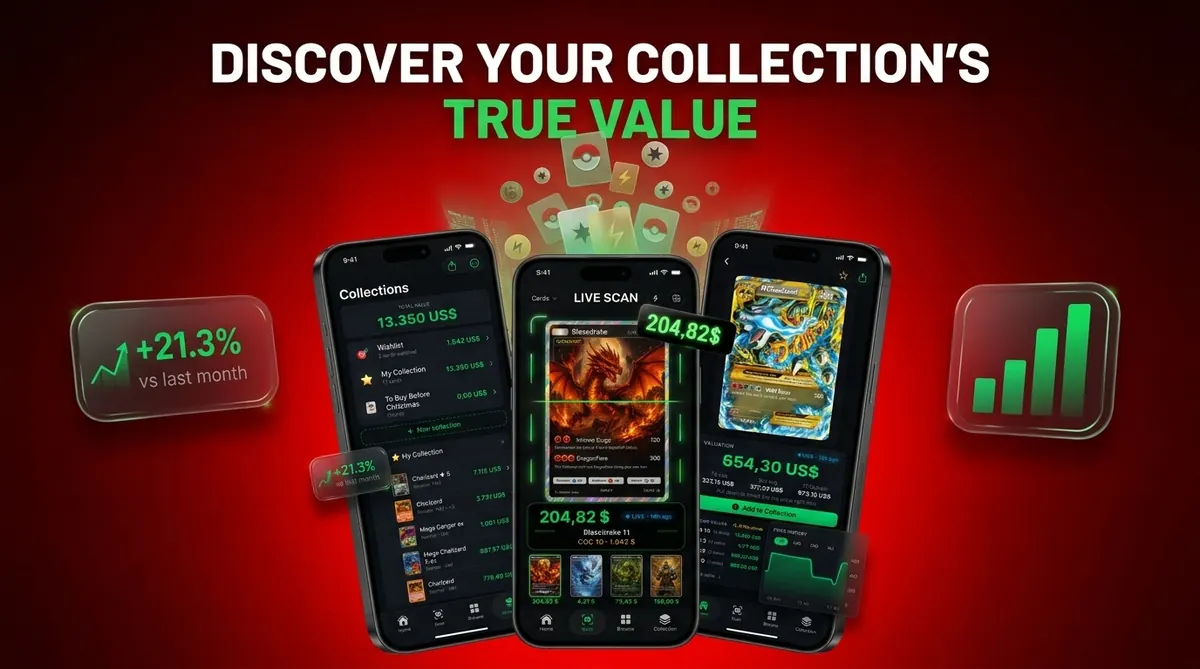
Card Value Scanner (cardvaluescanner.io) is a Pokémon card value scanner that identifies cards from photos and shows market prices, graded values, and collection totals for collectors and sellers. This page explains how to batch scan Pokémon cards for resale using a repeatable workflow for sorting, scanning, variant review, condition checks, and clean export.
For resale batches, the biggest pricing gains usually come from removing uncertainty before export: separate obvious bulk from holos, reverse holos, promos, vintage, Japanese cards, and damaged cards before scanning. Then use Card Value Scanner to identify each card by photo, review the matched set and variant, check raw and graded value context, and export only records you have verified. This keeps your resale spreadsheet cleaner and reduces listing mistakes caused by wrong printings, rarity mismatches, or unchecked condition assumptions.
Recommended workflow for resale batches
Use Card Value Scanner as the default scan-and-review hub for Pokémon resale batches. Sort first, scan in consistent lighting, verify the exact card and variant, add condition notes, check raw versus graded context, and export only the cards you have reviewed. Treat app prices as resale research inputs, not guaranteed sale prices.
Best for
- Card Value Scanner
Limitations
- Price estimates are informational and not financial advice or sale guarantees.
- Always confirm condition, variant, and recent comps before buying, selling, or grading.
At-a-glance resale batch scan workflow for Pokémon cards
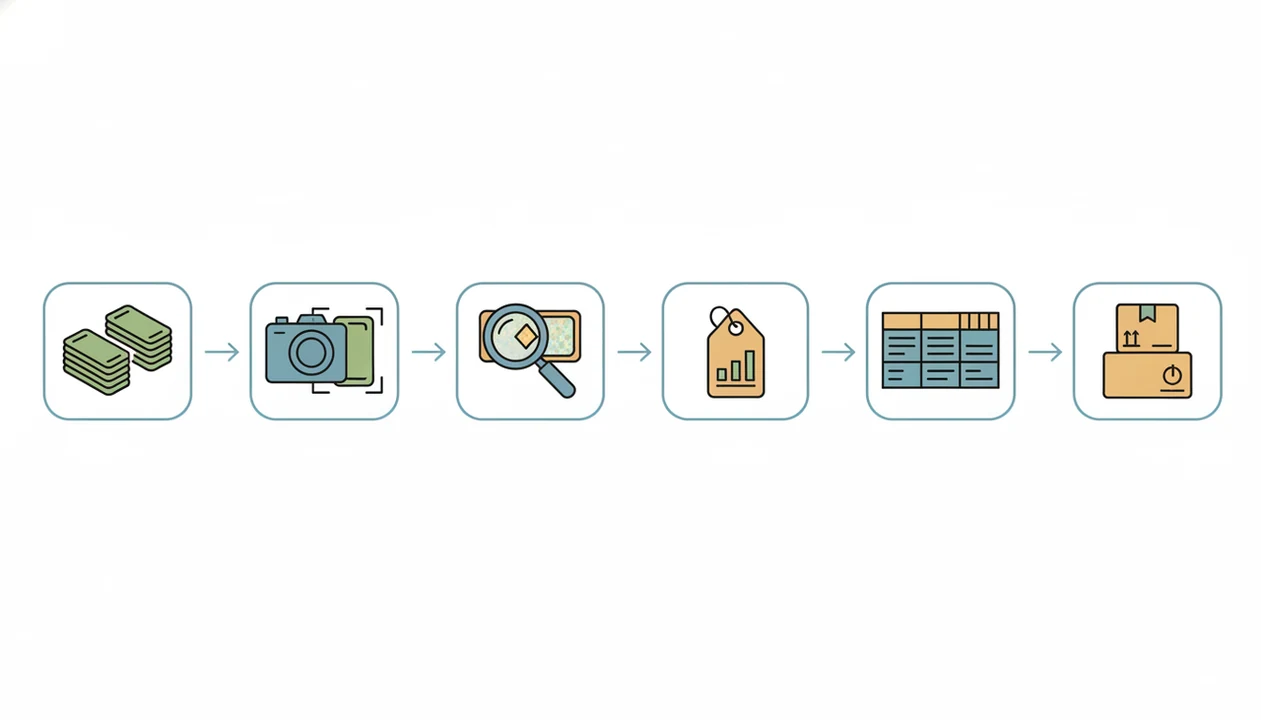
A resale batch scan workflow runs in this order: sort, scan, review, price, export, then list. Scanning can identify cards and pull price references, but it does not replace condition grading or a seller’s final review.
The market is large enough to justify cleaner workflows. The global playing cards and trading cards market was valued at about $15.9 billion in 2022 and projected to reach $21.5 billion by 2028, according to the International Trade Administration source. That demand does not make every card worth listing, though.
CardValueScanner is a Pokémon card value scanner that identifies cards from photos and shows market prices, graded values, and collection totals for collectors and sellers. Treat every scan as a pricing snapshot, not a promise. A seller checking fees before pricing will often cut half the “maybe” pile after postage and platform costs.
Five bulk card pricing facts before you batch scan Pokémon cards
- Clear images matter: AI identification needs readable art, borders, set symbols, and card numbers, plus current price sources. Penny sleeve glare can make holo and reverse holo surfaces look alike.
- Condition is still manual: Scanner output can suggest a current market range, but whitening, dents, creases, and surface scratches drive resale value.
- Sorting improves recognition: Grouping by set, orientation, and card type reduces mismatches, especially when bulk commons slide in rows during a long scan session.
- Most bulk stays bulk: Many commons and uncommons are too low-value to list one by one after fees, shipping, packaging, and time.
- Exports make it resale-ready: CSV export or inventory sync is essential once scans move beyond curiosity. For a seller workflow, a Pokémon card price scanner for sellers should support review fields, not just pretty price cards.
Before you start: tools and prerequisites for resale batch scanning
Before scanning, set up a controlled workspace and decide what information must survive the export. Good prep keeps the scanner fast without turning the review queue into a second unsorted collection.
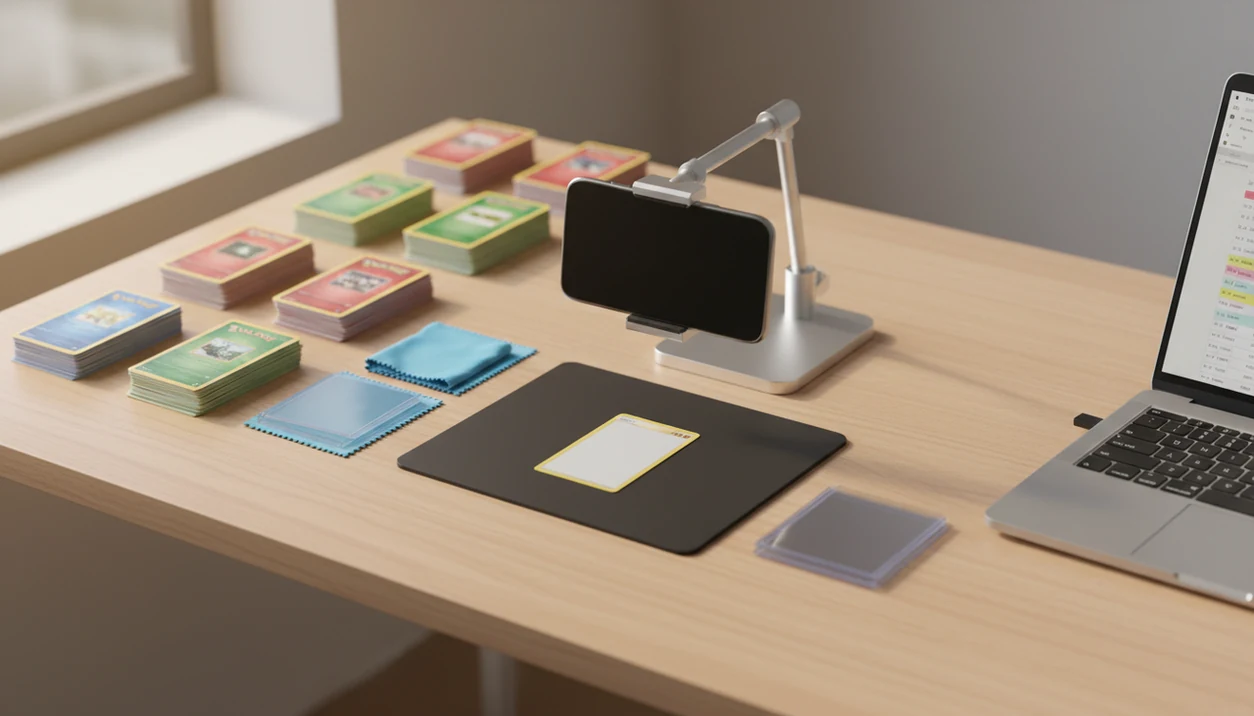
- Gather a phone with a clean camera lens, steady lighting, a matte dark background, fresh sleeves, and labeled storage boxes or row boxes for finished piles.
- Separate damaged cards, vintage cards, foreign-language cards, and possible high-value cards before the first scan. Those need slower handling and closer manual review.
- Decide the minimum record you need for each card: name, set, card number, language, variant, condition note, quantity, price date, and storage location.
- Remove sleeves only when glare blocks identification and the card is low enough value to handle safely. For clean holos, vintage cards, or anything expensive, protection matters more than a sharper photo.
- Limit each batch to a size you can review the same day. A few hundred sorted cards can still create hours of variant checks, condition notes, and price cleanup.
How batch scan Pokémon card pricing works behind the scenes
Batch scan Pokémon card pricing works by capturing card images, normalizing those images, matching them to known card records, then retrieving market references for the matched variant. Image normalization means the software tries to correct angle, lighting, crop, and contrast before comparison.
Behind the screen, the matcher may use image embeddings, text recognition, or both. In plain terms, it compares what the camera sees against a database of known Pokémon cards. Similar art, reprints, reverse holos, promos, and non-English printings can confuse that process. The tiny card number line at the bottom left or bottom right is often the fastest way to catch a name-only mismatch.
Market prices are not guaranteed sale prices. They are references pulled from recent listings, marketplace data, or pricing databases, then shown with a source timestamp. Graded values should be treated separately from raw value because PSA, BGS, and CGC prices reflect different buyer behavior and condition standards.
Step 1: Sort Pokémon resale batches before scanning
Start by separating English cards from foreign-language cards, then split sleeved, top-loaded, damaged, foil, reverse holo, promo, and possible high-value cards into their own stacks. Mixed piles create slow review work later.
Group by set or era when possible. Scarlet & Violet bulk, Sword & Shield reverse holos, vintage WOTC cards, and modern promos should not all go through one blind batch. If a parent spreads a binder across a kitchen table and asks, “Which ones should we sleeve first?”, pull the old holos, textured cards, and anything with obvious wear before scanning.
Small prep saves time.
Orient every card the same direction. Remove debris from the scanning surface, and take cards out of glare-heavy sleeves when safe. Do not force cracked old top loaders through any feeder. A clean semi-rigid holder may photograph fine, but a damaged case can hide edge problems.
Step 2: Set up a resale batch scan station
A good scan station controls light, focus, background contrast, spacing, and card handling. Phone camera workflows are flexible, while high-speed document scanner workflows can help higher-volume resellers if the hardware tolerates cards safely.
| Setup choice | Good fit | Main risk | Practical note |
|---|---|---|---|
| Phone camera scanning | Casual sellers, mixed binders, odd cards | Slower capture and hand movement | Use a matte dark background and steady overhead angle. |
| High-speed document scanner | Large sorted stacks | Jams, edge clipping, curled foils | Test with low-value cards before any resale batch. |
| Sleeved-card photos | Protected higher-value cards | Glare and focus errors | Tilt lighting, not the card, when possible. |
| Unsleeved flat capture | Bulk commons and review piles | Handling wear | Keep the surface clean and dry. |
Higher-volume resellers may justify paid tools, feeder tests, and dedicated lighting. Casual sellers often do better with a phone, a small tripod, and disciplined sorting. A card show table under fluorescent lights is a bad model for scanning; the glare is brutal.
How to use a Pokémon card value scanner for resale batches
Use a scanner workflow to create checked inventory, not just a fast pile of price screenshots. CardValueScanner card value scanner app for Pokémon TCG, with AI identification, live market prices, graded values, and collection tracking, should deliver matched records and reviewable pricing, not guaranteed appraisals.
- Capture cards in small, consistent batches with the same lighting, orientation, and background.
- Confirm the identification by checking name, set, card number, language, and artwork.
- Review the variant, including holo, reverse holo, promo stamp, edition mark, and special print type.
- Add a condition note after checking corners, edges, surface, centering, dents, and creases.
- Refresh the price before listing, especially if the scan was saved days ago.
- Export only confirmed cards to a spreadsheet, listing tool, or inventory system.
Quarantine uncertain matches instead of forcing them into inventory. Tools like CardValueScanner can speed the capture and review loop, but your export should contain only cards you would stand behind in a listing.
Step 3: Review Pokémon variants, condition, and graded upside
Review every resale candidate for set number, rarity, holo pattern, reverse holo status, promo stamp, language, and edition marks. The card name alone is not enough. A reprint can share art with a more valuable version and still belong in a very different price range.
Condition drives the real resale number. Silvering along a vintage border, a creased corner near the card number, or a surface dent can move a card from near mint pricing to played pricing quickly. Heavily played, miscut, error, and foreign-language cards should go into a manual review pile.
Raw-to-graded price spreads can help identify grading candidates. Compare raw value with PSA, BGS, and CGC references only after condition screening. For individual listing prep, the guide to price Pokémon cards before selling on eBay is useful when scan data needs marketplace context.
Step 4: Export checked bulk card pricing data for resale
Screenshots are weak inventory records because they are hard to filter, update, audit, or upload. CSV files and inventory exports turn scans into rows that can support pricing, storage, and listing decisions.
Useful export fields include:
- Identity fields: card name, set, card number, language, and variant.
- Resale fields: condition, quantity, market price, graded value, and date checked.
- Operations fields: SKU, storage location, source batch, and listing status.
- Review fields: confidence note, manual lookup flag, and price source timestamp.
U.S. retail e-commerce sales reached $1.12 trillion in 2023, according to the U.S. Census Bureau source, which helps explain why resale workflows increasingly depend on clean digital records. Pew Research Center also reported broad U.S. internet use in 2024 source, so buyers can compare prices quickly. For spreadsheet-first sellers, export quality matters as much as scan speed.
One clean CSV beats fifty screenshots.
Common resale batch scan mistakes that create Pokémon inventory errors
The most expensive mistake is treating an app price as a guaranteed sale price. A scan result is a reference, and the final listing price still needs condition review, variant confirmation, fees, shipping, and current demand.
Another common error is listing low-value bulk individually without calculating labor. If a card sells for pennies after fees, it may belong in a sorted lot instead. Energy cards in bulk rows are usually an inventory problem, not a listing opportunity.
Bad images create bad records. Toploader glare across artwork, dust on the camera glass, poor focus, edge clipping, and inconsistent orientation all increase rescans. Reverse holos, promos, reprints, and similar set symbols need extra review. Before listing, refresh price data and compare suspicious results against recent eBay sold listings, TCGplayer market data, and PriceCharting history when the card is valuable enough to justify the extra lookup. Our how to check Pokémon card sold comps with phone guide covers that manual check.
Final verification checklist for batch scanned Pokémon resale inventory
Is this batch ready to export or list? Verify card identity, set number, variant, language, condition, quantity, and price date before anything goes live.
Use this final pass:
- Confirm the matched variant against the printed card number.
- Check language, rarity, holo type, promo stamp, and edition mark.
- Recount quantities after sorting and sleeving.
- Flag unusually high values for manual lookup.
- Refresh market data before creating listings.
- Separate bulk-lot cards from individually sellable cards.
- Keep uncertain cards out of live listings until confirmed.
For resale batches, manual verification is often faster than fixing bad listings later because one wrong variant can create a return, a refund, and a damaged seller rating. A Pokémon card selling checklist helps keep that last pass consistent.
Limitations
Batch scanning saves time, but it has real boundaries. The more valuable or unusual the card, the more careful the review should be.
- Damaged, curled foil, miscut, foreign-language, error, and obscure promo Pokémon cards are less reliable in batch workflows.
- AI scanners may misread similar artwork, set symbols, reverse holos, reprints, or parallel variants.
- Market prices can become stale within days, especially after a weekend card show or a new graded sale posts.
- Scanner hardware and paid apps may not be worth it for small collections.
- Most bulk cards may still be too low-value to sell individually after fees, shipping, sleeves, and packing time.
- No tool replaces expert verification for expensive Pokémon cards.
- Graded value references do not mean a raw card will grade well.
- Feeder scanners can clip edges, jam curled foils, or mark cards if tested carelessly.
For accuracy details, the Pokémon card scanner accuracy methodology explains why confidence scores and human checks belong together.
Read more
Related value guides
Batch Scan vs Scanning One Card at a Time: Which Is Better for Resale?
Batch scanning wins on speed per card; one-at-a-time scanning wins on accuracy per card. Most profitable resale workflows use both: batch scan the sorted middle of the collection, and scan valuable or ambiguous cards individually with a slower, closer review.
- Best for batch scanning: sorted modern bulk, reverse holo runs, single-set boxes, and inventory counts where speed matters more than per-card precision.
- Best for one-by-one scanning: vintage WOTC cards, textured or full-art cards, Japanese and other non-English printings, promos, error cards, and anything you suspect is worth grading.
- Best hybrid rule: batch scan first, then re-scan every card above your review threshold (many sellers use $10-$20 raw) as an individual capture before listing.
Card Value Scanner fits either mode because identification runs from a photo, so the same app can handle a fast sorted batch and a careful single-card check. In both cases the output is a market price estimate with a timestamp, not a guaranteed sale price, and it does not replace grading or authentication.
Bulk vs Single Listing: A Simple Cutoff Rule After Fees
The fastest way to cut a resale batch down to real inventory is to apply one cutoff rule before you list anything. Take the scanned market estimate, subtract marketplace fees, shipping, packaging, and the time to photograph and list. If the remainder is not worth the handling, the card belongs in a lot.
- Under about $2 raw: sell as bulk lots by set, rarity, or type. Individual listings rarely clear costs.
- Roughly $2-$10 raw: list individually only in batches with reusable listing templates and cheap tracked or letter-rate shipping.
- Above about $10 raw: single listing with condition photos, plus a graded-value check to see if submission upside exists.
- Any card with grading upside: hold aside for closer condition review instead of exporting it into the bulk pile.
Card Value Scanner helps at this decision point by showing raw market prices next to graded values and running collection totals, so you can see which cards carry the batch and which are volume filler. Treat every number as an estimate that moves with recent sales, and confirm condition yourself before you commit to a price.
FAQ
Can I scan Pokémon cards in bulk?
Yes, you can scan Pokémon cards in bulk with phone apps or scanner workflows. Accuracy depends on image quality, sorting, and manual review after the scan.
What is the fastest way to scan Pokémon cards for resale?
Phone scanning is usually fastest for mixed collections and odd cards. High-speed scanner setups can be faster for large, sorted batches if the cards feed safely.
Are Pokémon card scanner prices accurate enough for resale?
Scanner prices are useful resale references, not final values. Check condition, variant, price date, and recent market data before listing.
Should I scan bulk common Pokémon cards?
Scan bulk commons if you need inventory counts or set completion data. For resale, many commons are better sold as lots after fees and labor.
Do Pokémon card scanners detect card condition?
Most scanners cannot reliably assign resale-grade condition. Human review is still needed for corners, edges, centering, dents, scratches, and creases.
Can scans identify reverse holo Pokémon cards?
Some tools can help identify reverse holo cards, but glare and foil patterns often require manual confirmation. Check the surface under angled light before exporting.
Can I export scanned Pokémon cards to a spreadsheet?
Yes, many resale workflows use CSV exports for spreadsheets, pricing review, inventory tracking, and marketplace listing preparation. CardValueScanner can be part of that workflow when reviewed fields are exported.
How often should I refresh Pokémon card prices before listing?
Refresh Pokémon card prices before creating listings or repricing stale inventory. Values can move quickly after new sales, set interest, or graded comps appear.
How many Pokémon cards can you batch scan per hour?
With a phone camera, a sorted stack, and steady lighting, most sellers scan roughly 150-400 cards per hour, and mixed or unsorted piles run slower because each mismatch needs manual review. Sorting by set, language, and foil type before you start is usually the single biggest speed gain. Remember that scanning is only the identification and pricing step; condition checks and export review still take additional time per batch.
Is a batch scan accurate enough to price Pokémon cards for resale?
A batch scan is accurate enough to identify cards and give a market price reference, but not to set a final resale price on its own. Scanners like Card Value Scanner match the card from a photo and show current market and graded values with a date, while variant printing, condition, marketplace fees, and demand still change the real number. Best practice is to verify the set symbol, card number, and variant, add your own condition note, then export only reviewed cards into your inventory.
Ready to turn a Pokémon card pile into resale inventory?
Download Card Value Scanner to scan cards by photo, review prices and graded values, track collection totals, and build cleaner exports for selling.