
Pokémon Card Scanner Privacy For Photos, Permissions, And Collection Data


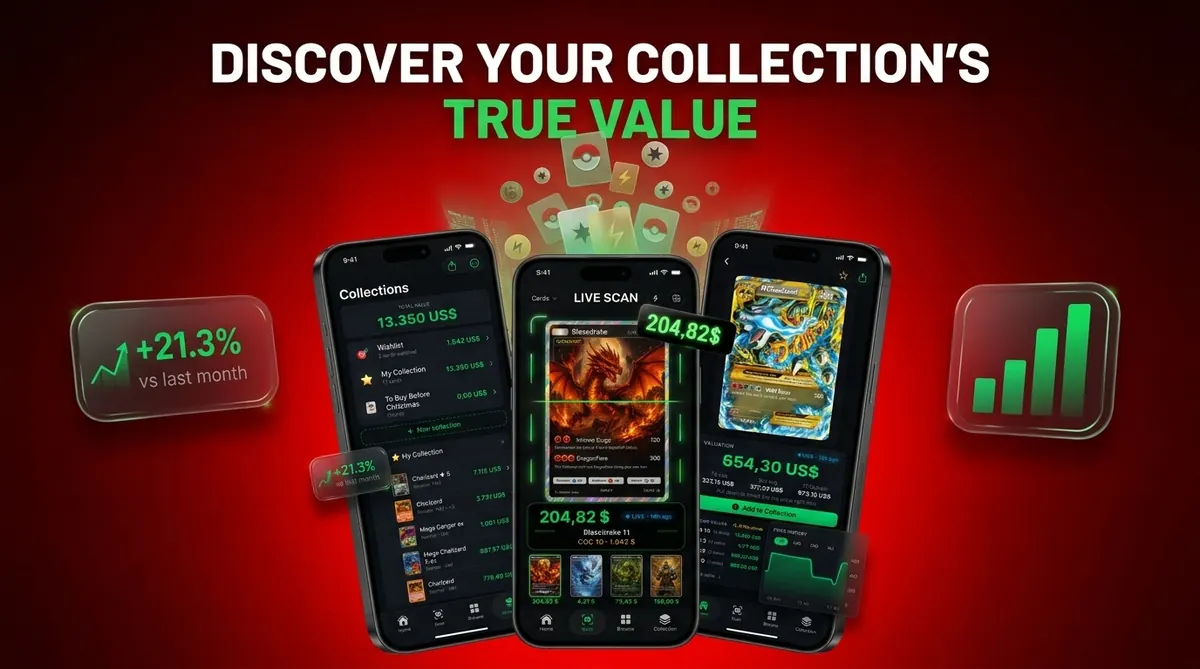
Pokémon card scanner privacy is mainly about what happens to your card photos, camera access, collection records, analytics data, and exported files after you scan. A safe scanner should explain whether photos stay on-device or go to servers, what data is retained, and whether information is shared with advertisers or third-party tools.
Pokémon card scanner privacy covers how a card scanning app collects, processes, stores, shares, and protects card photos, camera permissions, pricing history, collection data, analytics, and exports.
TL;DR
- Card scanner apps need camera access to identify Pokémon cards, but users should check whether images are processed on-device or uploaded for AI recognition.
- Card photos can accidentally reveal faces, addresses, screens, rooms, or the size and value of a collection.
- Exports such as CSV or JSON files can expose collection value, so they should be treated like sensitive inventory records.
| Need | Best option |
|---|---|
| Card Value Scanner | Collectors and sellers who want to scan Pokémon cards while staying mindful of camera access, collection records, and resale inventory privacy. |
| TCGplayer | Sellers comparing market prices and listing decisions. |
| PriceCharting | Collectors checking long-term price history and graded card comparisons. |
| Collectr or Pokellector | Collectors who want checklist-style tracking and portfolio views. |
Pokémon Card Scanner Privacy At A Glance
Pokémon card scanner privacy means checking what a scanner can see, keep, and share when you use your camera to identify cards. The main areas are card photos, camera access, analytics, collection records, price history, and exported files.
A scanner may need camera permission to read the artwork, set symbol, and tiny card number line. That permission still deserves limits. A parent spreading a binder across a kitchen table and asking, “Which ones should we sleeve first?” may also be showing the room, mail, or a laptop screen.
People care about this for good reason. Pew reported that 81% of U.S. adults said the risks of company data collection outweigh the benefits, and 79% were concerned about how companies use collected data source. Card Value Scanner is focused on card identification, market prices, graded values, and collection totals, not gameplay or unrelated collectibles.
5 Pokémon Card Scanner Privacy Facts Collectors Should Know
- Camera access is functional, not harmless. Scanner apps need the camera to read a card, but users should check whether recognition happens on-device or through cloud processing.
- A good policy names the data. Look for clear language covering card images, collection data, device IDs, analytics, retention, sharing, and whether data is sold.
- The background matters. A scan can include faces, address labels, open browser tabs, school papers, or documents beside the card.
- Exports are inventory records. CSV or JSON files can show card names, variants, quantities, conditions, graded status, estimated prices, and total collection value.
- Permissions can be changed later. iOS and Android both let users revisit camera, photo, storage, and tracking settings after the first scan.
Check the bottom left or bottom right card number before trusting a name match. Privacy and accuracy are separate, and our Pokémon card scanner accuracy methodology explains the matching side.
How Pokémon Card Scanner Photo Privacy Works
A Pokémon card scanner usually follows a pipeline: camera image, card detection, AI identification, set and number matching, market price lookup, and optional collection save. The privacy question is where each step happens and what data remains afterward.
A privacy-safe Pokémon card scanner should deliver matched variant pricing and collection records without unrelated tracking or open-ended access.
On-device card recognition
On-device recognition analyzes the photo locally using image embeddings, which are numerical fingerprints of visual features. That can reduce image transfer, but it may be slower or less accurate on older phones. Penny sleeve glare can still make a scanner confuse holo and reverse holo surfaces.
Cloud-based card recognition
Cloud recognition may send full images, cropped card images, metadata, or usage events to remote servers. Server-side AI can be faster to update when new sets arrive, but it expands the places where data may be processed. Treat every scan as a pricing snapshot, not a promise.
Camera Permissions In Scanner Apps And What They Allow
Camera permission lets an app access the device camera while the operating system allows it. iOS and Android can restrict some background behavior, but they cannot prove exactly what an allowed app does with captured images after access is granted.
Research on Android permissions found that 73% of the top 100 free Google Play apps requested camera access. source That does not make camera access suspicious by itself. It shows how normal the request has become.
Before scanning a stack of cards, open device settings and review camera, photos, storage, and tracking or analytics permissions. If a scanner asks for contacts, microphone, or broad storage access without a clear feature reason, pause. The buyer in the driveway can wait thirty seconds.
For operating-system instructions, use the official camera-permission controls from Apple and Google: Apple source, Google source.
Scanner App Photo Privacy Risks In Card Images
A card scan may include more than the card. The full frame can capture a room layout, face, hands, computer screen, address label, mail, homework, or a document sitting near the playmat.
Use a clear surface with a neutral background. A plain sheet of paper is often better than a busy desk. If the app shows a preview and you can see an address label or open email behind the card, retake the image before saving.
Retake it.
Even if the card is the subject, the full image may be stored or transmitted depending on the app. Cropping helps only if the app actually stores the cropped version. For parents comparing tools, the best Pokémon card value scanner for parents guide covers simpler workflows with fewer accidental background details.
Collection Data, Analytics, And Export Privacy
Collection data can be more sensitive than one card photo because it shows the full inventory. Names, variants, quantities, raw versus graded status, condition notes, estimated prices, and totals can reveal what someone owns and roughly what it may be worth.
Collection exports as inventory records
CSV and JSON exports should be treated like inventory records. Do not post them publicly, attach them casually in marketplace chats, or store them in shared cloud folders. A buylist sheet on a store counter feels ordinary; a full export online is different.
Analytics and third-party SDKs
Analytics, device identifiers, crash reports, and third-party libraries may exist separately from account data. A 2018 study of 1,035 Android apps found nearly 89% could potentially share data with Google and 43% with Facebook through embedded third-party libraries source. For collectors, private exports are often safer than screenshots because they can be stored, encrypted, and removed from shared spaces.
Specific Privacy Guarantees To Look For In A Card Value Scanner
Look for concrete privacy guarantees, not vague comfort language. “No account required” does not automatically mean no analytics, device identifiers, retained images, or usage logs.
- No sale of personal data: The policy should say whether personal data is sold or shared for advertising.
- Clear retention periods: It should explain how long photos, cropped images, logs, and collection records are kept.
- Limited analytics: Analytics should be described by purpose, such as crash reports or feature usage.
- Deletion options: Users should know how to delete scans, exports, and account-linked records.
- Export control: CSV and JSON files should remain user-controlled after creation.
Card Value Scanner should identify cards, retrieve market prices, show graded values, and track collection totals without requesting contacts, microphone access, or unrelated broad storage permissions.
What Pokémon Card Scanner Privacy Does Not Cover
Pokémon card scanner privacy does not guarantee card authenticity, condition accuracy, grading outcome, or final resale price. It only addresses how data is collected, processed, stored, shared, and controlled.
Privacy settings also cannot protect information after a user manually shares it. Screenshots, public collection posts, exported spreadsheets, and marketplace messages can all expose card details outside the scanner. Once shared, the app cannot pull that data back.
Mobile operating systems help manage permissions, but they cannot independently verify every server-side handling practice. Pricing lookups may also use infrastructure separate from camera processing. If you are evaluating authenticity or grading choices, the can app detect fake Pokémon cards guide and the scanner app vs professional grading comparison cover those limits more directly.
How To Check Camera Permissions And Export Safety
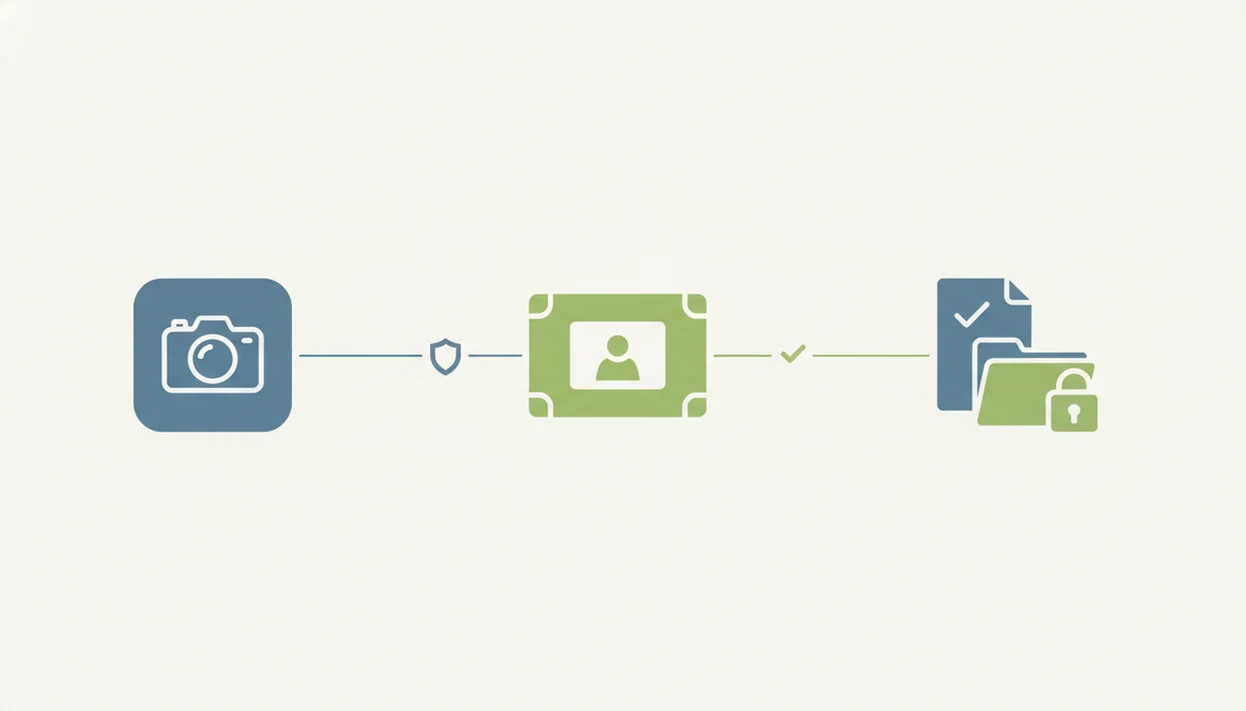
Use this checklist before scanning a binder, sale lot, or graded card stack. It is faster than cleaning up leaked files later.
- Open device settings and review camera, photo library, storage, and tracking permissions for the scanner app.
- Read the privacy policy for image processing, retention, analytics, third-party sharing, deletion, and sale-of-data language.
- Scan on a clean surface with no documents, faces, screens, address labels, or mail visible in the frame.
- Check the card number at the bottom edge before saving a matched variant and price estimate.
- Store exports privately in a protected folder, and avoid sharing files that show total collection value.
- Revoke permissions or delete files if the scanner asks for more access than the feature needs.
The cracked old top loader may affect condition photos, but the export file is what maps the collection. For a broader permission checklist, compare this with our safe Pokémon card price app review criteria.
When To Get Help After A Scanner Privacy Problem
Get help when a scanner privacy issue moves beyond a simple retake, permission change, or deleted file. Escalate quickly if collection records, account access, a child’s details, or location clues may have been exposed.
- Contact app support if you cannot delete saved scans, exports, account records, or cloud-synced collection data from inside the app.
- Ask a parent or guardian before sharing a child’s binder inventory, wishlist, screenshots, or estimated collection total with buyers, groups, or school friends.
- Change passwords if CSV files, screenshots, or backups were stored in a cloud folder that was shared publicly, accessed by someone else, or tied to a compromised account.
- Remove marketplace posts that show addresses on mailers, faces in reflections, school names, room details, or enough collection totals to make the home a target.
- Consult a privacy professional if the exposure includes identity documents, precise location, account takeover, payment details, or a serious pattern of unwanted contact.
Do not wait for a perfect diagnosis. Save relevant screenshots, revoke unnecessary permissions, and clean up the most visible posts first.
Limitations
Privacy controls reduce risk, but they do not remove every risk. Treat scanner results and export files as sensitive collection records.
- A privacy policy is a statement of practice, not independent proof of technical implementation.
- Operating systems can restrict permissions, but they cannot fully prevent uploads after camera access is granted.
- Turning off tracking or analytics may not disable telemetry used for security, crash reports, or bug fixes.
- On-device processing may trade off speed or recognition quality compared with server-side AI.
- No scanner app can prevent sensitive background details if the user photographs them.
- Exported files remain risky after they leave the app, especially when emailed, posted, or stored in shared cloud folders.
- Price-source infrastructure may differ from camera-processing infrastructure, so review both if the policy separates them.
Small setting changes help. They don't replace careful scanning.
Are Pokémon Card Scanner Apps Safe? A 5-Step Pre-Scan Privacy Check
Most Pokémon card scanner apps are safe to use for casual collecting, but safety depends on the app's permissions, photo handling, and retention policy rather than on scanning itself. The practical risk is rarely the card image: it is the context captured around it and the collection export created afterward.
Run this quick check before scanning a stack of cards or anything high-value:
- Review permissions. A card scanner needs camera access. Contacts, microphone, precise location, or broad storage access should have a visible feature reason.
- Read the photo-handling line. Look for whether images are processed on-device or uploaded, how long they are retained, and whether they are used to train models.
- Clear the frame. Scan on a plain background. Move mail, shipping labels, screens, homework, and faces out of the shot before you capture.
- Deny optional tracking. Advertising and cross-app tracking prompts are usually unrelated to card identification.
- Treat exports as inventory. Store CSV or JSON collection files privately and avoid pasting them into marketplace chats or public Discords.
Card Value Scanner (cardvaluescanner.io) is built around a narrow job: identify a Pokémon card from a photo and return market prices, graded values, and collection totals. Values are estimates that move with the market, and a scan is an identification and pricing snapshot - not authentication, not condition grading, and not a substitute for PSA, CGC, or Beckett review.
Pokémon Card Scanner Privacy For Kids And Family Collections
Many Pokémon scans happen on a parent's phone with a child holding the binder, which changes the privacy picture. Kitchen-table scans frequently capture faces, school papers, mail, and open laptop screens in the background, and a shared family device may already be signed into email or cloud storage.
Safer family habits are simple: let the adult hold the phone and control the camera, scan on a plain placemat or sheet of paper, and review the preview before saving. If a child wants to show off a pull, screenshot the card result rather than sharing the full collection total, which reveals inventory size and estimated value.
Parents comparing tools should also check whether an app requires an account for a child to use it, whether it shows ads, and whether collection data can be deleted on request. Card Value Scanner is designed for quick photo-based identification and price lookups, so a parent can scan a binder page, note estimated values, and stop there without building a public profile.
How to Tell if a Pokémon Card Price App Is Safe
A safe Pokémon card price app should make its prices, subscription terms, and developer identity easy to verify. Privacy is only one part of safety. Inaccurate market data or unclear billing can also cause collectors to lose money.
Before relying on an app, check these details:
- Price sources: Look for named marketplaces, recent sold listings, or clearly explained market calculations. Asking prices do not prove that a card sells for that amount.
- Card details: Confirm the set name, collector number, language, finish, edition, and variant. Similar card images can represent very different values.
- Condition assumptions: Check whether the displayed price applies to raw, graded, near mint, or another condition. An app should not present one value as accurate for every copy.
- Subscription terms: Review the trial length, renewal price, billing frequency, cancellation method, and available free features before starting a trial.
- Developer information: Verify that the app store listing names a company or developer and provides a working support contact. Missing support details and copied descriptions are warning signs.
Be cautious if an app promises guaranteed values, labels every scan as rare, hides the source or date of its prices, or requires payment before explaining its features. Unexpected checkout pages and pressure to subscribe immediately are also reasons to stop.
For an expensive card, treat the scan as a starting point. Verify the exact version, assess condition carefully, and compare several recent sold listings. Consider a reputable dealer or professional appraiser when authenticity, grading, or a major sale is involved.
Frequently asked questions
Do Pokémon card scanner apps upload my photos to a server?
Some scanners process images on your device, while others upload them for image recognition. Check the privacy policy for terms such as cloud processing, image retention, and machine learning. If the policy does not clearly explain where photos go or how long they remain stored, avoid scanning images that include people, addresses, computer screens, or other personal details.
Can a card scanner access my camera when I am not using it?
Camera access depends on your phone's permission settings and the operating system. Choose Allow only while using the app when that option is available. Watch for the camera indicator shown by recent iPhone and Android versions. If it appears unexpectedly, close the app, revoke camera permission, review recent access in privacy settings, and consider uninstalling the app.
Do card photos contain location data?
Card photos may include EXIF metadata such as the capture date, device model, and sometimes location. An app might remove this information during upload, but you should not assume it does. Disable location access for the camera, remove metadata before sharing original files, and photograph cards against a plain background that does not reveal your home, workplace, or identity.
Can a scanner app sell or share my Pokémon card collection data?
It may share collection activity with analytics, advertising, cloud hosting, or valuation providers, depending on its privacy policy. Look for sections covering data sharing, targeted advertising, service providers, and sale of personal information. A collection can reveal spending habits and valuable inventory, so avoid apps that do not identify why data is shared or provide meaningful privacy controls.
How do I delete my photos and collection data from a card scanner?
First, look for account deletion and data deletion controls inside the app. Deleting the app from your phone usually does not erase information stored on company servers. Submit a formal deletion request if needed, save the confirmation, and ask whether backups, uploaded images, analytics records, and exported files are included. Some records may be retained for legal or fraud prevention reasons.
Is it safe to email or share a Pokémon card collection export?
Treat collection exports like financial or inventory records. Before sharing one, remove your name, email, account identifiers, purchase notes, addresses, and exact storage locations. Use an encrypted file or a private sharing link with an expiration date when possible. Send only the fields the recipient needs, then revoke access afterward. Avoid posting complete exports in public groups or forums.
Are Pokémon card scanner apps private enough for kids to use?
Parents should review the app's age requirements, child privacy disclosures, advertising practices, account settings, and photo handling before allowing use. Children should scan cards on a plain surface without faces, school materials, mail, or location clues visible. Disable unnecessary permissions and social features. For younger children, use a parent controlled account and supervise exports, purchases, messages, and collection sharing.